





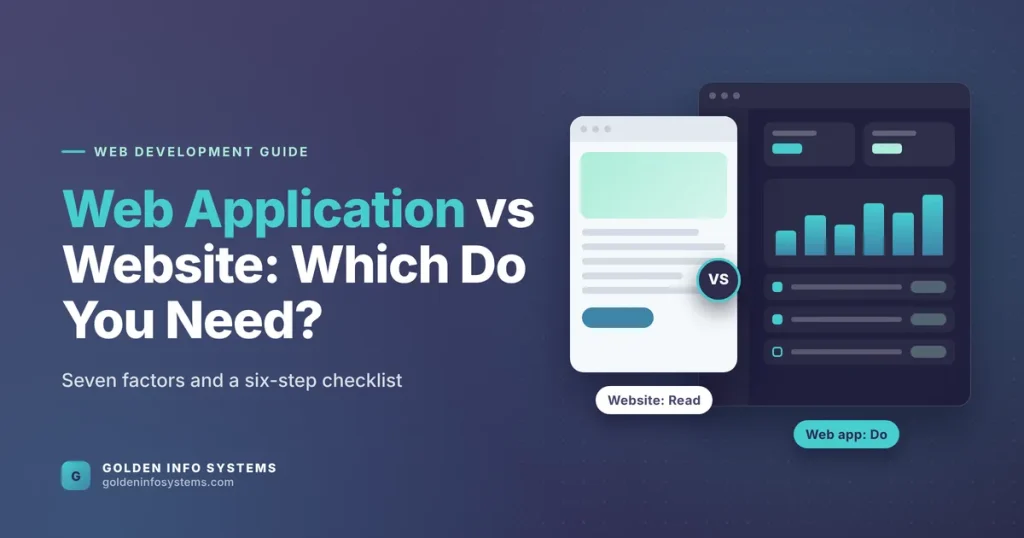
The difference in the web application vs website question comes down to what the visitor does. A website mainly delivers information that people read, such as service pages, blog posts and contact details. A web application lets people log in, enter data and complete tasks, like booking an appointment, tracking an order or approving an invoice, with results saved to a database.
Most businesses need a website first and add a web application when a manual process starts to cost real hours. If your team re-types form submissions into spreadsheets, emails PDFs back and forth or answers the same “where is my order” question twenty times a day, that’s a sign you have outgrown a brochure site.
This guide explains how the two differ in technology, security, cost drivers and maintenance. You’ll also get a comparison table, a six-step decision checklist and the mistakes we see most often when companies brief a web project.
1. Web Application vs Website: What Each One Does for Your Business
Getting the web application vs website call right early protects your budget. A website brief quoted for an application wastes money, while an application brief squeezed into a website budget produces a system your staff work around instead of with.
Think of the split as “read” versus “do.” Both run in a browser, both live at a URL, and both can look polished. What separates them is how much logic sits behind the screen and how much of that logic is unique to each user.
What a website does
A website publishes content. The home page, About page, service descriptions, case studies and blog are the same for every visitor. Interaction is usually limited to navigation, search, a contact form and perhaps a newsletter signup.
Most company websites today run on a content management system so that marketing staff can edit pages without a developer. WordPress dominates this category: according to W3Techs usage data, it powers 40.1% of all websites and 58.6% of sites whose CMS is known (figures checked October 2026).
The job of a website is to get found, build trust and turn a visitor into a lead. Its success metrics are search rankings, page speed, time on page and form submissions.
What a web application does
A web application is software that happens to be delivered through a browser. Users sign in, and what they see depends on who they are. A sales rep sees their own pipeline; a manager sees the whole team’s numbers; a customer sees only their invoices.
Gmail, online banking, Trello and a hospital’s patient portal are all web applications. So is the internal tool your operations team might use to assign delivery routes. The success metrics change too: task completion time, error rates, uptime and the number of manual steps removed.
Because the logic is specific to your workflow, most serious web apps are built rather than bought. That’s where custom web application development comes in, and it’s a different kind of project from building a marketing site.
Where dynamic websites and business web portals sit
The line isn’t always sharp. Dynamic website development sits in the middle: pages are generated from a database (product catalogs, property listings, job boards, event calendars), yet visitors still mostly read rather than act.
A business web portal sits closer to the application end. It gives a defined group, such as dealers, members, students or suppliers, a logged-in area to download documents, submit requests and check status. Many companies start with a public website and add a portal behind a login when one audience needs self-service.
Here’s a useful test. If you can describe the project as “pages,” it’s a website. If you describe it in terms of “users,” “roles,” “records” and “workflows,” you’re looking at a web application, even if part of it looks like a website.
2. Seven Factors That Separate a Website From a Web App
The labels in any web application vs website debate matter less than the requirements behind them. These seven factors decide budget, timeline, team and risk, so walk through each one before you ask anyone for a quote.
Interactivity and user accounts
A website may have no accounts at all. A web app almost always has authentication, password resets, user roles and permissions. Each role multiplies the screens and rules you must design and test.
Two roles (admin and customer) is a modest build. Five roles with approval chains, such as staff, team lead, finance, auditor and client, can triple the testing effort because every screen has to behave correctly for every role.
Data and the database
A website’s database mostly stores content: pages, posts, media and form entries. A web application stores business records that people create and change all day, like orders, tickets, payments, attendance or student files.
That shift brings new requirements: data validation, audit trails showing who changed what, backups with tested restores and reporting. If losing a day of data would hurt your business, you’re building an application.
Technology stack
Websites are commonly built on a CMS such as WordPress, sometimes with a custom theme. Web applications usually separate the front end from the back end. The front end is often built in React, Angular or Vue.js; the back end in Node.js, Python or PHP frameworks such as CodeIgniter or Laravel; data lives in PostgreSQL, MySQL or MongoDB.
The stack choice affects hiring later. Pick mainstream, well-documented tools so that your next developer (in-house or outsourced) can pick up the code without a rewrite.
Security exposure
A brochure site’s main risks are outdated plugins, weak admin passwords and spam. A web app holds customer data and business logic, so the attack surface is far larger.
The OWASP Top 10:2025 lists Broken Access Control as the number one risk, followed by Security Misconfiguration and Software Supply Chain Failures. Broken access control is exactly the bug that appears when one user can open another user’s record by changing an ID in the URL. Websites rarely face it. Web apps face it on every screen.
Performance targets
Both types need to load fast, and Google measures that through Core Web Vitals. Per Google’s web.dev guidance, a page should reach Largest Contentful Paint within 2.5 seconds, keep Interaction to Next Paint at 200 milliseconds or less and hold Cumulative Layout Shift at 0.1 or less, measured at the 75th percentile of page loads.
For a website, these numbers feed straight into SEO. For a web app, Interaction to Next Paint matters most, since users click, filter and save constantly; a sluggish save button costs staff time on every single record.
Integrations
Websites typically connect to a handful of services: analytics, a form tool, perhaps a CRM. Web applications connect to payment gateways, SMS providers, accounting systems, ERPs, email services and sometimes government APIs.
Each integration needs error handling for the day the other system is down. Budget for this work explicitly, because it’s where many timelines slip.
Hosting and maintenance
A typical website runs well on managed hosting with a CDN. A web application may need separate environments (development, staging, production), automated deployments, monitoring, log storage and scaling rules for traffic spikes.
Maintenance differs in kind as well. A website needs content updates, plugin patches and occasional redesigns. A web app needs bug fixes, security patches, dependency upgrades, database tuning and new features as your process changes. Plan a yearly maintenance budget for it from day one.
3. Web Application vs Website Comparison Table
The table below puts the differences side by side. The timeline ranges are general industry estimates for typical small and mid-sized projects, not quotes; your scope, integrations and number of user roles will move them.
| Factor | Website | Web application |
|---|---|---|
| Main purpose | Inform, rank in search, generate leads | Let users complete tasks and manage data |
| User accounts | Usually none, or admin only | Required, with roles and permissions |
| Content | Same for every visitor | Personalized per user and role |
| Typical stack | CMS such as WordPress, custom theme | React, Angular or Vue.js front end; Node.js, Python or PHP back end; SQL or NoSQL database |
| Key security risks | Outdated plugins, weak admin logins, spam | Broken access control, injection, misconfiguration, data leaks |
| Testing effort | Layout, links, forms, speed | Every role, workflow, edge case and integration |
| Estimated build time | About 3 to 8 weeks | About 3 to 9 months for a first release |
| Main cost drivers | Number of page templates, design depth, content migration | Number of roles, workflows, integrations, reports and compliance needs |
| Maintenance | Content edits, CMS and plugin updates | Bug fixes, security patches, new features, monitoring |
| Success metric | Traffic, rankings, leads | Time saved, error rate, adoption, uptime |
Read the “main cost drivers” row twice, because it explains most of the price gap in the web application vs website comparison. A website’s price tracks how many distinct page designs you need. A web app’s price tracks how many distinct rules your business follows, which is why two apps that look similar on screen can differ several times over in cost. For a deeper breakdown of how those drivers translate into a budget, see our guide to custom software development cost.
Rule of thumb by business type
The pattern below holds for most of the businesses we speak with. Treat it as a starting point for the checklist in the next section, not a final answer.
| Business situation | Usually needs | Why |
|---|---|---|
| Consultancy, agency or professional firm | Website | Visitors read services and case studies, then call or fill in a form |
| Real estate agency or job board | Dynamic website | Listings come from a database, but visitors mostly browse and enquire |
| Manufacturer with dealers or distributors | Website plus business web portal | Dealers need logged-in access to price lists, orders and stock status |
| Membership association or trade body | Website plus member portal | Members renew, pay dues and register for events themselves |
| Clinic, school or training institute | Website plus web application | Appointments, admissions, fees and records need roles and data security |
| Startup selling software as a service | Web application plus marketing website | The app is the product; the website brings in signups through search |
Notice how few rows end at “website” alone. Even a modest dynamic website development project, like a property listing site, needs a structured database and an admin panel, which is why scoping it properly saves money later.
4. Web Application vs Website Decision: A Six-Step Checklist
Use this checklist in a one-hour workshop with the people who will actually use the system. You’ll leave with a clear answer and a brief that any development partner can quote against.
- Write down the top five things users must do. Use verbs: “read our pricing,” “book a demo,” “upload a document,” “approve a refund.” If every verb is “read,” “browse” or “contact,” you need a website.
- Count the user types. List each group that will touch the system and what they may see or change. One public audience points to a website. Two or more groups with different permissions point to a web application or a business web portal.
- Map the data. Note which records users create or update (orders, applications, tickets). If the answer is “none beyond contact forms,” stay with a website.
- List the integrations. Payment gateways, SMS, accounting software, ERP, CRM. More than two two-way integrations usually means application-level engineering.
- Price the manual work you’re replacing. Multiply the weekly hours your team spends on the process by the loaded hourly cost and by 52. That figure is the yearly value a web app has to beat, after build and maintenance costs.
- Decide what ships first. Split the list into “launch” and “later.” Many companies launch the website now and phase the application in, starting with the single workflow that wastes the most hours.
A clearly labeled hypothetical example shows how the steps play out. Suppose a training institute in Dhaka wants “a new website.” In the workshop, its top verbs turn out to be “browse courses,” “apply,” “pay fees,” “upload documents” and “check application status.” The first verb is website work. The other four are application work, with at least three user types (applicant, counselor, accounts) and a payment integration. The sensible plan is a fast, SEO-ready website now, plus a logged-in applicant portal as phase two.
If the checklist points toward software, the next question is whether an existing product can do the job. Our article on custom software vs off-the-shelf walks through that build-or-buy call in detail.
Questions to ask a development partner
Once you know what you need, test every vendor with the same short list. Their answers tell you quickly whether they understand the difference.
- How will you handle user roles and permissions, and how will you test them?
- Which parts will our staff be able to edit without a developer?
- Where will the application be hosted, who owns the server accounts and who holds the source code?
- What happens when a third-party service, such as a payment gateway, goes down?
- What does monthly maintenance include, and what’s the response time for a critical bug?
A partner who answers these with specifics, tools and examples has built applications before. Vague answers about “modern technology” usually mean the team has mostly built brochure sites.
5. Common Mistakes in the Web Application vs Website Decision
Most failed web projects don’t fail on code. They fail because the brief described the wrong kind of product. These are the mistakes we see most often.
Briefing a web app as “just a website”
A brief that says “website with login, booking and payments” is an application brief. If vendors quote it as a website, the quotes will be low, the timeline short and the change requests endless. Use the language of users, roles and records from the start, and expect higher numbers in return.
Bolting application features onto a CMS
Plugins can add memberships, bookings and simple dashboards to WordPress, and for light use that’s fine. Problems start when ten plugins from ten vendors hold your business logic. Updates break each other, performance drops and security patches lag. When a workflow becomes core to revenue, give it a proper application back end.
Building an application when a website would do
The reverse mistake is just as costly. Some companies commission custom dashboards and client areas nobody logs into because customers simply wanted a phone number and a clear price list. Validate demand first: ask ten real customers whether they would use a self-service portal, and what they’d do in it.
Ignoring access control until testing
Permissions designed late are permissions designed badly. Define every role and what it may view, create, edit and delete before design starts. Then test that a user can’t reach another user’s records by guessing a URL or an ID, since that’s the top risk on the OWASP list.
Forgetting the website’s SEO job
When a web app is the focus, the public site often gets neglected. Pages behind a login don’t rank in Google. Keep the marketing website fast, crawlable and content-rich so that it keeps bringing people to the app’s signup page.
No budget after launch
A web application is never “finished.” Browsers change, libraries release security fixes and your team will ask for new reports within weeks. Agree on a maintenance plan, with response times and a monthly hour allowance, before the launch date.
6. How Golden Info Systems Approaches Web Projects
At Golden Info Systems, we build both: marketing websites that rank and convert, and web applications that replace manual work. Our web development services cover CMS-based websites, website rescue and optimization, bug fixing, e-commerce applications, web applications and business automation.
We’re a BASIS-member company based in Dhaka, with more than 12 years in the field and 850+ completed projects. Our team is 100% in-house; we don’t hand work to freelancers. The stack we use day to day includes React, Angular, Vue.js, Node.js, Python and CodeIgniter, along with Flutter, Swift and Java when a project also needs mobile apps.
Every project runs through the same four phases, which we describe in full in our article on the software development process:
- Requirements: we run the kind of workshop described in the checklist above, listing users, roles, records and integrations, so we can tell you plainly whether you need a website, a web application or both.
- Planning: we turn requirements into a roadmap with a phased scope, a tech stack recommendation and a timeline you can hold us to.
- Execution: design, development and engineering, with UI/UX work done before code so you see screens before you pay for features.
- Delivery: testing, launch and handover, including role-by-role permission tests, performance checks against Core Web Vitals and documentation for your team.
For clients who need custom web application development, we usually recommend shipping the website and the highest-value workflow first, then adding modules once real users have tested the first release. It keeps the first invoice smaller and the feedback loop short.
7. Frequently Asked Questions
What is the main difference between a website and a web application?
A website mainly presents information, and every visitor sees roughly the same pages. A web application lets users sign in and complete tasks, such as placing orders, filing requests or managing records, with data stored in a database and shown differently to each user. In the web application vs website comparison, the deciding question is simple: are your users reading, or are they doing work? Reading points to a website. Doing points to an application.
Is an e-commerce store a website or a web application?
An online store is a hybrid. The product pages, category pages and blog behave like a dynamic website, built for search and browsing. The cart, checkout, customer accounts, order tracking and admin panel behave like a web application, since they process payments and store customer data. That’s why e-commerce projects carry application-level security and testing requirements, even when the storefront looks like an ordinary site.
Can a website be turned into a web application later?
Yes, and this is often the smartest path. You can launch a website now and add a web application or business web portal behind a login later, usually on a subdomain such as app.yourcompany.com or portal.yourcompany.com. Plan the brand, navigation and user flow up front so the two feel connected. What rarely works is stretching a CMS with plugins until it becomes an application by accident.
Is a web app the same as a mobile app?
No. A web app runs in a browser and needs no installation, so one codebase reaches desktop and phone users. A native mobile app is downloaded from the App Store or Google Play and can use device features more deeply, such as background location or offline storage. Progressive web apps sit between the two, letting a web app be added to a home screen and work with patchy connections.
How long does custom web application development take?
As a general estimate, a focused first release with two or three user roles and a couple of integrations takes about three to six months. Larger systems with many roles, complex approvals, reporting and several third-party integrations can run nine months or more. The fastest route is a tight first scope: one core workflow done well, launched to real users, then extended in planned phases.
Which costs more to maintain, a website or a web app?
A web application costs more to maintain because it has more moving parts: user data, business rules, integrations and security exposure. Expect regular dependency updates, security patches, monitoring, backups and new features as your process changes. A website mainly needs CMS and plugin updates, content edits and periodic speed and SEO checks. Budget for maintenance before launch so the system doesn’t age into a liability.
Does a web application help with SEO?
Mostly not directly. Search engines can’t see pages behind a login, so dashboards and account areas won’t rank. What ranks is your public website: service pages, guides and landing pages that explain the problem your app solves. Treat the website as the front door for search traffic and the web application as the product people use after they sign up.
8. Practical Next Step
Before you request any quote, spend thirty minutes writing down the five things your users must do, the user types involved and the systems it has to connect to. That one page settles most of the web application vs website question on its own.
Then send it to us through our contact page. Our team will review it, tell you whether you need a website, a web application or a phased mix of both, and come back with a scoped estimate.