





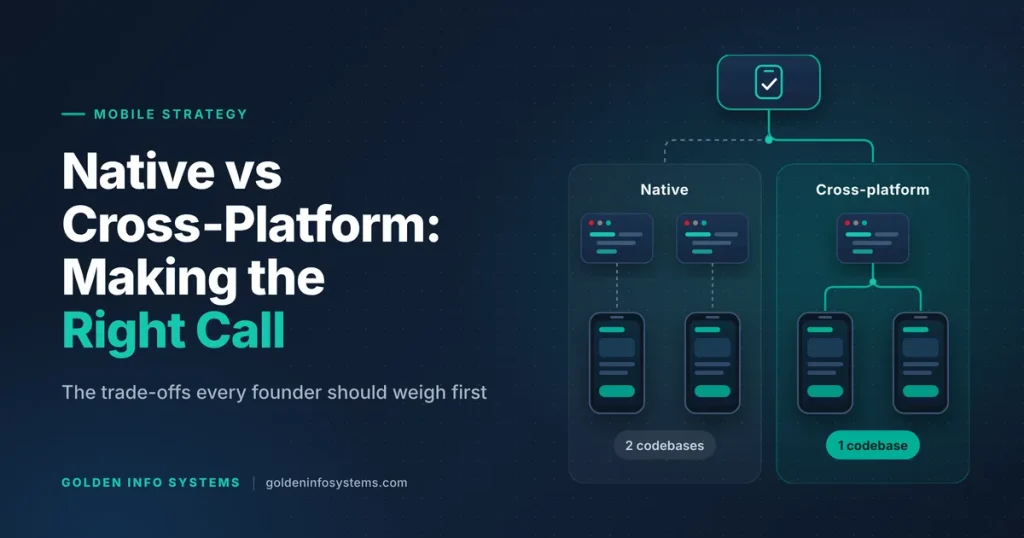
The native vs cross-platform app decision comes down to one trade: native apps give you the best performance and first-day access to every iOS and Android feature, while cross-platform apps let one team ship to both stores from a single codebase for less money and in less time. Pick native when your product depends on heavy graphics, deep hardware access, or new OS features. Pick cross-platform when you need both platforms quickly, your app is mostly forms, lists, payments, and API calls, and your budget covers one team rather than two.
That’s the short answer. The longer one matters because the choice locks in your hiring, your release process, and your maintenance bill for years. Rewriting an app later costs far more than choosing well at the start.
This guide is for founders, product owners, and CTOs who need to decide before they sign a development contract. We cover what each approach means in 2026, the factors that should drive your decision, a side-by-side comparison, a checklist you can run in an afternoon, and the mistakes we see most often.
1. Native vs Cross-Platform App: What Each Approach Means for Your Business
Before comparing costs, get the definitions straight. Vendors use these terms loosely, and the loose use causes bad decisions.
What native app development means in 2026
A native app is written in the language and toolkit each platform owner supports. On iOS that means Swift with SwiftUI or UIKit, built in Xcode. On Android it means Kotlin with Jetpack Compose (or older XML layouts), built in Android Studio. You end up with two separate codebases, one per platform.
The upside is direct access. Your code calls Apple’s and Google’s APIs without a translation layer, so you get every camera mode, sensor, widget type, and accessibility hook the day it ships. The downside is duplication: two codebases means two sets of features to build, two test suites, and usually two specialist developers or teams for iOS and Android app development.
What cross-platform app development means in 2026
A cross-platform app shares most of its code between iOS and Android. Three toolkits lead the market:
- Flutter (Google): you write in Dart, and Flutter draws its own UI with its rendering engine. The same widgets look and behave the same on both platforms.
- React Native (Meta): you write in JavaScript or TypeScript with React, and the framework renders real native UI components. Since version 0.76, released in October 2024, React Native ships with its New Architecture enabled by default, which the React Native team declared ready for production use in its 0.76 release post.
- Kotlin Multiplatform (KMP): you share business logic written in Kotlin and can either keep native UI on each platform or share UI too with Compose Multiplatform. JetBrains declared Compose Multiplatform for iOS stable and production-ready with version 1.8.0 in May 2025.
None of these is “write once, run everywhere” in the literal sense. A real cross-platform project still needs some platform-specific code for things like push notification setup, in-app purchase flows, and certain permissions. The difference is that this platform-specific layer is small (typically a set of plugins or native modules) instead of the whole app.
Where hybrid apps and PWAs fit
Hybrid apps (Ionic with Capacitor, for example) wrap a web app inside a native shell. Progressive web apps skip the stores entirely and run in the browser. Both are cheaper still, and both work well for internal tools, content apps, and early prototypes. They’re weaker on animation smoothness, offline behavior, and hardware access, so we treat them as a third option rather than a true substitute for native or Flutter-class cross-platform builds.
Why the choice matters beyond the first release
The native vs cross-platform app decision shapes more than your launch date. It sets which developers you hire, how your QA team tests, how fast you can respond to an Apple or Google policy change, and what a second version of the product will cost. Two apps with identical features can have very different five-year costs depending on this one call, so treat it as a business decision with technical inputs rather than a purely technical preference.
2. The Factors That Decide the Native vs Cross-Platform App Question
Most teams start with cost. That’s reasonable, but cost is an outcome of the factors below, so work through these first.
Performance and device hardware
For a typical business app (login, dashboards, product catalogs, checkout, chat, maps, notifications), modern cross-platform frameworks perform well enough that users can’t tell the difference. Flutter compiles Dart ahead of time to machine code. React Native’s New Architecture removed much of the old overhead between JavaScript and native code.
The gap shows up at the edges. Native still wins when your app does any of the following:
- Real-time camera processing, AR, or on-device machine learning that runs every frame
- 3D graphics, games, or complex custom animations at 120 Hz
- Heavy background work such as continuous location tracking, Bluetooth Low Energy with many devices, or audio processing
- Tight integration with platform features such as Apple Watch apps, home screen widgets, CarPlay, Android Auto, or health data
If one of these is the core of your product, go native for that product. If it’s a single screen in a larger app, a cross-platform app with one native module is usually the better trade.
Platform features and OS release timing
Apple and Google release major OS versions every year. Native teams can adopt new APIs on launch day because they use the official SDKs directly. Cross-platform teams wait for the framework or a plugin to add support, which can take weeks or months for newer APIs.
Ask yourself how much of your roadmap depends on being first with new OS features. A fintech app adding a new lock screen widget the week iOS ships is a native requirement. A logistics app that needs reliable forms and barcode scanning isn’t.
Team skills and hiring
Your codebase is only as good as the people who maintain it after launch. Check who you can hire and keep:
- Swift and Kotlin developers are specialists. In the 2025 Stack Overflow Developer Survey, 10.8% of all respondents reported using Kotlin and 5.4% reported using Swift. Those are specialist skill sets, so plan extra time to hire senior native developers.
- React Native lets a web team that already knows React move into mobile with a shorter ramp-up.
- Flutter requires learning Dart, but developers usually pick it up quickly, and one Flutter developer can cover both platforms.
The Swift vs Flutter question often comes down to this point. If you already have strong iOS engineers and your users are mostly on iPhone, Swift is the natural fit. If you have one or two mobile developers who must cover both stores, Flutter is the safer staffing plan.
Budget, timeline, and maintenance load
Native means building most features twice. Cross-platform means building them once, plus a smaller amount of platform-specific work. The savings are real, but they’re smaller than some vendors claim, because design, backend APIs, QA on real devices, and store submission are needed either way.
Maintenance matters more than build cost over a 3 to 5 year life. Every new feature, bug fix, and OS update lands in two codebases with native, and in one shared codebase (plus plugin updates) with cross-platform. For a deeper look at how features, integrations, and team location drive the price, see our breakdown of app development cost in Bangladesh.
Security and data handling
Security requirements rarely force one approach on their own, but they change the work involved. Banking, health, and payment apps usually need certificate pinning, secure key storage in the iOS Keychain and Android Keystore, jailbreak or root detection, and biometric login. Native code reaches these APIs directly. Flutter and React Native reach them through plugins, so your team must review those plugins as carefully as your own code, because a weak storage plugin undermines everything built on top of it.
For regulated products, ask your vendor to show exactly where sensitive data lives on the device and which library touches it. If the answer involves an unmaintained third-party package, that’s a reason to write a small native module instead.
Store compliance and upgrade cadence
Both stores force regular upgrades, and your choice affects how painful they are. Apple’s current rule says apps uploaded to App Store Connect must be built with Xcode 26 or later using the iOS 26 SDK, effective April 28, 2026. Google Play requires that new apps and app updates target Android 16 (API level 36) from August 31, 2026, with extensions available to November 1, 2026.
Native teams handle these bumps directly in their own projects. Cross-platform teams also need their framework and every third-party plugin to support the new SDK. An app with 40 community plugins, several of them abandoned, can get stuck. That’s a maintenance risk you should price in from day one.
3. Native vs Cross-Platform Comparison Table
The table below compares the main options on the points that usually decide a project. Treat the ratings as our practical assessment for a typical business app; they aren’t benchmark results, and a single demanding feature can shift any row.
| Factor | Native (Swift + Kotlin) | Flutter | React Native | Kotlin Multiplatform |
|---|---|---|---|---|
| Codebases to maintain | Two | One shared | One shared | Shared logic, UI native or shared |
| Typical team | iOS dev + Android dev per stream | Flutter devs cover both | React devs cover both | Kotlin devs, plus iOS dev for native UI |
| Performance for business apps | Best | Very close to native | Close to native | Native UI speed when UI stays native |
| Heavy graphics, AR, real-time media | Best fit | Possible with native modules | Possible with native modules | Good when the heavy part stays native |
| Day-one access to new OS APIs | Yes | After plugin or framework update | After library update | Yes on native UI, wait on shared UI |
| UI consistency across platforms | Each platform looks native | Same look on both | Native components on each | Depends on UI choice |
| Time to first release on both stores | Longest | Short | Short | Medium |
| Long-term maintenance effort | Highest (two codebases) | Lower | Lower, watch library health | Medium |
| Best fit | Hardware-heavy, platform-first products | MVPs, startups, branded consumer apps | Teams with React web skills | Existing Android teams adding iOS |
Swift vs Flutter: a practical example
Here’s a clearly labeled hypothetical. A retail chain wants a loyalty app with a points balance, offers feed, store locator, QR code at checkout, and push notifications. Nothing here needs special hardware. A Flutter build gives them both stores from one codebase and one team, with a shared design that matches their brand on every phone.
Now change the brief. The same chain wants an iPhone-only app for store staff that scans shelves with the camera, runs an on-device model to spot empty slots, and syncs with an Apple Watch. That’s Swift territory: the camera pipeline, Core ML, and the watch app all sit in Apple’s own frameworks.
Same company, two different answers, because the two products need different things from the phone.
4. A 7-Step Checklist for Choosing Your Mobile App Strategy
Run this checklist before you request quotes. It takes a few hours and saves weeks of back-and-forth.
- Write down your platforms and audience split. Check your web analytics or customer data for the iOS vs Android share. Many audiences lean heavily toward one platform, so use your own numbers instead of guessing. If 90% of your users are on one platform, native for that platform first can make sense.
- List every feature and mark the hardware-heavy ones. Camera processing, Bluetooth, background location, AR, widgets, wearables, and payments SDKs each get a flag. Count the flags.
- Check SDK support for your integrations. Payment gateways, maps, analytics, chat, and identity providers usually publish native SDKs. Confirm a maintained Flutter or React Native plugin exists for each, or budget for writing a bridge.
- Decide your release target. Do you need both stores at launch, or can Android follow iOS (or the reverse) by a quarter? Same-day launch on both favors cross-platform.
- Map your team for the next three years. Who will fix a crash at 2 a.m. after launch? If the answer is one in-house developer or an outsourced partner, a single codebase reduces risk.
- Estimate the total cost of ownership, including the years after launch. Add yearly maintenance, OS upgrade work, store compliance updates, and plugin replacement. Ask vendors to quote both.
- Score and decide. If you flagged three or more hardware-heavy core features, lean native. If you flagged none and need both stores, lean cross-platform. In between, consider cross-platform with native modules, or KMP with native UI. Write the result down as your native vs cross-platform app decision record, with the flags and reasons, so new team members understand why the stack looks the way it does.
Your mobile app strategy should also say what happens after version 1. Write down which approach you’d switch to if the product changes direction, and what that switch would cost. That one paragraph keeps future debates short.
5. Common Mistakes to Avoid
We review a lot of existing apps, and these mistakes come up again and again.
Choosing by trend or by the vendor’s favorite stack
Some agencies only build in one framework, so every client gets that framework. Ask any vendor to explain why their recommendation fits your feature list. If they can’t name a trade-off, they haven’t thought about your product.
Ignoring plugin health
A cross-platform app is only as maintained as its weakest dependency. Before committing, check each critical plugin’s last release date, open issues, and whether it supports the latest iOS and Android SDKs. One abandoned payments or Bluetooth plugin can block a store update.
Underestimating platform-specific work
“One codebase” doesn’t mean zero native code. Push notifications, deep links, in-app purchases, background tasks, and app signing all need platform-specific setup. Projects that assume 100% sharing usually blow their timeline in the last month.
Treating design as identical on both platforms
Android users expect the system back gesture and Material patterns. iPhone users expect swipe-back navigation and iOS-style sheets. Even in Flutter, good teams adapt a few interactions per platform so the app doesn’t feel foreign to either group.
Skipping a native proof of concept for the risky feature
If one feature is the riskiest part of the app (say, real-time video filters), build a two-week prototype of that feature in your chosen framework first. If it fails there, you’ve lost two weeks rather than six months.
Testing only on flagship phones
Many teams test on the latest iPhone and a high-end Samsung, then ship. Your real users may carry three-year-old phones with 3 or 4 GB of RAM, older OS versions, and slow mobile data. Cross-platform apps with large bundles and native apps with heavy image handling both suffer here. Keep a small device lab with at least one older budget Android phone and one older iPhone, and run every release candidate on them before submission.
Planning the build but not the maintenance
Apps that launch without a maintenance budget fall behind the store requirements we covered above. Plan for at least one upgrade cycle per year from the start.
6. How Golden Info Systems Approaches Native and Cross-Platform Projects
At Golden Info Systems, we build both. Our mobile app development services cover native iOS and Android app development with Swift and Kotlin, and cross-platform apps with Flutter and React Native. Because we don’t sell one stack, we can recommend the approach that fits your product, then staff it from our in-house team (we don’t use freelancers).
We’ve delivered 850+ projects over 12+ years, and we’re a member of BASIS, the Bangladesh Computer Samity, and e-CAB. Our teams work from our Uttara and Banani offices in Dhaka, and our project work spans banking and finance, healthcare, retail and e-commerce, education, logistics, and travel.
Every mobile project runs through the same 4-phase software development process:
- Requirements. We map your users, platforms, and features, and flag every hardware-heavy or OS-dependent item from the checklist above. This is where the native vs cross-platform app decision gets made, in writing, with the reasons attached.
- Planning. We choose the stack, confirm SDK and plugin support for each integration, design the architecture, and produce a timeline and estimate for both build and maintenance.
- Execution. We design the UI/UX, build in short iterations, and test on real iOS and Android devices with QA and performance checks as we go.
- Delivery. We handle App Store and Google Play submission, launch support, and ongoing maintenance, including the yearly SDK and target API upgrades.
If you’re comparing the two leading cross-platform frameworks in detail, our guide on Flutter vs React Native goes deeper on tooling, performance, and hiring.
7. Frequently Asked Questions
Is native or cross-platform better for a startup MVP?
For most startup MVPs, cross-platform is the better choice. You validate the idea on both iOS and Android with one codebase and one team, which keeps the first budget small and lets you change direction quickly. Go native for an MVP only when the core value depends on hardware or platform features, such as real-time camera processing, AR, or wearables. If your users sit almost entirely on one platform, a native app for that single platform is also a reasonable MVP.
Do cross-platform apps perform worse than native apps?
For typical business apps, users won’t notice a difference. Flutter compiles to machine code, and React Native’s New Architecture, enabled by default since version 0.76, cut much of the old overhead. The gap appears in graphics-heavy games, AR, real-time media processing, and heavy background work. In those cases native code is faster and easier to tune. A common middle path is a cross-platform app with native modules for the one or two performance-sensitive features.
Which is better: Swift vs Flutter?
Swift is better when you’re building an iPhone-first or iPhone-only product that uses Apple features like widgets, Apple Watch, Core ML, or the latest iOS APIs on launch day. Flutter is better when you need iOS and Android from one codebase with a consistent branded design and a smaller team. Many companies use both: Flutter for the customer app on both stores, and Swift for a specialized iOS tool. Decide by your feature list and your audience split.
Can I switch from cross-platform to native later?
Yes, but it’s usually a rewrite of the app layer, so plan for it rather than hoping to avoid it. Your backend APIs, designs, and product knowledge carry over, which reduces the cost. Kotlin Multiplatform offers a gradual path: you can share business logic while moving one platform’s UI to native code screen by screen. The cheaper move is to make the right call at the start, using a checklist like the one in this guide.
How does the choice affect long-term maintenance cost?
Native apps carry two codebases, so every feature, bug fix, and OS upgrade is done twice. Cross-platform apps carry one shared codebase, but you also depend on the framework and its plugins keeping pace with Apple and Google requirements. Apple now requires builds with Xcode 26 and the iOS 26 SDK, and Google Play requires targeting API level 36 for updates. Budget for one upgrade cycle per year either way, and check plugin health before you commit.
Does a native vs cross-platform app take longer to build?
For the same feature list, native usually takes longer to reach both stores, because each feature is built and tested twice by separate iOS and Android streams. Cross-platform reaches both stores sooner, although platform-specific setup and device testing still take real time. The bigger timeline drivers are scope, design rounds, backend readiness, and third-party integrations. Fix those early and either approach becomes easier to schedule accurately.
Is Kotlin Multiplatform a real alternative to Flutter and React Native?
Yes, especially for teams that already have Android developers writing Kotlin. KMP lets you share business logic, networking, and data layers while keeping fully native UI on each platform, or share UI too with Compose Multiplatform, which JetBrains declared stable for iOS in May 2025. The ecosystem of ready-made plugins is smaller than Flutter’s or React Native’s, so check that your key integrations are covered before choosing it.
8. Practical Next Step
Take one hour this week and write your feature list on a single page. Mark each feature that needs the camera, Bluetooth, background location, widgets, wearables, or a new OS API, and note your iOS and Android user split. That page answers most of the native vs cross-platform app question on its own.
Then send it to us through our contact page and ask for a quote on both approaches. We’ll come back with a recommendation, the reasons behind it, and a build and maintenance estimate for each option, so you can compare them side by side before you commit.