





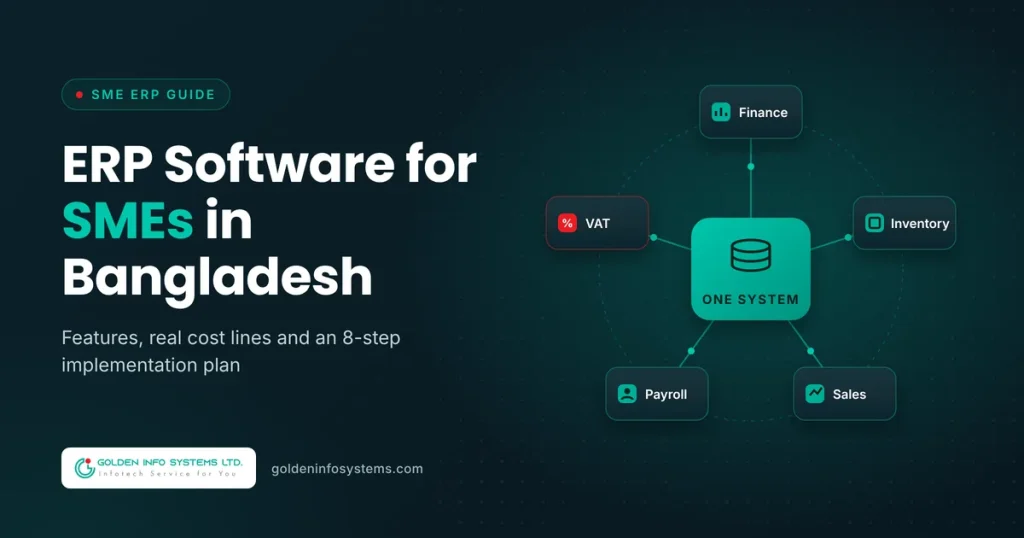
ERP software in Bangladesh gives a small or mid-sized business one shared system for accounting, inventory, sales, purchasing, payroll and VAT, so every department works from the same numbers. For most SMEs the right choice is a modular system that starts with finance and inventory, handles NBR VAT records out of the box, and adds HR or production later. Budget for licenses or development, plus data migration, training and a year of support.
That’s the short answer. The longer one depends on how many users you have, how messy your current data is, and whether your processes fit a ready-made product or need custom ERP development.
We wrote this guide for SME owners, finance heads and operations managers in Dhaka, Chattogram and beyond who are tired of reconciling five Excel files every month-end. It covers the features that matter, what drives cost, a step-by-step ERP implementation guide, and the mistakes we see most often.
1. What ERP Software Does for a Bangladeshi SME
ERP stands for enterprise resource planning. In plain terms, it’s a database with modules on top: each module handles one part of the business, and all of them write to the same records. When a salesperson raises an invoice, stock drops, the ledger updates and the VAT register gets a new line, without anyone re-typing anything.
The difference shows up fastest at month-end. Without ERP, your accountant exports sales from one tool, purchase bills from another, and stock counts from a spreadsheet the warehouse keeps on a single laptop. Then someone spends three days making the totals agree.
Why ERP for small business is no longer a big-company luxury
Ten years ago, ERP meant a six-figure project with a foreign vendor. That has changed. Cloud plans now price per user per month, and local developers build lighter systems for companies with 10 to 200 staff. Some global products even offer a free single-app tier.
Affordability has stopped being the main barrier to ERP for small business use. The harder questions are which modules you need first and how much change your team can absorb in one go.
What ERP software in Bangladesh looks like by industry
The core modules are the same everywhere, but the weight shifts by sector. A few examples from the local market:
- Trading and distribution: dealer pricing, credit limits, delivery challans, and route-wise sales reports matter most. Stock transfers between depots are a daily event.
- Manufacturing and RMG: bills of materials, work orders, wastage tracking and costing per style or batch. Export documentation and back-to-back LC records often sit alongside the ERP.
- Pharma and food: batch numbers, expiry dates and recall tracing are non-negotiable, and so is FIFO or FEFO issue from the warehouse.
- Retail chains: POS at every outlet, central price control, loyalty points and same-day stock visibility across branches.
- Service firms: project costing, time sheets and milestone billing replace most of the inventory features.
When you compare ERP software in Bangladesh, ask each vendor for a reference client in your own sector. A system that runs a pharmacy chain well may be awkward for a garment factory.
Signs your business has outgrown spreadsheets
You probably need an ERP system if three or more of these are true:
- Month-end closing takes more than five working days.
- Stock figures in your books never match the physical count.
- You prepare Mushak forms by hand from sales registers.
- Branch managers phone head office to check stock or prices.
- You can’t see this week’s receivables without asking accounts.
- Payroll, festival bonuses and salary TDS are calculated in a separate file.
2. Must-Have Features of ERP Software in Bangladesh
Feature lists from vendors run to hundreds of items. Most SMEs use a fraction of them. Here is what actually earns its keep in ERP software in Bangladesh, grouped by module.
Finance and accounting
The general ledger is the core. You want a chart of accounts you can edit, multi-branch and cost-center tagging, bank reconciliation, and receivable and payable aging reports. Ask whether the system posts journal entries automatically from sales, purchases and payroll, because manual journals are where errors creep back in.
Multi-currency matters if you import raw materials or export goods. The system should record foreign currency invoices, revalue open balances and book exchange gains or losses.
VAT and NBR compliance
This is where imported software often falls short. A system built for local use should generate the Mushak-6.3 tax invoice, keep purchase and sales registers in the format NBR expects, and prepare figures for the monthly Mushak-9.1 return. Standard VAT in Bangladesh is 15 percent, but reduced rates, truncated rates and supplementary duty apply to many goods, so the tax engine must let you set rates per product.
The National Board of Revenue runs an e-VAT system for online registration and return filing. Your ERP doesn’t need to connect to it directly, but its reports should map cleanly onto what you submit there.
Inventory and warehouse
Look for multiple warehouses, batch and expiry tracking (essential for pharma and food), serial numbers for electronics, reorder levels, and a costing method you can defend to auditors, usually FIFO or weighted average. Barcode support saves hours at goods receipt and dispatch.
Sales, purchase and POS
Quotations should turn into orders, orders into delivery challans, and challans into invoices, with each step linked. On the purchase side you need requisitions, approvals and supplier price history. Retailers will want a POS that keeps working when the internet drops and syncs once it’s back.
HR and payroll
Payroll in Bangladesh has local quirks: two festival bonuses a year, provident fund contributions, salary TDS, overtime rules for factory workers, and attendance from fingerprint or face devices. A payroll module that ignores these will push your HR team straight back to Excel.
Reporting and access
Dashboards are nice. Role-based access is more important. A branch cashier shouldn’t see gross margins, and an auditor should get read-only access. Also check whether reports export to Excel, since your bank and your auditor will ask for that format.
Local practicalities people forget
- Bangla and English interfaces for staff on the warehouse floor.
- Mobile access for sales reps who take orders in the field.
- Integration with bKash, Nagad or a payment gateway if you sell online.
- Offline tolerance or fast recovery after power cuts.
- Data hosted where you can get a full backup on request.
3. ERP Cost for SMEs: Ready-Made, Cloud and Custom Compared
Cost depends on a short list of factors more than anything else: the number of users, the number of modules, and how far your processes are from the software’s defaults. The license or build price is only one line of the budget.
The cost lines you should expect
Every ERP project, whatever the product, has these costs:
- Software: subscription fees, a one-time license, or custom development.
- Implementation: configuration, workflow setup and testing.
- Data migration: cleaning and importing customers, suppliers, items and opening balances.
- Training: separate sessions for accounts, warehouse, sales and management.
- Hardware and hosting: servers or cloud hosting, barcode scanners, POS printers.
- Support and updates: usually an annual fee after the first year.
Ask every vendor to quote these as separate line items.
Costs that appear after go-live
Some costs only show up once the system is running. New users mean new licenses on per-seat plans. Every VAT rule change (and NBR revises rates in most budget cycles) needs a configuration update or a software patch. Extra reports, a new branch, or an integration with your e-commerce site each come with their own price. Ask vendors how they charge for change requests, and whether annual support covers statutory updates or bills them separately. A low software price with vague “implementation as required” wording is the most common source of budget overruns.
Published cloud prices, as a reference point
Global cloud ERP vendors publish their prices, which gives you a useful benchmark. At the time of writing, Odoo’s pricing page lists a free plan for one app, a Standard plan at $24.90 per user per month on yearly billing, and a Custom plan at $49.00. Microsoft lists Dynamics 365 Business Central at $80.00 per user per month for Essentials and $110.00 for Premium, paid yearly.
Here’s a hypothetical example to show the math. A trading company with 15 users on Odoo Standard would pay 15 × $24.90 × 12, which is $4,482 a year in subscription fees. The same team on Business Central Essentials would pay 15 × $80 × 12, or $14,400 a year. Neither figure includes local implementation, VAT localization or training, which you’ll buy from a partner.
Comparison table: which model fits which SME
| Factor | Local ready-made ERP | Global cloud ERP | Custom ERP development |
|---|---|---|---|
| Pricing model | One-time license or yearly fee, varies by vendor | Per user per month (e.g. $24.90 to $110 on published plans) | Project fee based on scope, plus yearly support |
| NBR VAT (Mushak) support | Usually built in | Needs a local partner or add-on | Built to your exact VAT setup |
| Fit to your processes | Good if you match the vendor’s template | Good for standard processes | Built around how you already work |
| Time to go live | Weeks to a few months | Weeks to a few months | Months, delivered in phases |
| Who owns the code | Vendor | Vendor | You, per contract terms |
| Best for | Traders and retailers with standard flows | Exporters and groups needing global features | Manufacturers, multi-entity groups, unusual workflows |
| Main risk | Vendor lock-in, limited changes | Rising per-user costs as you grow | Scope creep without a clear specification |
If you’re weighing the last two columns, our guide on custom software vs off-the-shelf walks through the decision in more depth, and our custom software development cost breakdown explains how build budgets are calculated.
When custom ERP development makes financial sense
Per-user pricing looks cheap at 10 users. At 150 users it adds up every single year. Custom ERP development has a higher upfront cost but no per-seat fee, so for a growing company the lines often cross somewhere in years three to five.
Custom also makes sense when your core process is unusual: a garment factory tracking work orders by style, color and size, or a distributor running a dealer commission scheme no ready-made product supports. In those cases you’d pay for heavy customization anyway.
4. ERP Implementation Guide: 8 Steps for SMEs
Most ERP failures trace back to process and people rather than code. This ERP implementation guide follows the order that works for companies with limited IT staff.
Step 1: Write down your current processes
Before you look at any software, map how an order moves from quotation to cash, and how a purchase moves from requisition to payment. Use plain flowcharts. Note every spreadsheet, approval and manual handoff. This document becomes your requirements list.
Step 2: Define the first phase scope
Pick the modules that solve your biggest pain. For most SMEs that’s finance, inventory, sales and purchase. HR, payroll, production and CRM can follow in phase two. A smaller first phase goes live faster; your team learns the system before the harder modules arrive.
Step 3: Shortlist and test with your own data
Ask two or three vendors for a demo using your products, your VAT rates and one of your real invoices. Generic demos hide gaps. Check references from clients in your industry and ask them how long go-live actually took. Our overview of the best ERP software in Bangladesh can help you build that shortlist.
Step 4: Clean your data before migration
Duplicate customers, items with three different names and old suppliers you no longer use will all migrate straight into the new system if you let them. Assign one person to clean master data: item codes, units of measure, customer and supplier lists, and the chart of accounts. Then agree on a cut-off date for opening balances.
Step 5: Configure, then test end to end
Configuration means setting up branches, warehouses, tax rates, approval rules and document numbering. Testing means running real scenarios from start to finish: a credit sale with partial payment, a return, an import purchase with landed costs, a stock transfer between branches. Record every failure and fix it before go-live.
Step 6: Train by role, not by module
The warehouse team needs to know goods receipt, transfers and stock counts. They don’t need the general ledger. Short role-based sessions with printed checklists work better than one long training day. Pick a “super user” in each department who can answer daily questions.
Step 7: Run parallel for one month
Keep your old method running alongside the new ERP for one full accounting period. Compare the trial balance, stock valuation and VAT figures at month-end. Differences show you where configuration or training is still wrong. One month is usually enough; three months of double work exhausts staff.
Step 8: Go live and review after 90 days
Switch off the old spreadsheets on a fixed date and tell everyone. After 90 days, review what’s working: closing time, stock accuracy, report usage. That review becomes the scope for phase two.
Pre-launch checklist
| Check | Done when |
|---|---|
| Process maps signed off | Each department head has approved its flow |
| Master data cleaned | No duplicate items, customers or suppliers |
| Opening balances agreed | Trial balance matches audited or management figures |
| VAT setup tested | Mushak-6.3 invoices and VAT registers print correctly |
| User roles configured | Each user sees only what their job requires |
| Backups scheduled | A restore has been tested at least once |
| Super users named | One per department, trained first |
| Support terms in writing | Response times and escalation contacts agreed |
5. Common Mistakes When Buying ERP Software in Bangladesh
We’ve seen the same problems repeat across industries, whatever product the company picked. Avoid these and you skip most of the pain.
Buying every module at once. A big-bang rollout across finance, inventory, HR and production asks your team to change everything in the same month. Adoption drops, workarounds appear and the project stalls. Phase it.
Choosing on price alone. The cheapest license often comes with the thinnest support. When your VAT report breaks two days before the return deadline, response time matters more than the license fee you saved.
Skipping VAT testing. Many teams test sales and stock but never print a full month of Mushak registers before go-live. Then the first return period becomes the test, under deadline pressure.
Letting the vendor define your process. A good partner suggests better ways of working. A bad one bends your business to fit what their software already does, even when your way is right for your market.
No owner inside the company. ERP needs an internal project lead with authority to make decisions, usually from finance or operations. If the project belongs to “IT” or to the vendor, nobody pushes users to adopt it.
Ignoring data ownership. Read the contract. You should be able to export all your data in a standard format at any time, including after the contract ends. With cloud ERP, confirm where the data is hosted and how backups work.
Comparing quotes that cover different scopes. One vendor quotes four modules with migration; another quotes six modules without it. Put every quote into the same table of cost lines (software, implementation, migration, training, hosting, support) before you compare totals. The cheapest-looking quote often moves to the middle once the gaps are filled.
Underestimating training. People default to the old way under pressure. Budget for refresher sessions after go-live, not only before it.
6. How Golden Info Systems Approaches ERP for SMEs
At Golden Info Systems, we build custom business software for companies that have outgrown spreadsheets or found that ready-made products don’t fit how they work. Our software development services cover custom software, enterprise solutions, custom CRM systems, and software integration and APIs, which is what most ERP projects need underneath.
GISL is a BASIS member company in Dhaka with 12+ years of experience and 850+ projects completed. Our development team is 100% in-house, and we work across technologies including Java, Python, Node.js, React.js and Angular, choosing the stack to suit your project rather than forcing one stack on every client.
When a company asks us about ERP software in Bangladesh, we start by studying your processes before talking about technology. Every project follows the same four phases:
- Requirements: we map your current processes, VAT setup and reporting needs with your department heads, and turn them into a written specification.
- Planning: we split the scope into phases, agree on priorities and timelines, and design the data structure and user roles.
- Execution: we build and test module by module, with demos at each milestone so your team sees progress and corrects course early.
- Delivery: we migrate your data, train users by role, support the parallel run, and stay on for post-launch support.
If you need to connect an ERP to an online store, a mobile sales app or an existing system, we handle that integration work too. We’d rather tell you a ready-made product fits than sell you a custom build you don’t need.
7. Frequently Asked Questions
Is ERP good for small businesses in Bangladesh?
Yes, if you have more than a handful of staff and your accounts, stock and sales live in separate files. ERP removes double entry and gives you real-time stock and receivable figures. A business with five employees and one product line may be fine with accounting software for now. Once you add branches, warehouses or VAT-registered sales at volume, ERP for small business use usually pays for itself in saved staff time and fewer stock errors.
How much does ERP software cost in Bangladesh?
It depends on users, modules and customization. Global cloud products publish per-user prices, for example $24.90 per user per month for Odoo Standard (yearly billing) and $80.00 for Business Central Essentials. Local vendors of ERP software in Bangladesh usually charge a one-time license or a yearly fee. Custom ERP development is priced by scope. In every case, add implementation, data migration, training and annual support to the software price before comparing quotes.
How long does ERP implementation take for an SME?
A first phase covering finance, inventory, sales and purchase typically takes a few weeks to a few months, depending on data quality and how many branches you have. Custom builds take longer because the software is written for you. The biggest delays come from unclean master data and slow decisions on process changes, not from the software itself. Plan for one month of parallel running before you switch off old systems.
Should I choose cloud or on-premise ERP?
Cloud ERP suits most SMEs: no server to maintain, access from any branch, and automatic updates. On-premise makes sense if you have strict data policies, unreliable internet at key sites, or a large user count where per-user cloud fees get expensive. Hybrid setups also exist. Whatever you choose, confirm who handles backups, where the data sits, and how you can export everything if you change vendors.
Can ERP software handle NBR VAT and Mushak forms?
Systems built for the local market usually generate Mushak-6.3 tax invoices, maintain purchase and sales registers, and prepare data for the monthly Mushak-9.1 return. Imported products often need a local add-on or partner to do this. Test it before signing: ask the vendor to produce a month of VAT registers from sample data that includes reduced-rate items and supplementary duty, then have your VAT consultant check the output.
Do I need an in-house IT team to run ERP?
Not a full team. With cloud ERP, the vendor handles hosting and updates. You do need one internal system owner, often from accounts or operations, who manages user access, raises support tickets and trains new staff. For on-premise or custom systems, you need someone responsible for servers and backups, or a support contract that covers it. Super users in each department handle day-to-day questions.
8. Practical Next Step
Before you talk to any vendor, spend one afternoon writing a one-page list: your user count by department, your branches and warehouses, the modules you need in phase one, and the three reports you wish you had today. That page will make every demo and quote far easier to compare.
If you’d like a second opinion on your list, or a quote for custom ERP development built around it, send it to our team through our contact page and we’ll come back with a scoped recommendation on ERP software in Bangladesh that fits your size and budget.