





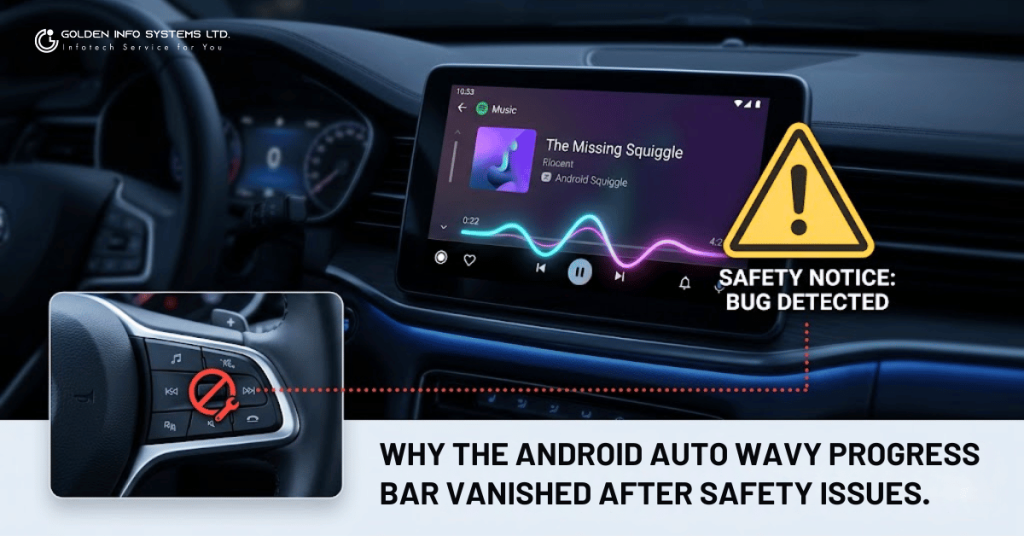
Why the Android Auto Wavy Progress Bar Vanished
When the Android Auto wavy progress bar vanishes overnight, it can leave drivers feeling completely confused and frustrated. Have you ever updated an app on your phone, fallen in love with a cool new feature, and then woken up the next day to find it completely gone? It is a frustrating feeling, like reaching into your pocket for a twenty-dollar bill and finding nothing but lint. If you are a driver who uses Android Auto, you might have experienced this exact phenomenon recently with your car’s music player.
Just a short while ago, the internet was buzzing about a brand-new, modern look coming to Android Auto dashboards. The star of the show was the “wavy progress bar”—a fun, squiggly, animated line that replaced the boring, straight flat line on your Spotify or YouTube Music screen. It bounced along with your favorite songs, matching the colors of your album art, and making the whole screen feel alive. It was the latest and greatest trick from Google’s design team.
And then, just as quickly as it arrived, it vanished. Poof. Gone without a trace.
If you plugged your phone into your car recently expecting to see that lively little wave, only to be greeted by the same old flat line you’ve had for years, you are not losing your mind. The wavy progress bar has indeed been pulled.
But why? Did Google just change its mind about how the dashboard should look? Was it a temporary test? As it turns out, the answer is a lot more serious than just changing a coat of paint. The wavy progress bar didn’t just disappear because of a style choice; it vanished because of a major software bug that directly impacted driver safety.
In this incredibly detailed guide, we are going to take a deep dive into the short, dramatic life of the Android Auto wavy progress bar. We will look at why it was created, the sudden steering wheel control crisis it caused in version 16.0, how Google scrambled to fix it with the 16.1 update, and what this whole saga teaches us about the critical differences between designing software for smartphones versus designing software for moving vehicles.
Buckle up, adjust your mirrors, and let’s get into the fascinating story of the missing squiggle!
A Trip Down Memory Lane – What Was the Wavy Progress Bar?
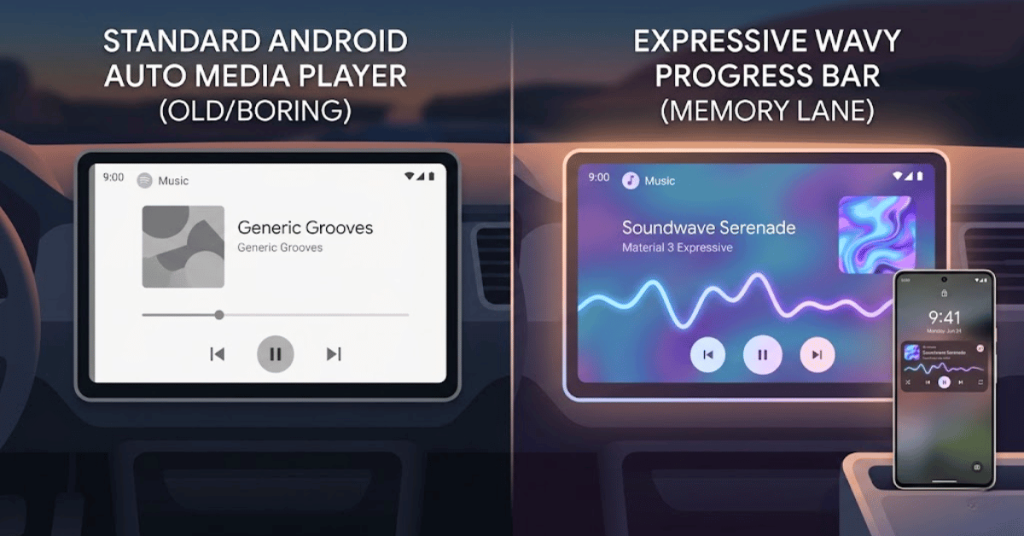
Before we talk about why it broke and went away, we need to understand what it was and why everyone was so excited about it in the first place.
For years, media players in cars have looked pretty much the same. You have a play button, a pause button, some skip track arrows, and a straight line that shows you how much time is left in your song or podcast. It is functional, it is simple, and it gets the job done. But let’s be honest: it is also incredibly boring.
The “Material 3 Expressive” Design Revolution
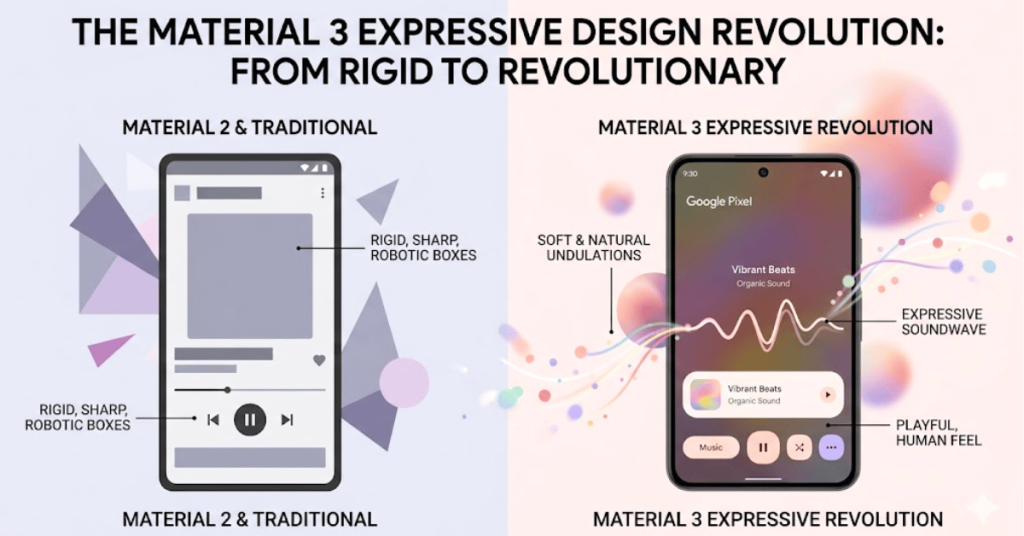
Google is constantly looking for ways to make their software look better and feel more human. They use a set of design rules called “Material Design.” Recently, they introduced a new chapter of these rules called “Material 3 Expressive.”
The goal of Material 3 Expressive is right there in the name: to express emotion, personality, and life. Google wanted to move away from rigid, robotic boxes and sharp straight lines. They wanted things to feel softer, more natural, and more playful.
If you own a recent Google Pixel phone, you have likely seen this design language in action. When you play a song on your phone, the progress bar on your lock screen isn’t straight; it is a wavy, undulating line that looks like a soundwave. It wiggles as the music plays, creating a really cool visual effect.
Bringing the Phone to the Car
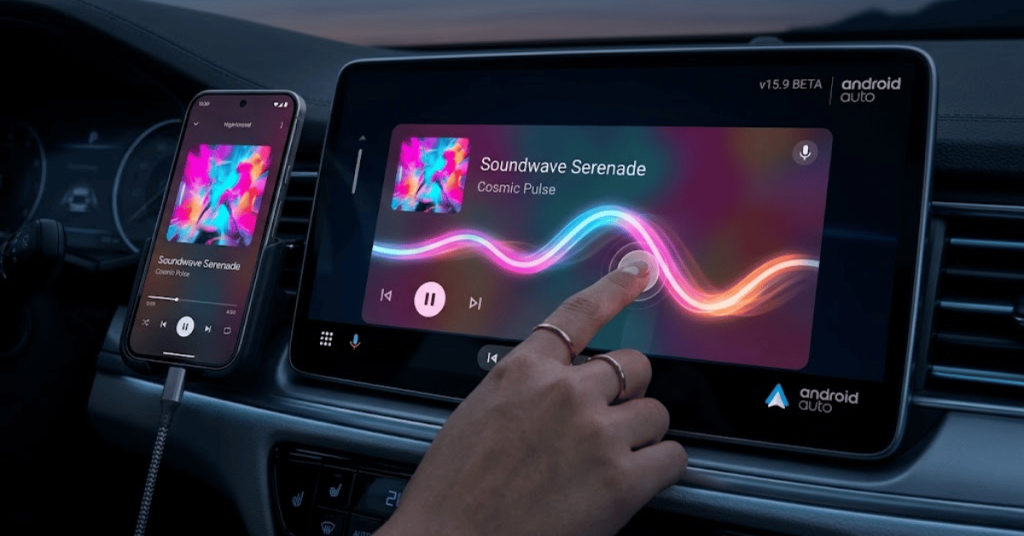
Google’s ultimate goal is to create a seamless experience for you. They want your phone, your smart home speakers, and your car dashboard to all feel like they belong to the same family. If the wavy bar looks great on your Pixel phone, why not put it on the big screen in your car?
That is exactly what Google started doing in late 2025 and early 2026. Code for the wavy progress bar was spotted hiding in beta versions of Android Auto (specifically around version 15.9). When it finally started rolling out, users were thrilled.
Here is why people loved it:
- It was modern: It made the car’s dashboard look like a high-end, futuristic tablet.
- It matched album art: The wavy line would intelligently pull colors from whatever album you were listening to. If you were listening to a dark, moody rock album, the wave might be a cool blue. If you were blasting a high-energy pop song with a bright red album cover, the wave turned pink or red.
- It was easier to touch: The wavy line was physically thicker on the screen than the old flat line. This meant it was a larger “touch target,” making it slightly easier to drag your finger across to fast-forward through a boring podcast.
For a brief, shining moment, it looked like Android Auto was getting a massive, beautiful upgrade. But beneath the surface, a major problem was brewing.
The Glitch in the Matrix – The Steering Wheel Crisis
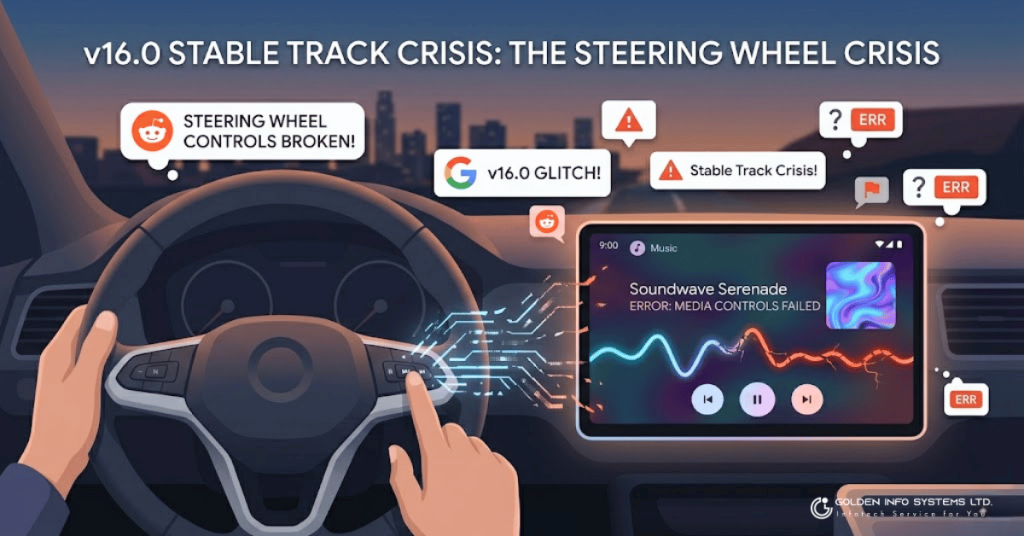
The wavy progress bar officially began making its way to the public with the release of Android Auto version 16.0. This wasn’t just a small test; it was hitting the “stable track,” meaning everyday drivers were starting to download it to their phones and seeing it in their cars.
But almost immediately, warning flags started going up on internet forums, Reddit, and Google Support pages.
Users weren’t complaining about the way the squiggle looked. They were complaining that their cars were suddenly broken.
The Silent Killer of Controls
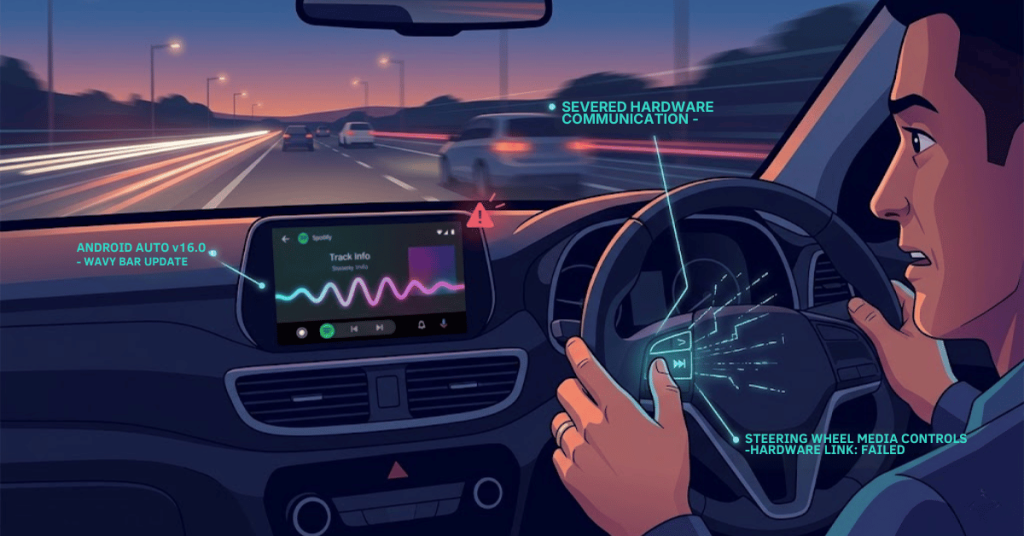
Drivers began reporting a bizarre and frustrating issue: their steering wheel buttons had completely stopped working.
Imagine you are driving down the highway at 65 miles per hour. A song comes on your Spotify playlist that you really don’t want to hear right now. Normally, without even looking down, you would reach your thumb over to the steering wheel, press the “Next Track” button, and seamlessly skip the song while keeping your eyes locked on the road ahead.
But for users with Android Auto 16.0, pressing that button did absolutely nothing.
The physical media controls built into the steering wheels of various car models had been completely severed from the Android Auto system.
- Skipping tracks? Broken.
- Going back to the previous song? Broken.
- Muting the audio quickly? Broken.
At first, drivers were confused. Was their car breaking down? Did a fuse blow? Did they need to take their vehicle to the dealership mechanic?
However, tech-savvy users quickly started putting the puzzle pieces together. They noticed that this problem only started happening right after their phone updated to Android Auto version 16.0—the exact same update that brought the fancy new wavy progress bar. Furthermore, users discovered that if they manually uninstalled the 16.0 update and rolled their phone back to an older version of Android Auto, their steering wheel buttons instantly came back to life!
The culprit was clear. The cosmetic update that brought the squiggly line had somehow created a massive software bug that broke hardware communication between the phone and the car.
Why Broken Steering Wheel Buttons Are a Major Safety Hazard
To a software developer sitting in an office chair looking at code on a computer screen, a broken “skip track” button might just look like a minor inconvenience. A “Priority Level 3 Bug” that can be fixed next week.
But inside a moving vehicle, a broken steering wheel control is not a minor inconvenience. It is a massive, glaring safety hazard. To understand why Google panicked and pulled the wavy bar so quickly, we have to talk about the psychology of driving and the science of distraction.
The Problem with Touchscreens in Cars
Modern cars look like spaceships, featuring massive, glowing touchscreens right in the center console. While these screens look cool and can display a lot of information, they are actually terrible for human drivers.
Why? Because touchscreens require two things that you cannot afford to give away while driving: your eyes and your precise attention.
When you use your smartphone sitting on your couch, you can look at the screen and perfectly tap the tiny “pause” icon. But when you are driving over a bumpy road, your hand is shaking, the car is vibrating, and your brain is busy making sure you don’t crash into the minivan in front of you.
If you want to skip a song on a touchscreen, you have to:
- Take your eyes off the road.
- Look down at the screen to locate the tiny “skip” button.
- Take your hand off the steering wheel.
- Carefully aim your finger at the screen while the car bounces.
- Check to make sure the screen registered your tap.
- Look back at the road.
At highway speeds, taking your eyes off the road for just two seconds means you have traveled the length of an entire football field blindfolded.
The Lifesaving Magic of Tactile Feedback
This is exactly why car manufacturers put buttons on the steering wheel. Steering wheel buttons provide something called tactile feedback.
Tactile feedback means you can feel the button with your thumb. You know exactly where it is because of muscle memory. You can feel the shape of the button, press it, feel the “click,” and know that the action was successful, all without ever taking your eyes off the windshield.
When the Android Auto 16.0 update broke these steering wheel controls, it effectively forced thousands of drivers to use the touchscreen instead. If a driver wanted to turn down loud music or skip a track, they suddenly had to look away from the road and poke at the dashboard.
The National Highway Traffic Safety Administration (NHTSA) has incredibly strict guidelines about cognitive load and driver distraction. A software update that disables a primary safety feature (steering wheel controls) and forces a driver to use a more dangerous method (the touchscreen) is an unacceptable risk. It could literally lead to accidents.
Visual Distraction and Readability Issues
While the broken steering wheel controls were the “nail in the coffin” that forced Google to remove the wavy progress bar, they weren’t the only complaints rolling in. Even for users whose steering wheel buttons were still working, the new design was causing some friction.
The Dance of the Squiggle
The whole point of the Material 3 Expressive wavy bar was that it was animated. It rippled and moved. On a phone, this is delightful. In a car, animation is a double-edged sword.
Human eyes are naturally drawn to movement. It is an ancient survival instinct; our brains are wired to notice when something in our peripheral vision changes or moves, just in case it is a predator trying to eat us.
When you have a brightly colored, moving, wiggling line glowing on your dashboard, your peripheral vision constantly picks it up. Some drivers reported that the animation was deeply distracting, constantly drawing their eyes down to the screen when they should have been looking at the road. A traditional flat line is boring, yes, but boring is exactly what you want when you are driving. Boring doesn’t pull your attention away from traffic.
The Glancability Problem
“Glancability” is a crucial term in automotive design. It means exactly what it sounds like: how much information can a driver understand from a screen in a single, half-second glance?
The old flat progress bar was highly glancable. You look at it, you see a straight line with a dot in the middle, and you instantly know, “Okay, my podcast is halfway over.”
The new wavy bar, while thicker, was sometimes harder to read. Because the wave was constantly undulating and changing shape, it wasn’t always immediately obvious where the exact “current time” marker was. Some users found themselves staring at the screen for just a fraction of a second longer trying to process the squiggly visual information.
Again, in a car, fractions of a second matter. If a design choice makes a screen harder to read quickly, it fails the primary test of automotive user interface design.
Between the visual distractions, the slight hit to readability, and the massive, critical bug breaking physical car hardware, Google’s grand design experiment was turning into a headache. They had to act fast.
The Great Rollback – How the Android Auto Wavy Progress Bar Vanishes
When a tech giant like Google realizes they have accidentally pushed an update that threatens user safety, they don’t wait around to fix it next month. They act immediately.
If you are wondering how the wavy progress bar disappeared from your car overnight without you ever going into the Google Play Store to update your app, the answer lies in something called “server-side switches.”
What is a Server-Side Switch?
In the old days of software, if a company released a broken app, they had to write a fix, package it as a new update, send it to the app store, and wait and pray that users would actually click “Update” on their devices. This process could take weeks, leaving users with broken software in the meantime.
Today, modern apps like Android Auto are deeply connected to the cloud. Google builds features into the app’s code but leaves them hidden behind invisible, remote-controlled “doors.” Google can open and close these doors from their own servers in California, without you having to download anything.
This is incredibly useful for testing. Google can quietly open the door for 5% of users, see how the feature works, and if everything is fine, open it for everyone.
Flipping the Kill Switch
When the reports started flooding in that the wavy progress bar in Android Auto 16.0 was breaking steering wheel controls, Google didn’t have to wait for users to download a fix. They simply reached out via their servers and flipped the kill switch.
Overnight, the server-side flag that told the Android Auto app to display the Material 3 Expressive wavy bar was turned off. The app immediately reverted back to its default state: the old, reliable, boring flat line.
This explains why the disappearance felt so sudden and mysterious. One day you drove to work with a squiggly line, and on the drive home, it was gone. Google had pulled the plug to ensure drivers could use their steering wheel buttons safely again.
The Official Fix: Android Auto 16.1
While flipping the server-side switch hid the problem visually, Google still needed to patch the actual broken code inside the app.
Very shortly after the disaster of version 16.0, Google released Android Auto version 16.1.
If you read the patch notes for version 16.1, they don’t explicitly say, “We broke your car and now we are fixing it.” Tech companies rarely use language that blunt. Instead, version 16.1 was simply described as a bug fix and stability update.
However, automotive tech journalists and eagle-eyed users quickly dissected the update. What did Android Auto 16.1 actually do?
- It officially stripped out the buggy code related to the new media player layout.
- It completely removed the squiggly progress bars.
- Most importantly: It restored full functionality to steering wheel media controls for all affected vehicles.
Google took a careful, responsible approach. Rather than trying to rush a complex patch to make the wavy bar work without breaking the steering wheel, they decided to throw the wavy bar out entirely (for now) to guarantee driver safety first. Function over form.
Phone Apps vs. Car Software – A World of Difference
The saga of the vanishing wavy progress bar is a perfect illustration of a massive challenge facing tech companies today: building software for a car is fundamentally different from building software for a phone.
We expect our phones to be cutting-edge, experimental, and visually stunning. If an app crashes on your phone, or a new animation makes a button stop working, what is the worst that happens? You get annoyed, you close the app, you restart your phone, and you go about your day. The stakes are incredibly low.
The High Stakes of the Highway
In a car, the stakes are life and death.
When Google or Apple designs software that projects onto a car’s dashboard, they are no longer just making a media player; they are making a piece of heavy machinery interface.
- Consistency is Key: Drivers rely on muscle memory. They need buttons to be in the exact same place every single time they get in the car. When an update moves a “play” button an inch to the left, it breaks that muscle memory and causes confusion.
- Zero Tolerance for Bugs: A bug that breaks a steering wheel button isn’t a glitch; it is a mechanical failure. If you bought a car and the physical volume knob randomly stopped working one day, you would take it to the dealer and demand a fix under warranty. Drivers view car software the same way. It must work flawlessly.
- Environmental Challenges: Phone software is used indoors, in your hands, where you control the lighting and the viewing angle. Car screens are subjected to intense sunlight glare, total darkness at night, extreme heat, extreme cold, and constant vibration. A visual design that looks beautiful in a dark bedroom (like a thin, wavy, animated line) might be completely invisible or highly distracting when driving directly into a glaring sunset.
The wavy progress bar was a case of “phone thinking” bleeding into “car thinking.” It was a beautiful, fun feature that prioritized brand consistency and visual flair. But it failed to account for the complex, high-stakes environment of a moving vehicle.
It is a harsh lesson for tech giants: When you sit in the driver’s seat, safety and reliability must always trump aesthetics.
Will the Wavy Progress Bar Ever Return?
So, is the squiggle dead forever? Have we seen the last of the bouncy, colorful line on our dashboards?
Probably not.
Google is fully committed to the Material 3 Expressive design language. They want all of their products to look unified. It is highly unlikely that they have permanently abandoned the idea of modernizing the Android Auto media player.
However, they are going to have to go back to the drawing board.
Here is what will likely happen behind the scenes at Google over the coming months:
- Bug Squashing: First and foremost, the engineering team must isolate exactly why the visual change caused a catastrophic failure in hardware communication. They need to rewrite the code so that updating a screen graphic does not sever the connection to steering wheel buttons.
- Safety Testing: Before they ever release it to the public again, the feature will have to undergo rigorous testing in actual vehicles, not just on computer emulators. They need to ensure it doesn’t break controls on a Ford, a Honda, a BMW, or a Kia.
- Refining the Design: Based on user feedback regarding distraction and readability, Google might tone down the animation. Perhaps the wave won’t move quite as frantically. Perhaps it will be slightly flattened to make the current playtime easier to read at a glance.
- A Slower Rollout: When (and if) the feature returns, don’t expect a massive overnight update. Google will likely roll it out incredibly slowly to a very small fraction of beta testers, monitoring data closely for any sign of hardware failure before letting it loose on the general public.
Until then, drivers will have to make peace with the older, simpler music player. It might not be as pretty, it might not bounce to the beat of your music, but it is safe, it is predictable, and most importantly, it lets you keep your hands on the wheel.
A Lesson in User Experience
The brief appearance and rapid disappearance of the Android Auto wavy progress bar is a fascinating footnote in the history of automotive technology. It perfectly captures the tension between making things look cool and making things work safely.
We all want our car screens to look as slick and modern as our smartphones. But the reality is that driving is a dangerous, demanding task. The tools we use while doing it need to be rock-solid, predictable, and entirely focused on minimizing distraction.
Google’s decision to quickly pull the update and issue version 16.1 to restore steering wheel controls was the right move. It showed that despite their desire to push flashy new designs, they ultimately recognize that driver safety is the absolute highest priority.
So, the next time you plug your phone in and see that boring, straight, flat line tracking your podcast, don’t be too disappointed. That boring line represents a stable, safe, and fully functional system. And when you are hurtling down the highway at 70 miles an hour, “boring and functional” is exactly what you need.
Frequently Asked Questions (FAQ)
What was the Android Auto wavy progress bar?
It was a cosmetic design update introduced briefly in Android Auto version 16.0. It replaced the standard straight line on media players (like Spotify or YouTube Music) with a thicker, animated, squiggly line that moved as music played, matching the style found on Google Pixel phones.
Why did Google remove the wavy progress bar?
The primary reason was a severe bug. The software update that introduced the new design accidentally broke physical steering wheel media controls (like skip track or mute buttons) in many vehicles. This forced drivers to look at the screen and use the touchscreen to control music, creating a major safety distraction.
What happens when the Android Auto wavy progress bar vanishes?
When the Android Auto wavy progress bar vanishes, your screen simply reverts to the older, classic design—a straight, thin, flat line that tracks your music. You do not lose any features like play, pause, or skipping tracks.
Why did Google decide to remove the wavy progress bar?
The primary reason the Android Auto wavy progress bar vanishes is due to a severe safety bug. The software update that introduced the new design accidentally broke physical steering wheel media controls (like skip track or mute buttons) in many vehicles. This forced drivers to look at the screen and use the touchscreen to control music, creating a major safety hazard.
Were there other complaints besides the bug?
Yes. Even users whose buttons weren’t broken complained that the constant wiggling animation was distracting while driving. Others noted that the wavy line made it slightly harder to see exactly how much time was left in a song at a quick glance compared to a clean, straight line.
Do I need to do anything to fix my steering wheel controls?
If your steering wheel media buttons stopped working recently, check your Android Auto app version. You should update to Android Auto version 16.1 (or newer) via the Google Play Store. This update officially removes the buggy wavy line and restores full functionality to your car’s physical buttons.
Will the wavy line ever come back?
It is very likely that a modified, safer version of the modern design will return in the future. Google wants their software to look updated and unified. However, they will need to rewrite the code to ensure it does not interfere with vehicle hardware before attempting to release it again. For now, the classic flat bar is back to stay.
Can I turn the wavy bar back on if I liked it?
Unfortunately, no. Google removed the feature using a “server-side” switch, meaning they disabled it from their end for everyone. There is no toggle or settings menu option to bring it back manually. Attempting to use older, buggy versions of the app is highly discouraged due to the safety issues involved.