





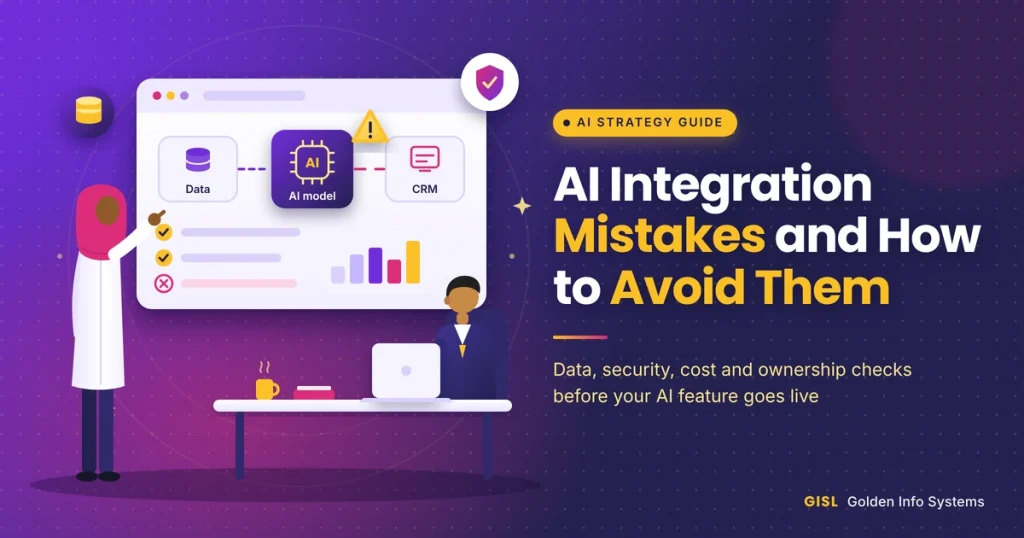
Most AI integration challenges have nothing to do with the model. Projects stall because the data is messy, the AI feature has no clean way to talk to the systems you already run, nobody owns the output once it goes live, and the monthly bill grows faster than the value. Fix those four things before you pick a model and your odds of shipping something useful go up sharply.
We build and integrate AI features for clients at Golden Info Systems, and the same patterns come up again and again. A proof of concept looks great in a demo, then falls apart when it meets real customer records, real permissions and real traffic. That gap between demo and production is where most AI implementation mistakes live.
This guide walks through the AI integration challenges we see most often, a table of warning signs and fixes, a step-by-step checklist, and the quieter mistakes that look like progress until launch week. If you are planning your first AI feature or rescuing a stuck one, you can use it as a pre-flight check.
1. What Are the Biggest AI Integration Challenges?
The biggest AI integration challenges are poor data quality, weak connections to existing systems, missing security and risk controls, unpredictable running costs, and no clear business metric. Outside research points the same way. In a July 2024 press release, Gartner predicted that at least 30% of generative AI projects would be abandoned after proof of concept by the end of 2025, citing poor data quality, inadequate risk controls, escalating costs or unclear business value.
Notice what is missing from that list: “the model wasn’t smart enough.” Model quality is rarely one of the real AI integration challenges today. The hard part is everything around the model, which is plain software engineering work that teams tend to skip because the demo already “works.”
Why AI integration challenges cost more than a normal software bug
A broken button fails loudly. A broken AI feature fails quietly; it gives a confident, wrong answer to a customer, or it approves a refund it should have flagged. You often find out weeks later, from a complaint or an audit. That delay is why AI project failure reasons tend to be expensive: the damage piles up before anyone sees it.
There is also a trust cost. When staff see an AI tool make three silly mistakes in its first week, they stop using it. Winning them back takes far longer than a careful launch would have.
Generative AI and predictive AI face different AI integration challenges
It helps to know which kind of AI you are adding, because the risks differ. Predictive machine learning (a churn score, a demand forecast, a fraud flag) needs labeled historical data and suffers from drift: the model gets quietly worse as customer behavior changes. Generative AI (chat assistants, document summaries, email drafts) needs far less training data, but it can invent facts, follow malicious instructions hidden in a document, and run up token bills.
So the AI integration challenges for a forecasting model center on data pipelines and retraining schedules. For a chatbot, they center on grounding, guardrails and cost caps. Plan your testing around the type you are actually building; copying a checklist written for the other kind wastes weeks.
2. Five Areas Where AI Integration Challenges Usually Start
When we review a stuck AI project, its AI integration challenges almost always trace back to one of five areas. Check each one honestly before you write code.
Data readiness: the first of the AI integration challenges
Your AI feature can only be as good as the data it reads. Common problems we find in client data:
- Duplicate customer records with different spellings of the same name (very common with Bangla names typed in English).
- Policies and price lists stored as scanned PDFs, so the AI cannot read them without OCR first.
- Old documents mixed in with current ones, so the model quotes a 2021 refund policy as if it were today’s.
- No field-level permissions, so a sales assistant bot could expose HR data if you index everything.
The fix is boring and effective: pick one narrow data set, clean it, tag it with dates and owners, and archive what is out of date. If you plan to let AI answer questions from your own documents, our guide on retrieval augmented generation for company data explains how to structure that content so answers stay grounded.
Integration with existing systems and APIs
An AI feature that cannot read from your CRM or write back to your ERP is a toy. Many teams build the AI piece first and only later discover that their core system has no API, a rate-limited API, or an API that returns data in a format nobody documented.
Map every system the feature touches before you start. For each one, note how you will read data (REST API, database view, file export), how you will write data back, and what happens if that system is down. Of all the AI integration challenges in this guide, this one most often doubles a timeline. We usually put a small middleware service between the AI model and business systems, so the model never talks to your database directly and every call is logged.
Security, privacy and risk controls
Security is where AI integration challenges turn into incidents. Large language models bring new attack surfaces. The OWASP Top 10 for LLM Applications 2025 lists risks such as prompt injection, sensitive information disclosure, excessive agency, system prompt leakage and unbounded consumption. Each one maps to a real integration decision: what the model can see, what it is allowed to do, and how much it is allowed to spend.
Excessive agency deserves special attention. If your AI agent can send emails, issue refunds or update records, give it the smallest set of permissions that works and require human approval for anything with money or legal weight attached.
Cost and usage control
Cost overruns are the AI integration challenges your finance team will notice first. Model pricing is usually per token, so cost scales with traffic and with how much context you stuff into each request. Here is a hypothetical example to show the math: a support assistant handles 20,000 chats a month, and each chat uses about 6,000 tokens once you include the system prompt, retrieved documents and conversation history. That is roughly 120 million tokens a month. Double the retrieved context “to be safe” and you nearly double the bill.
Set a per-user and per-day budget, cache answers to repeated questions, and choose a smaller model for simple tasks like classification. Track cost per resolved request, not just total spend.
Legacy systems and local AI integration challenges in Bangladesh
Many businesses we work with in Bangladesh run accounting, HR or inventory software that was installed years ago on a local server. Those systems often have no API at all. The usual workaround is a scheduled export (a nightly CSV or a read-only database view) that feeds the AI layer, which is slower but far safer than giving a new AI service direct access to an old database.
Language adds another layer. Customer messages here regularly mix Bangla script, Romanized Bangla and English in the same sentence, and scanned Bangla documents need OCR that you should test on your own files before trusting it. Build these AI integration challenges into your evaluation set from the start instead of discovering them after launch. If your old system is the real bottleneck, wrapping it with a small read-only API is usually cheaper than rebuilding it before the AI work starts.
People, process and ownership
This is the area teams underestimate most. Someone has to own the AI feature after launch: review flagged answers, update source documents, retrain staff and decide when the model needs changing. Without an owner, quality drifts and nobody notices until a customer complains. A sound AI adoption strategy names that owner on day one, along with the people who will actually use the tool every day.
3. AI Project Failure Reasons Compared: Warning Signs and Fixes
Most AI integration challenges leave visible clues early. Use this table as a quick diagnostic. If you recognize a warning sign from your own project, the fix column tells you where to start.
| Mistake | Early warning sign | Practical fix | Typical impact if ignored |
|---|---|---|---|
| No business metric | Success is described as “it works” or “it looks smart” | Pick one number (handling time, error rate, lead response time) and record a baseline | Project cannot justify its running cost and gets cut |
| Dirty or stale data | Answers quote old prices or wrong policies | Limit scope to one cleaned, dated data set; archive old files | Wrong answers reach customers; trust drops |
| Model talks to systems directly | API keys and database access live inside prompts or front-end code | Add a middleware layer with logging, permissions and rate limits | Data leaks and hard-to-trace errors |
| No guardrails | Nobody has tried to break the bot on purpose | Red-team against the OWASP LLM risks before launch | Prompt injection, data exposure, embarrassing outputs |
| Uncapped usage | No one can say what one request costs | Per-user limits, caching, smaller models for simple tasks | Bills spike with traffic |
| No human fallback | The AI is the only path for the customer | Clear handoff to a person, with the conversation attached | Frustrated users and lost sales |
| No owner after launch | The vendor leaves and nobody reviews outputs | Name an internal owner and a monthly review routine | Quality drifts silently |
Most AI project failure reasons on this list are cheap to fix early and expensive to fix late. A middleware layer costs a few days at the start; retrofitting one after launch means reworking every integration point.
4. A Step-by-Step Checklist to Avoid AI Integration Challenges
This is the sequence we follow on client projects. It works for a small chatbot and for a larger AI feature inside an ERP or CRM.
- Write the problem in one sentence. “Cut first-response time on support tickets from 6 hours to under 1 hour” is a problem. “Use AI in customer service” is not.
- Record the baseline. Measure the current number for two to four weeks before you build anything, or you will never prove the AI helped.
- Audit the data. List the sources, their owners, their formats and how fresh they are. Remove anything outdated or sensitive that the feature does not need.
- Map the integrations. Document every read and write, the API available, its limits and the fallback if it fails.
- Choose the smallest model that passes your tests. Build an evaluation set of 50 to 200 real questions with known good answers, then compare models against it.
- Design guardrails. Input filtering, output checks, permission limits, cost caps and a human handoff path.
- Pilot with a small group. Five to ten internal users for two weeks is usually enough to surface the worst problems.
- Launch with monitoring. Log prompts, answers, latency, cost and user feedback. Review a sample every week for the first month.
- Assign ownership. One named person reviews quality monthly and approves changes to prompts, data sources or models.
For a governance reference, the NIST AI Risk Management Framework (AI RMF 1.0, released January 26, 2023) organizes AI risk work under four functions: Govern, Map, Measure and Manage. NIST also released a Generative AI Profile (NIST AI 600-1) on July 26, 2024. You do not need to adopt the full framework to benefit from it; even using its four headings as a checklist forces better questions.
Estimating effort before you commit
Effort depends far more on your data and systems than on the AI itself. The ranges below are our own planning estimates for a first pilot, not quotes, and they assume one focused use case.
| Scenario | Data and systems | Estimated time to pilot | Main risk |
|---|---|---|---|
| Document Q&A for staff | Clean policy files, no system writes | 4 to 6 weeks | Outdated documents |
| Support reply drafting | Helpdesk with an API, human approval | 6 to 8 weeks | Tone and wrong facts |
| Invoice or form extraction | Scanned files, writes to ERP | 8 to 12 weeks | OCR accuracy on local formats |
| AI agent that takes actions | Several systems, write access | 12 weeks or more | Excessive agency and audit trail |
If your project sits in the bottom row, expect most AI integration challenges to come from permissions and logging rather than from the model. Start one row higher and work down.
Pre-launch checklist for AI integration
| Check | Question to answer | Done? |
|---|---|---|
| Metric | Do we have a baseline number and a target? | Yes / No |
| Data | Is every source dated, owned and permission-checked? | Yes / No |
| Evaluation | Did the chosen model pass our test set? | Yes / No |
| Security | Did we test prompt injection and data leakage? | Yes / No |
| Cost | Do we know the cost per request and have a cap? | Yes / No |
| Fallback | Can a user reach a human in one step? | Yes / No |
| Ownership | Who reviews outputs every month? | Yes / No |
5. Common AI Implementation Mistakes That Look Like Progress
Some AI implementation mistakes are obvious enough that basic testing catches them. The ones below are harder to spot because they hide behind good demo results and on-time sprint reports; they feel like momentum while they quietly add risk.
Building for the demo instead of the edge cases
Demos use the ten questions the team already knows the AI handles well. Real users ask the eleventh: misspelled, half in Bangla, about a product you discontinued last year. Collect real queries from support logs, email and chat history, and test against those. If 15% of your incoming questions mix Bangla and English, your test set should too.
Measuring model accuracy instead of business outcomes
A model that scores 92% on your test set can still fail the business if the 8% it gets wrong are refund and billing questions. Weight your evaluation by impact. One wrong answer about a bank charge matters more than ten wrong answers about office hours.
Hard-coding prompts with no version control
Prompts are code. When they live in a developer’s notes or are pasted straight into a dashboard, nobody can tell which version produced last Tuesday’s bad answer. Store prompts in your repository, version them, and test each change against the evaluation set before it goes live.
Automating the whole workflow on day one
Teams often jump straight to “the AI handles it end to end.” Start with AI drafting and a human approving. Once the approval rate is consistently high and you understand the failure cases, automate the safest slice. This staged approach is the backbone of any AI adoption strategy that survives contact with real users.
Ignoring the people who will use it
If staff think the tool exists to replace them, they will find its flaws and stop there. Involve them early, show them how it removes the dull parts of their work, and give them an easy way to flag bad answers. Their flags become your best test cases.
Picking a vendor before defining the problem
Choosing a model provider or AI platform first, then hunting for a use case, is one of the most common AI implementation mistakes. It locks you into one pricing model and one set of limits before you know what you need. Define the problem, the data and the success metric, then compare providers against that.
Treating launch as the finish line
Models change, your products change, and your policies change. An AI feature with no maintenance plan degrades. Budget for monthly review time and a quarterly check of model options and costs. The same applies to a customer support chatbot, where the content behind the bot needs as much upkeep as the bot itself.
6. How Golden Info Systems Handles AI Integration Challenges
Golden Info Systems is a Dhaka-based software company with 850+ projects delivered and 12+ years of experience. Our AI solutions team works on generative AI services, intelligent process automation, natural language processing, customer analytics, AIOps and digital virtual agents, usually as part of a larger web, mobile or ERP system rather than as a standalone gadget.
We run every AI integration through the same four-phase process we use for all software work:
- Client Requirement: we agree on the one-sentence problem, the baseline metric, the data sources and the systems involved. This is where we catch most AI integration challenges before they cost money.
- Planning: we rank the remaining AI integration challenges by risk, map integrations, choose candidate models, design guardrails and estimate running costs per request.
- Execute: our designers, developers and engineers build the middleware, connect your systems and test against a real-question evaluation set, with regular updates to your team.
- Deliver: testing and quality assurance, a pilot with your staff, monitoring set up, and a clear handover so your internal owner knows what to review.
We would rather tell you an AI feature is not worth building yet than ship one that quietly costs you customers.
7. Frequently Asked Questions About AI Integration Challenges
What is the most common reason AI projects fail?
The most common reason is unclear business value combined with poor data. Teams start with a model and a demo, not a measurable problem, so they cannot prove the feature is worth its running cost. Gartner’s 2024 prediction on abandoned generative AI projects named poor data quality, inadequate risk controls, escalating costs and unclear business value. Start with a baseline metric and a clean, narrow data set, which removes the two AI integration challenges that sink most projects before launch.
How long does a typical AI integration take?
Scope and data readiness decide it. As an estimate, a focused feature such as an internal document assistant or a support reply drafter can reach a pilot in four to eight weeks when the data is clean and the target system has an API. Projects that need data cleanup, new APIs or legacy system changes take longer. Surfacing your AI integration challenges in the first two weeks, through the data audit and integration mapping, gives you a far more reliable timeline than any upfront guess.
Do we need our own AI model?
Almost never at the start. Most business use cases work well with a hosted model plus your own data supplied through retrieval, careful prompts and integration with your systems. Training or fine-tuning your own model adds cost, data requirements and maintenance. Consider it only after you have a working feature, a solid evaluation set and a specific gap that a hosted model cannot close, such as a narrow domain vocabulary or strict data residency rules.
How do we keep company data safe when using AI?
Limit what the model can see, and control what it can do. Put a middleware layer between the model and your systems, apply the same user permissions the rest of your software uses, strip personal data the task does not need, and log every request. These are the AI integration challenges with the highest legal exposure, so test against the OWASP Top 10 for LLM Applications, especially prompt injection and sensitive information disclosure. Review your AI provider’s data retention terms before sending any customer data.
How can we control AI running costs?
Cost is one of the few AI integration challenges you can measure from day one, so track cost per request from the first pilot day. Then cap usage per user and per day, cache answers to frequent questions, trim the context you send with each request, and route simple tasks like tagging or classification to a smaller, cheaper model. Review the bill monthly against your business metric. If cost per resolved ticket or per processed document keeps rising while the outcome stays flat, your prompts or retrieval need tuning.
What should a small business do first with AI?
Pick one repetitive, text-heavy task with a clear measure, such as replying to common customer emails or extracting fields from invoices. Run it with AI drafting and a person approving. A small scope keeps your AI integration challenges manageable, so aim to finish in weeks, not months. Our guide to AI automation for small business lists low-cost starting points. Once one task works and pays for itself, the second one goes much faster.
8. Practical Next Step: Run a One-Page AI Readiness Check
Before you spend on any model or platform, fill in one page: the problem in one sentence, the baseline number, the data sources with owners and dates, the systems the feature must read from and write to, and the named person who will own it after launch. If you cannot fill in a line, that line is where your AI integration challenges will show up first.
Send that page to us through our contact page and our team will review it with you, point out the gaps, and tell you plainly whether the feature is ready to build or needs groundwork first.