





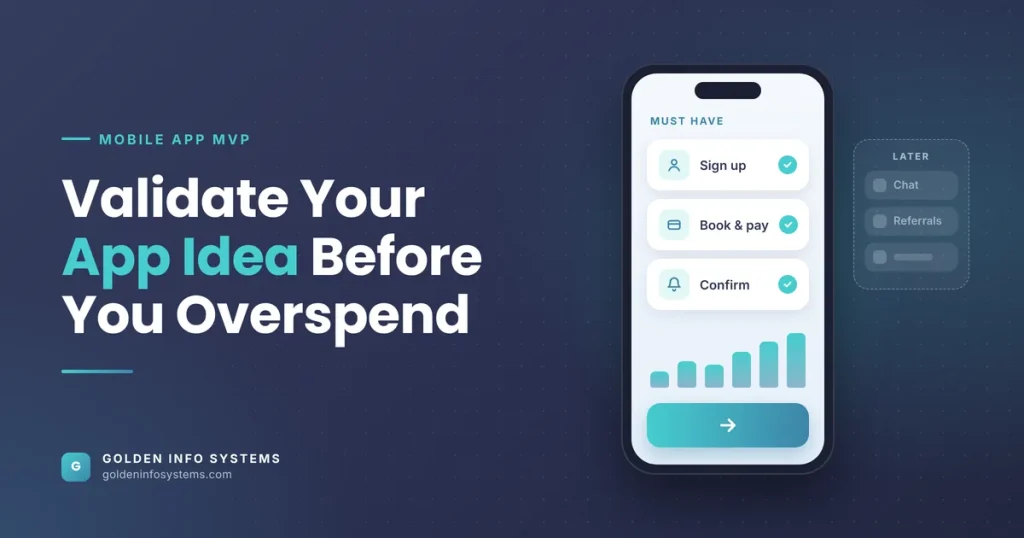
Mobile app MVP development means building the smallest working version of your app that real users can install and actually use, so you learn whether the idea deserves more money before you spend it. A good MVP solves one problem for one type of user, ships on one platform or one shared codebase, and measures a single behavior that proves demand. Everything else waits.
That discipline matters because most startups don’t die from bad code. In its 2026 analysis of 431 venture-backed companies that shut down since 2023, CB Insights found that 43% cited poor product-market fit as a reason for failure. An MVP is the cheapest tool you have for finding out early if you’re in that group.
This guide is written for founders and SME owners planning their first app. You’ll get the factors that decide MVP scope, a comparison table of MVP approaches, a seven-step validation process, the mistakes that drain budgets, and the app store rules most generic MVP guides skip.
1. What Mobile App MVP Development Means for Your Startup Budget
The term minimum viable product was popularized by Eric Ries in the lean startup movement. His definition is useful because it centers on learning: the MVP is the version of a product that collects the most validated learning about customers with the least effort.
For a mobile app, that definition has a practical edge. Your MVP has to be good enough that strangers will download it and come back without you standing beside them. If the app crashes or confuses people on the first screen, you won’t learn anything about the idea. You’ll only learn that the build was rushed.
So “minimum” refers to scope. “Viable” refers to quality.
MVP vs prototype vs beta
These three words get mixed up in planning meetings, and the confusion costs money.
- Prototype: a clickable design, often made in Figma, that shows how the app would work. Nobody can use it for real. It’s for testing flow and clarity with 5 to 10 people.
- Minimum viable product: a working app with real data, real accounts, and real usage tracking. It’s for testing whether people want the thing and will keep using it.
- Beta: a near-complete product released to a limited group to find bugs before a wide launch. It assumes the demand question is already answered.
If you skip the prototype, you’ll pay developers to discover usability problems a designer could have found in a week. If you treat a beta as your MVP, you’ve built too much.
Why app MVPs are harder than web MVPs
A web MVP can go live in an afternoon and change ten times a day. A mobile app MVP has gatekeepers. Apple and Google both review apps, and each has rules that affect what an early version can look like (more on those in Section 2). Users also judge apps harshly: an app that disappoints on first launch often gets deleted, and you rarely get a second open.
That’s why startup app development needs more planning up front than a landing page test, even when the goal is the same.
2. Key Factors That Shape Mobile App MVP Development
Five decisions set your MVP’s cost and timeline. Get these right and the build becomes predictable.
One problem, one user, one core action
Write down the single job your app does and the person who has that problem most painfully. A food delivery idea might target office workers in Gulshan who order lunch daily, not “anyone who eats.” Then define the core action: the one thing a user must do for the app to deliver value. For a booking app, that’s completing a booking. For a habit tracker, it’s logging a habit on three separate days.
Every feature request after that gets one question: does it help a user complete the core action? If not, it goes on the later list.
Platform: one store or both
You have three realistic paths.
- One native platform first. Build for iOS with Swift or Android with Kotlin. This works when your early users clearly favor one platform. If your interviews show most target users carry Android phones, start there.
- Cross-platform from day one. Flutter or React Native lets one team ship iOS and Android from a shared codebase. For most MVPs this is the most cost-efficient route, because you test both audiences without paying for two apps.
- A progressive web app first. Fine for testing demand, weaker for features like background location, some push notification behavior on iOS, or deep hardware access.
We compared the first two options in detail in our guide to native vs cross-platform apps.
Backend: build, buy, or borrow
Your MVP needs user accounts, a database, and probably file storage and notifications. Building all of that from scratch is rarely the best use of an early budget. Backend-as-a-service platforms cut that work sharply: Firebase covers authentication, a database, and push messaging, while Supabase gives you authentication on top of a managed Postgres database. You can migrate to a custom backend later, once you know which features people use.
The exception: if your core value lives in the backend (a matching algorithm, a pricing engine, a compliance workflow), build that part properly from the start, because that’s what you’re testing.
Measurement before launch
An MVP without analytics is a guess with an app icon. Decide before development which numbers will tell you the idea works. Typical MVP metrics are:
- Activation rate: the share of new installs that complete the core action at least once.
- Day 7 and Day 30 retention: the share of users who return a week and a month after install.
- Conversion: the share who pay, pre-order, or join a paid waitlist, if money is part of the test.
- Qualitative signal: what users say in short interviews or in-app feedback.
Set a target for each before launch. “We’ll see how it goes” isn’t a success criterion.
App store rules that affect MVP scope
This is the part most MVP articles ignore. A few current rules shape what you can ship:
- Apple’s Minimum Functionality rule (4.2). The App Store Review Guidelines say an app must offer more than a repackaged website. A thin web wrapper will likely be rejected, so your MVP needs at least one genuinely app-like feature.
- Apple’s beta rule (2.2). Demos, betas, and trial versions don’t belong on the App Store. Apple points developers to TestFlight instead, which lets you invite up to 10,000 external testers.
- Apple’s completeness rule (2.1). Placeholder text, empty screens, and broken links get rejected. If your app needs a login, you must give the reviewer a demo account.
- Google Play’s testing requirement. Personal developer accounts created after November 13, 2023 must run a closed test with at least 12 testers opted in for 14 continuous days before they can publish to production. Organization accounts are exempt, but if you’re registering as an individual, add two weeks to your plan.
- Fees. The Apple Developer Program costs US$99 per year. Google Play charges a one-time US$25 registration fee.
None of these rules is hard to meet. They only hurt when you discover them the week you planned to launch.
3. MVP Approaches Compared: Cost, Time, and What You Learn
Not every idea needs a coded app to get its first answer. The table below compares six common approaches. Timelines are our planning estimates for a focused scope, not quotes; real figures depend on features, integrations, and how fast decisions get made.
| MVP approach | What it tests | Typical timeline (estimate) | Main cost drivers | Best fit |
|---|---|---|---|---|
| Landing page plus waitlist | Whether people care enough to leave an email or pre-order | 1 to 2 weeks | Copywriting, ad spend for traffic | Very early ideas with no proof of demand |
| Clickable prototype (Figma) | Whether users understand the flow and want the outcome | 1 to 3 weeks | Number of screens, rounds of user testing | Ideas with a complex or unfamiliar user flow |
| Concierge or “Wizard of Oz” MVP | Whether users value the result when humans do the work behind a simple front end | 2 to 4 weeks | Staff time to deliver the service manually | Marketplaces, matching, and service apps |
| No-code app | Whether users will complete the core action in an app | 2 to 6 weeks | Platform subscription, workarounds for missing features | Internal tools and simple data apps |
| Single-platform native MVP | Real usage, retention, and willingness to pay on one platform | 8 to 12 weeks | Feature count, backend complexity, design polish | Apps that need deep device features on one OS |
| Cross-platform MVP (Flutter or React Native) | Real usage, retention, and payment on iOS and Android | 8 to 12 weeks | Feature count, integrations (payments, maps, chat), QA across devices | Most consumer and B2B startup app development |
For the coded options, our app development cost in Bangladesh guide places a simple app at roughly US$3,000 to US$10,000 over 2 to 3 months, and notes that an MVP usually lands under US$10,000. Add-ons such as payment gateways, in-app chat, or an admin panel move the number most.
The cheapest route into mobile app MVP development is usually a stack: a landing page to prove interest, a prototype to fix the flow, then a coded MVP once both pass.
4. A 7-Step Process to Validate Your Startup Idea With a Mobile App MVP
Use this sequence whether you build in-house or hire a team. Each step has an exit test; don’t move forward until it passes.
Step 1: Validate app idea demand before anyone writes code
Talk to 10 to 15 people who match your target user. Ask about the last time they had the problem, what they did, and what it cost them in time or money. Don’t pitch. If fewer than half describe the problem without prompting, rethink the idea or the audience.
Founders often search for ways to validate app idea risk with surveys alone. Surveys tell you what people say they’d do; interviews about past behavior tell you what they actually did. The second is far more reliable.
Step 2: Write a one-page MVP brief
The brief fits on a single page and contains:
- The target user, in one sentence
- The problem, in their words
- The core action
- 3 to 6 must-have features (no more)
- The success metrics and targets from Section 2
- The budget ceiling and launch date
This page is your defense against scope creep. Pin it to every planning conversation.
Step 3: Prioritize features with MoSCoW
Sort every feature idea into Must have, Should have, Could have, and Won’t have (this time). Only the Must column gets built. A common Must list for a booking MVP: sign up with phone number, browse available slots, book and pay, receive a confirmation notification. Ratings, referrals, loyalty points, and a chat feature can all wait.
Step 4: Prototype and test the flow
Turn the Must features into a clickable prototype and watch five users try to complete the core action. You’re looking for hesitation and wrong taps. Fix those in design, where a change costs hours instead of days. In our experience, the biggest issues usually surface in the first three sessions.
Step 5: Build in short sprints with a working build every two weeks
Split the build into one- or two-week sprints. At the end of each, you should be able to install the latest version on your own phone; in mobile app MVP development, nothing replaces holding the real build in your hand. That habit catches misunderstandings early and gives you something real to show investors.
Set up crash reporting and analytics events in the first sprint, not the last.
Step 6: Run a closed beta before the public release
Use TestFlight on iOS and a closed testing track on Google Play. Recruit 20 to 50 people from your interview list and waitlist. If you’re on a new personal Google Play account, this step also satisfies the 12 testers for 14 days requirement. Fix crashes and confusion points, then submit for review.
Step 7: Launch small, measure, and decide
Release to a defined audience (one city, one industry, one community) instead of everyone. After four to six weeks, compare results with the targets in your brief. Then make one of three calls: persevere and build the Should features, pivot the audience or core action, or stop. Stopping after a US$8,000 MVP is a far better outcome than stopping after a US$80,000 full product.
Here’s a hypothetical example to make the decision concrete. Say a clinic booking MVP set three targets in its brief: 40% of installs complete a booking, 20% of users book again within 30 days, and at least five clinics agree to a paid pilot. After six weeks, activation sits at 52% but repeat bookings are only 6%. Interviews show patients book once, then call the clinic directly next time. The idea hasn’t failed. The data points toward a clinic-side tool instead of a patient app, a pivot you can afford because the MVP was small.
5. Common Mistakes That Burn MVP Budgets
We see the same errors across startup app development projects, and most of them are about scope rather than technology.
Building the “full vision” with a smaller label
If your MVP has a feed, chat, payments, referrals, an admin dashboard, and three user roles, it isn’t minimum. Cut until the app does one job well. You can add the rest after users prove they want the first job done.
Skipping analytics until after launch
Without event tracking, you’ll have install numbers and opinions, but no evidence about where users drop off. Retrofitting analytics after launch also means your first cohort, often the most motivated users you’ll ever get, goes unmeasured.
Choosing technology for the long term instead of the test
Founders sometimes insist on microservices, Kubernetes, or a custom design system for an app that has zero users. That’s money spent on problems you don’t have yet. Pick a stack your team knows well, keep the architecture simple, and plan a proper scaling review once usage justifies it.
Treating every piece of feedback as a feature request
Early users will ask for many things. Look for patterns across several users and check each request against your core action. A request from one loud user isn’t a roadmap.
Ignoring store review timelines
Plan for at least one review rejection on your first iOS submission (missing demo credentials and placeholder content are frequent causes), and for the Google Play closed test if it applies to you. Founders who book a launch event for the day after submission often end up rescheduling.
Forgetting the cost of keeping the app alive
An app isn’t finished at launch. iOS and Android ship major versions every year, libraries need security updates, and store policies change. Our cost guide puts annual maintenance at roughly 15% to 20% of the original development cost, so a US$8,000 MVP needs about US$1,200 to US$1,600 a year just to stay healthy. Keep that in the budget, or your validated app will start breaking on new phones right when traction arrives.
Cutting quality instead of scope
A buggy MVP gives you false negatives: users leave because the app is broken, and you wrongly conclude the idea is bad. Keep the feature list short so the features you do ship work properly.
6. How Golden Info Systems Approaches Mobile App MVP Development
At Golden Info Systems, we build MVPs with the same 100% in-house team that handles our full-scale products; we don’t hand MVP work to freelancers. Our mobile app development services cover native iOS and Android builds with Swift and Kotlin, and cross-platform builds with Flutter and React Native. Design, testing and QA, performance tuning, and post-launch maintenance sit with the same team, so nothing gets lost between vendors.
We run every MVP through our 4-phase software development process:
- Requirements. We work with you on the one-page brief: target user, core action, must-have features, and the metrics that will decide what happens next. This is where we push back on scope.
- Planning. We recommend the platform approach, backend option, and analytics setup, then produce a sprint plan with a fixed feature list and a launch date that accounts for store reviews.
- Execution. We design, prototype, and build in short sprints. You get an installable build at the end of each sprint and a say in every trade-off.
- Delivery. We handle TestFlight and Google Play testing tracks, store submission, and launch support, then help you read the first weeks of data.
We’ve built software for clients across 12 industries, including banking, healthcare, and retail, and we’re a member of BASIS, the Bangladesh Computer Samity, and e-CAB. If the data says your MVP needs a pivot, we’d rather tell you that early than sell you a bigger build.
7. Frequently Asked Questions
How much does mobile app MVP development cost?
For a focused scope, mobile app MVP development in Bangladesh usually costs under US$10,000, based on the ranges in our app cost guide, where simple apps fall between about US$3,000 and US$10,000. The biggest cost drivers are the number of must-have features, third-party integrations such as payment gateways or maps, whether you need iOS and Android, and how much custom backend logic the app requires. Store fees add US$99 per year for Apple and a one-time US$25 for Google Play.
How long does it take to build an MVP app?
Most coded app MVPs take 8 to 12 weeks from signed brief to store submission, as a planning estimate. Design and prototyping usually take two to three weeks, development six to eight, and testing plus store review one to two. Add 14 days if you’re publishing from a new personal Google Play account, since Google requires a closed test with at least 12 testers for that period before production access.
What features should a minimum viable product include?
A minimum viable product should include only the features a user needs to complete your core action, plus the basics that make the app trustworthy: sign-up, a working main flow, error handling, and analytics. For most apps that means three to six features. Anything that improves the experience but isn’t required for the core action, such as referrals, social sharing, or advanced settings, belongs in the second release.
Should my MVP be native or cross-platform?
Choose cross-platform with Flutter or React Native if you need both iOS and Android users in your test and your app doesn’t depend on deep hardware features. Choose native if your audience sits mostly on one platform or if your core feature relies on platform-specific capabilities such as advanced camera processing or background services. If your interviews show most users on Android, an Android-first build is a sensible starting point.
Can I launch an MVP on the App Store as a beta?
No. Apple’s App Review Guidelines state that demos, betas, and trial versions don’t belong on the App Store and should be distributed through TestFlight instead. TestFlight lets you invite up to 10,000 external testers, which is plenty for most MVP tests. When you do submit to the App Store, the app must be complete, with no placeholder content, and must offer more than a repackaged website.
How do I know if my MVP succeeded?
Set targets before launch, then compare. The most useful signals are activation (how many installs complete the core action), Day 7 and Day 30 retention, and willingness to pay if pricing is part of the test. Interviews with active and churned users explain the numbers. If retention is flat and users can’t describe the value, pivot or stop; if a clear group keeps returning, build for them.
Is a no-code tool good enough for an MVP?
Sometimes. No-code tools work well for internal apps, simple data entry, and early concierge-style tests where speed matters more than polish. They struggle with custom logic, offline use, performance on low-end Android phones, and store approval for thin apps. If your test depends on how the app feels in daily use, or you expect to scale quickly after validation, a coded cross-platform MVP is usually the safer investment.
8. Practical Next Step
Before you talk to any developer, write your one-page MVP brief: the target user, the problem in their words, the core action, three to six must-have features, the metrics that define success, and your budget ceiling. That page alone will sharpen every quote you receive.
If you’d like a second opinion on scope, send the brief to our team through the contact page. We’ll review it, flag features that can wait, and give you a realistic plan and estimate for mobile app MVP development on the platform that suits your users.