





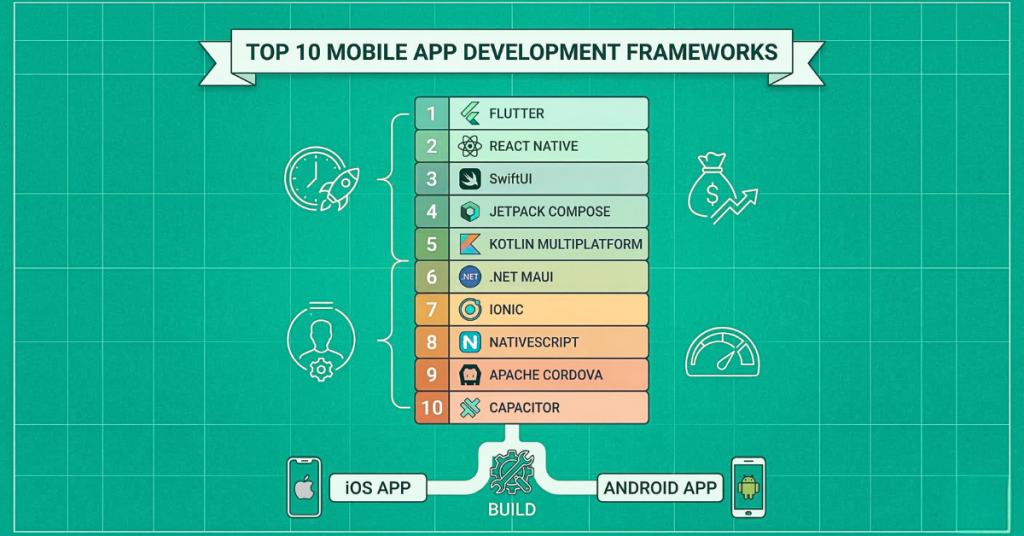
If you are planning to build a mobile app this year, you are probably asking yourself one major question: What is the best way to build it quickly, cost-effectively, and with top-tier performance? The answer lies in choosing the right foundation. Welcome to your ultimate guide on the top 10 mobile app development frameworks.
Mobile app development frameworks are transforming the way teams build software. By providing pre-built code libraries, reusable UI components and standardized tooling, they dramatically accelerate development and reduce time-to-market. Businesses across every sector are turning to these frameworks to ship better apps, faster — without sacrificing quality or performance.
The mobile app industry is moving faster than ever. With the rise of AI-powered mobile app development, on-device AI, and demanding user expectations, picking the wrong technology stack can cost you thousands of dollars and months of wasted time. Whether you are a startup founder looking for the fastest mobile app development framework or an enterprise searching for the best framework for enterprise mobile apps, this guide has you covered.
In this deep dive, we will explore the best mobile app development frameworks, compare the heavyweights (like Flutter vs React Native), break down the costs, and help you decide exactly which app development framework is right for your specific project.
Key Takeaways
- Modern frameworks simplify development with single codebases targeting Android, iOS and web simultaneously — speeding up delivery and reducing costs.
- Frameworks are evolving rapidly with AI-powered coding assistants, on-device ML support and enhanced AR/VR integration built in.
- Cross-platform options are ideal for MVPs and startups; native frameworks remain the preferred choice for enterprise-grade, performance-critical apps.
- Flutter leads on UI performance and customisation; React Native leads on JavaScript ecosystem reach and community size.
- The global cross-platform mobile development market is projected to reach
$179.58 billion by 2029at a CAGR of 14.5%.
What Is a Mobile App Development Framework?
A mobile app development framework is a structured, pre-built environment for building mobile applications. It provides tools, libraries, components and conventions that dramatically reduce the code developers need to write from scratch. Instead of building every button, animation and data connection manually, frameworks provide ready-made building blocks that slot together reliably.
Frameworks also simplify multi-platform deployment — the same core codebase can often target both Android and iOS, saving significant development time and cost. The right framework can cut a 12-month project to 6 months without compromising on quality.
Think of a framework like a pre-built house foundation and a set of construction tools. Instead of building every single wall, window, and door from scratch (writing thousands of lines of complex code), a framework gives you pre-written code libraries, structural templates, and tools to build your app much faster. It simplifies the entire process, making mobile app development frameworks essential for modern developers.
Types of Mobile App Development Frameworks
There are three main categories of mobile development framework (Native App Development, Cross-Platform App Development Framework & Hybrid App Development Framework) each with distinct technical approaches and ideal use cases. When you start researching the best mobile app development frameworks, you will immediately run into three main categories. Here is a simple breakdown (imagine this as a blueprint diagram for your app strategy):
Framework Types Compared
| Type | How It Works | Performance | Best For | Examples |
| Native | Platform-specific tools and languages; talks directly to OS APIs | Best | High-performance, OS-integrated apps | SwiftUI, Jetpack Compose |
| Cross-Platform | Single codebase compiled to native components on each platform | Near-native | Multi-platform products, faster delivery | Flutter, React Native, KMP |
| Hybrid | Web technologies (HTML/CSS/JS) wrapped in a native container (WebView) | Good | Content apps, internal tools, MVPs | Ionic, Apache Cordova, Onsen UI |
Native vs Cross-Platform vs Hybrid — Key Differences
When you start researching the best mobile app development frameworks, you will immediately run into three main categories. Here is a simple breakdown (imagine this as a blueprint diagram for your app strategy):
- Native App Development: You build separate apps for iOS and Android using their specific languages (Swift for iOS, Kotlin for Android).
- Pros: Best performance, full access to device hardware (camera, GPS).
- Cons: Most expensive, takes the longest because you are building two separate apps.
- Cross-Platform App Development Framework: You write your code once, and it runs on both iOS and Android.
- Pros: Faster development, lower mobile app development cost, easier to maintain.
- Cons: Sometimes slightly larger app sizes or tiny performance dips on highly complex 3D animations.
- Hybrid App Development Framework: You build your app using web technologies (HTML, CSS, JavaScript) and wrap it in a native “shell” so it can be downloaded from the app store.
- Pros: Great for web developers, very fast to build simple apps.
- Cons: Generally the slowest performance of the three.
So, native vs hybrid vs cross-platform: which is better? For most modern businesses, a cross-platform app development framework offers the best balance of cost, speed, and performance.
Why Choosing the Right Framework Matters
Why spend so much time comparing the best mobile app development frameworks? Because in 2026, user patience is at an all-time low. If your app takes more than 3 seconds to load, users will delete it.
Choosing the right mobile app framework impacts:
- Your Budget: The cross-platform mobile app development cost is significantly lower than native.
- Time to Market: The fastest mobile app development framework can get your startup launched in weeks, not months.
- Future-Proofing: With generative AI mobile app development becoming standard, you need a framework that supports on-device AI and machine learning natively.
- Developer Availability: You want to pick top programming frameworks for app development that have a massive talent pool. It’s easier to hire for React Native and Flutter than obscure languages.
Top 10 Mobile App Development Frameworks — Overview
Here is your master mobile app framework comparison chart. This table gives you a bird’s-eye view of the best mobile app development frameworks available this year.
| Rank | Framework | Developed By | Type | Language | AI Support | Best For |
| 1 | Flutter | Cross-platform | Dart | Excellent (On-device AI) | Overall Cross-Platform, Fast UI, startups, fintech | |
| 2 | React Native | Meta | Cross-platform | JavaScript | Strong | JS Developers / Startups, social apps, MVPs |
| 3 | SwiftUI | Apple | Native (iOS) | Swift | Native CoreML | iOS-Only Native Apps, premium UX |
| 4 | Jetpack Compose | Native (Android) | Kotlin | Native ML Kit | Android-Only Native Apps, modern UI | |
| 5 | Kotlin Multiplatform | JetBrains | Cross-platform | Kotlin | Growing | Enterprise, shared logic |
| 6 | .NET MAUI | Microsoft | Cross-platform | C# / .NET | Strong (Azure AI) | Microsoft stack, enterprise |
| 7 | Ionic | Ionic Team | Hybrid | JavaScript / TypeScript | Basic | Web-to-Mobile, Web teams, hybrid apps |
| 8 | Native Script | Progress | Cross-platform | JavaScript / TypeScript | Moderate | Open-Source, Native access with JS |
| 9 | Apache Cordova | Apache | Hybrid | HTML / CSS / JS | Weak | Legacy Web Apps, simple tools |
| 10 | Capacitor | Ionic Team | Hybrid | JavaScript / TypeScript | Basic | Modern Web Apps, Web-to-mobile conversion |
Detailed In-Depth Review Top 10 Mobile App Development Frameworks
1. Flutter — Best Overall Cross-Platform Framework
Cross-Platform, Dart, by Google, AI-Friendly ✓
If you are asking, “What is the most popular app development framework?”, the answer is Flutter. Created by Google, Flutter has completely taken over the market. Current market share stats show Flutter commanding an impressive 46% of the cross-platform market.
Flutter allows you to build beautiful, natively compiled applications for mobile, web, and desktop from a single codebase using the Dart programming language.
Flutter’s secret weapon is its performance. the Flutter Impeller rendering engine is fully mature, completely eliminating early issues with animation stutter. It renders graphics incredibly fast, making it feel 100% native. Furthermore, Flutter AI integration has become seamless, making it the top mobile framework for AI app development, easily handling on-device AI tasks.
Top Features
- Single codebase — 6 platforms
- Impeller rendering engine
- Hot reload & hot restart
- Rich widget library
- Near-native performance
- Google-backed & open source
- Strong AI/ML integration
- Dart null safety
Key Considerations
Dev Speed: Very fast. Hot reload eliminates the build-wait cycle. One codebase for iOS, Android, web and desktop is a major time saver, especially during prototyping and iteration.
Community: Excellent and growing. Strong official documentation, thousands of pub.dev packages and an active GitHub community. Easy to find answers and third-party libraries.
Performance: Near-native for most use cases. The Impeller renderer eliminates shader compilation jank present in older Flutter versions. Suitable for complex animations and real-time apps.
Scalability: Scales well with proper architecture (Clean Architecture, BLoC, Riverpod). Large apps like Nubank’s mobile banking platform run entirely on Flutter at scale.
Maintenance: One codebase means one fix covers all platforms. Google pushes stable releases quarterly, keeping the ecosystem current and well-maintained.
Pros & Cons:
Pros
- Fastest hot reload in the industry
- One codebase targets 6 platforms
- Pixel-perfect, highly customisable UI
- Near-native performance via AOT
- Backed by Google with long-term support
- Strong AI/ML ecosystem (TFLite, Gemini)
Cons
- Larger app bundle size vs native
- Dart has a learning curve for JS/TS devs
- Web and desktop support still maturing
- Some native SDK integrations need platform channels
Who Should Use Flutter?
MVPs Fintech & banking apps Media & entertainment Multi-platform B2B tools AI-powered mobile apps High-quality UI/UX projects. Flutter is the absolute best mobile app development framework for startups who want a beautiful, high-performing app on both iOS and Android without paying for two developer teams. If you need a custom UI, Flutter is your winner.
Real-world apps built with Flutter
Google Pay, Google Ads, Nubank, BMW, AppSpaceX, Alibaba, eBay Motors.
2. React Native — Best for JavaScript Developers
Cross-Platform, JavaScript by MetaAI-Friendly ✓
Coming in hot at number two is React Native. Created by Meta (Facebook), React Native holds about 35% of the market share. It allows developers to build mobile apps using JavaScript and React, making it incredibly popular since millions of developers already know JavaScript.
The biggest talking point right now is the React Native new architecture. React Native has fully transitioned to its new Fabric rendering system and Turbo Modules. This completely fixes the old “bridge” bottleneck, allowing React Native to communicate directly with native device threads. The performance gap between React Native and pure native apps is now practically invisible.
The 2024–2026 rollout of the New Architecture (JSI + Fabric + Turbo Modules) has significantly improved React Native’s performance, reducing bridge overhead and making synchronous native API calls possible for the first time. React Native commands approximately 35% developer adoption in 2026.
Top Features
- Native component rendering
- New Architecture (JSI + Fabric)
- Hot reload support
- Huge JS/React ecosystem
- Expo integration
- Meta-backed & open source
- CodePush OTA updates
- React hooks & context
Key Considerations
Dev Speed: Fast, especially for existing JavaScript developers. Expo accelerates setup significantly. Hot reload is solid for most daily development workflows.
Community: Massive — arguably the largest mobile framework community. Thousands of npm packages, extensive Stack Overflow coverage, and strong Meta backing.
Performance: Significantly improved with the New Architecture. Still slightly below Flutter for very animation-heavy UIs, but competitive for most business application types.
Scalability: Large apps need careful modular architecture. Monorepo structures (Nx, Turborepo) are commonly used in enterprise React Native projects to manage complexity.
Maintenance: Major version upgrades have historically been painful. However, the New Architecture stabilisation has improved this considerably. Third-party library compatibility still requires occasional attention.
Pros & Cons:
Pros
- Largest developer community
- JavaScript — low barrier to entry
- New Architecture improves performance
- Expo massively simplifies tooling
- OTA updates via CodePush
- Strong for cloud-based AI apps
Cons
- Slightly lower performance than Flutter
- Deep native features require bridge code
- Some third-party libraries are poorly maintained
- Version upgrade migrations can be complex
Ideal Use Cases
Startups & rapid MVPs E-commerce apps Social media platforms On-demand service apps JavaScript-heavy teams
Notable Apps Built with React Native
Instagram, Facebook, Ads Skype, Tesla, Discord, Shopify
3. SwiftUI — Best for iOS-Only Apps
Native (iOS / macOS) Swift by Apple AI-Friendly ✓
If your user base is 100% on Apple devices, then SwiftUI is the best framework for iOS app development. Introduced by Apple, it is a declarative framework built with Swift.
SwiftUI is Apple’s modern declarative UI framework, introduced in 2019 and significantly matured by 2026. It replaces UIKit as Apple’s recommended way to build iOS, macOS, watchOS and tvOS apps — using Swift’s expressive syntax to describe UI layouts as data-driven state machines rather than imperative code. When Apple builds its own apps, it uses SwiftUI. That endorsement means deeper OS integration, richer API access and longer-term platform support than any third-party framework can match.
SwiftUI makes building user interfaces incredibly intuitive. Instead of dragging and dropping UI elements in Storyboards (the old way), you just declare what you want in code, and Apple handles the rest. SwiftUI is fully mature and is the absolute standard for building anything in the Apple ecosystem (iPhone, iPad, Mac, Apple Watch).
SwiftUI supports visionOS for spatial computing — making it the only framework that targets the Apple Vision Pro natively. For iOS-first products demanding the absolute best Apple platform experience, SwiftUI is the unambiguous choice.
Top Features
- Declarative Swift syntax
- Native CoreML & on-device AI
- Live Preview in Xcode
- visionOS & spatial UI support
- Unified API across Apple platforms
- SwiftData for local persistence
- Accessibility built-in
- Animations & transitions engine
Key Considerations
Dev Speed Fast for Apple-platform developers. Xcode’s live canvas previews reduce the build-run cycle. However, onboarding non-Swift developers adds significant ramp-up time.
Community Strong and growing rapidly. Apple’s developer forums, WWDC sessions and the broader Swift community are excellent resources. Stack Overflow coverage is comprehensive.
Performance Best-in-class for Apple devices. Direct access to Metal, ARKit and CoreML without any abstraction layer. Smooth 120Hz Promotion animations come naturally.
ScalabilityExcellent for large iOS/macOS apps. SwiftUI’s composable view architecture and Swift’s strong type system make large codebases maintainable and testable.
MaintenanceApple updates SwiftUI annually with each iOS release. Code targeting iOS 17+ benefits from the latest APIs, but supporting older OS versions requires compatibility wrappers.
Pros & Cons
Pros
- Deepest iOS/macOS OS integration
- Native CoreML & on-device AI support
- Best performance for Apple devices
- visionOS & spatial computing support
- Apple actively develops and maintains it
Cons
- iOS-only — requires separate Android codebase
- Requires Swift expertise
- Older iOS versions have limited SwiftUI support
- Higher cost — two separate native teams needed
Ideal Use Cases
iOS-only premium appsEnterprise Apple ecosystemvisionOS / spatial appsOn-device AI/ML apps
Notable Apps Built with SwiftUI
Apple apps, Airbnb (partial), Twitter / X (partial), Bumble (partial)
4. Jetpack Compose — Best for Android-Only Apps
Native (Android)Kotlinby GoogleAI-Friendly ✓
Jetpack Compose is Google’s modern declarative UI toolkit for Android, replacing the traditional XML View system. Released to stable in 2021 and now the default Android UI approach in 2026, Compose uses Kotlin’s concise syntax to build reactive, composable UIs with less boilerplate and better state management. It integrates natively with Google’s on-device AI features, ML Kit, TensorFlow Lite and Gemini Nano for edge inference.
Similar to SwiftUI, Jetpack Compose uses declarative APIs. You write your app in Kotlin, and Jetpack Compose brings it to life. It speeds up UI development drastically compared to the old XML layout system.
Top Features
- Declarative Kotlin UI
- State-driven recomposition
- Material You design system
- Gemini Nano & ML Kit integration
- Compose for Wear OS & TV
- Works with Kotlin Multiplatform
- Live preview in Android Studio
- Built-in animation APIs
Key Considerations
Dev Speed: Faster than the old XML View system — live previews in Android Studio eliminate most build-run loops. Kotlin’s conciseness cuts boilerplate significantly compared to Java-based Android development.
Community: Rapidly growing. Google’s backing means excellent official documentation, codelabs and sample projects. The Android developer community has embraced Compose as the standard post-2022.
Performance: Excellent on modern Android devices. Compose’s smart recomposition system updates only changed UI nodes, keeping frame rates smooth even in complex, data-heavy screens.
Scalability: Scales very well. Compose’s composable function architecture encourages small, reusable UI components that work naturally with clean architecture patterns like MVI and MVVM.
Maintenance: Google pushes stable Compose updates on a regular cycle. Interoperability with legacy View-based code means gradual migration is possible without rewriting entire apps at once.
Pros & Cons
Pros
- Google’s official Android UI toolkit
- Kotlin — modern, safe, concise
- Deep Android hardware integration
- Native Gemini / ML Kit AI support
- Excellent with Kotlin Multiplatform
Cons
- Android-only — separate iOS team needed
- Requires Kotlin knowledge
- Migrating legacy XML apps takes effort
Ideal Use Cases
Android-first appsGoogle ecosystem appsOn-device AI appsEnterprise Android tools
Notable Apps Built with Jetpack Compose
Google Maps, Play Store, Google Photos, Android System
5. Kotlin Multiplatform — Best for Shared Business Logic
Cross-Platform Kotlin by JetBrains AI-Friendly ✓
One of the most exciting mobile app development frameworks has to offer is Kotlin Multiplatform (KMP).
What is Kotlin Multiplatform used for? Unlike Flutter or React Native, which share both the UI and the logic, KMP allows you to share only the business logic (data networking, analytics, data storage) between iOS and Android, while keeping the UI 100% native (using SwiftUI and Jetpack Compose).
Kotlin Multiplatform (KMP) takes a fundamentally different approach to cross-platform development. Rather than abstracting away the UI layer, KMP allows teams to share business logic, networking, database and algorithm code written in Kotlin across Android, iOS, web and desktop — while keeping each platform’s UI entirely native. On Android, the UI is built with Jetpack Compose. On iOS, with SwiftUI or UIKit. The result is platform-perfect user experiences with dramatically less duplicated logic code.
KMP hit stable production-ready status in late 2023 and has seen rapidly growing enterprise adoption in, particularly in fintech, healthcare and logistics companies with existing Kotlin Android teams.
Top Features
- Shared business logic in Kotlin
- Native UI on each platform
- Kotlin Coroutines for async
- SQLDelight for shared DB
- Ktor for shared networking
- Interops with Swift & Java
- Gradual adoption — no full rewrite
- JetBrains Fleet IDE support
Key Considerations
Dev Speed: Faster than maintaining two entirely separate codebases. The shared logic layer can cover 40–70% of app code. However, UI still requires separate implementation per platform, so it is not as fast as Flutter for greenfield projects.
Community: Smaller than Flutter or React Native but growing quickly. JetBrains provides excellent tooling and documentation. Kotlin Slack channels and the KMP community on GitHub are active and responsive.
Performance: Near-native on both platforms since each uses real native UI. Shared Kotlin code compiles to native binary on iOS via Kotlin/Native, meaning no JVM overhead and no bridge layer.
Scalability: Highly scalable for enterprise. Clean separation of shared logic and platform UI enforces good architectural boundaries naturally. Many large fintech apps run KMP in production at significant scale.
Maintenance: Shared logic is maintained once. Platform UI layers are maintained independently. JetBrains publishes regular stable releases; the toolchain is maturing rapidly with each update.
Pros & Cons
Pros
- Native UI on every platform
- Near-native performance
- Share business logic, not UI
- Easy gradual adoption in existing apps
- JetBrains backing — excellent tooling
Cons
- Still maturing — fewer production examples than Flutter
- Requires native iOS knowledge too
- Smaller community than Flutter or React Native
- UI still requires separate platform code
Ideal Use Cases
Enterprise & fintech Healthcare apps Shared logic code bases Kotlin-experienced teams
Notable Apps Built with Kotlin Multiplatform
Cash AppCareemXapo BankNetflix (logic layer)
6. NET MAUI — Best for Enterprise Apps (Microsoft Stack)
Cross-Platform C# / .NET by Microsoft AI-Friendly ✓
If you are an enterprise heavily invested in the Microsoft ecosystem, .NET MAUI (Multi-platform App UI) is the best framework for enterprise mobile apps. It is the evolution of Xamarin.Forms.
.NET MAUI (Multi-platform App UI) is Microsoft’s successor to Xamarin, released in 2022 and now the recommended cross-platform .NET mobile framework. It allows C# and .NET developers to build native apps for Android, iOS, macOS and Windows from a single codebase — with deep Visual Studio integration, native API access through bindings, and full compatibility with the .NET ecosystem. For enterprises already running .NET backends, MAUI offers unparalleled code reuse across the full stack.
Using C# and .NET, developers can build apps for Android, iOS, macOS, and Windows from a single shared codebase. Because it ties perfectly into Microsoft Azure, it is incredibly powerful for secure, enterprise-grade generative AI mobile app development.
Top Features
- Single C# codebase — 4 platforms
- Native platform bindings
- Visual Studio & VS Code support
- Azure AI & ML.NET integration
- Blazor Hybrid for web pages in app
- MVVM & MVU architecture support
- Hot Reload for C# & XAML
- Full Windows desktop support
Key Considerations
Dev Speed: Good for teams already in the .NET ecosystem — existing C# skills transfer directly. Hot Reload helps, though build times on large projects can be slower than Flutter or React Native.
Community: Solid Microsoft-backed community with active GitHub discussions, Microsoft Learn documentation and a growing MAUI-specific Stack Overflow presence. Smaller than Flutter or React Native overall.
Performance: Good native performance through platform bindings. Slightly behind Flutter for animation-heavy apps, but excellent for data-driven enterprise tools, forms and business logic-heavy applications.
Scalability: Excellent for enterprise-scale apps. .NET’s mature ecosystem, dependency injection, Entity Framework and Azure integration make it ideal for large organizations with complex backend requirements.
Maintenance: Microsoft ships regular MAUI updates aligned with .NET releases. For enterprises already running .NET backends, keeping the mobile and server stack in sync is significantly easier than with other frameworks.
Pros & Cons
Pros
- Perfect for .NET/C# enterprise teams
- Native performance via platform bindings
- Full Windows desktop support
- Azure AI & ML.NET integration
- Strong Visual Studio tooling
Cons
- Slower builds vs Flutter/React Native
- Smaller community outside Microsoft ecosystem
- UI rendering can be less smooth than Flutter
Ideal Use Cases
Enterprise internal toolsHealthcare & logistics.NET stack companiesWindows + mobile apps
Notable Apps Built with .NET MAUI
FreshDirectAlaska AirlinesOloVodafone Business
7. Ionic — Best Lightweight Hybrid Framework
Hybrid JavaScript / TypeScript by Ionic Team
Ionic remains a powerhouse when it comes to the hybrid app development framework space. Ionic allows you to build mobile apps using standard web technologies: HTML, CSS, and JavaScript.
Ionic is a hybrid app development framework that enables web developers to build mobile apps using HTML, CSS, and JavaScript — targeting iOS, Android, and the web from a single codebase. In 2026, Ionic is fully framework-agnostic, working with React, Angular, Vue or plain JavaScript. Its UI component library mimics native iOS and Android styling automatically (platform-adaptive design), and its integration with Capacitor provides clean access to device hardware through well-maintained native plugins.
Ionic is highly favored for internal company tools, B2B applications, or simple apps where native-level performance isn’t strictly necessary. It embraces the concept of Web Assembly mobile apps and Progressive Web Apps (PWAs).
Top Features
- Framework-agnostic (React, Vue, Angular)
- Platform-adaptive UI components
- PWA + native app from one codebase
- Capacitor native plugin system
- Ionic CLI for fast scaffolding
- Stencil web components
- Live reload during development
- Strong TypeScript support
Key Considerations
Dev Speed: Very fast for web developers. Familiar HTML, CSS and JavaScript skills transfer directly. The Ionic CLI scaffolds projects quickly and the component library reduces UI coding from scratch.
Community: Large and active. Ionic has been around since 2013 with thousands of GitHub stars, active forums and strong integration guides for React, Angular and Vue. Documentation is thorough and well-maintained.
Performance: Adequate for most content and data-driven apps. Complex animations or heavily interactive UIs may feel less fluid than native or Flutter. Modern browsers on iOS and Android have improved WebView performance significantly in 2025–2026.
Scalability: Works well for small to medium apps. Larger, complex apps can hit WebView performance limits. Pairing with Capacitor and well-structured state management keeps it manageable at medium scale.
Maintenance: One codebase covering web, iOS and Android simplifies long-term maintenance. Ionic’s stable release cycle and the shift to Capacitor (away from older Cordova) has improved plugin reliability considerably.
Pros & Cons
Pros
- Web developers can build mobile apps immediately
- Works with React, Angular, Vue or vanilla JS
- Strong PWA support — one app for web and mobile
- Active community and Capacitor plugin ecosystem
Cons
- WebView performance ceiling — not suited for heavy animations
- Noticeably less smooth than Flutter or native
- Deep native features need Capacitor plugin work
Ideal Use Cases
Web-first teams going mobile Content-driven apps Internal enterprise tools PWA projects
Notable Apps Built with Ionic
Just Watch, Sworkit MarketWatchAmtrakChefSteps
8. NativeScript — Open-Source Native Performance
Cross-Platform JavaScript / TypeScript by Progress
This open-source framework allows you to build truly native apps using JavaScript, TypeScript, Angular, or Vue.js.
Native Script is a cross-platform framework that compiles JavaScript or TypeScript directly to native iOS and Android components — without using a WebView. Unlike Ionic, NativeScript renders real native views: UI View on iOS, View on Android. It supports Angular and Vue and gives JavaScript developers direct access to native APIs without any bridge layer, making it powerful for teams who want native-quality apps without adopting Swift or Kotlin.
Unlike Ionic, which uses a WebView, NativeScript renders truly native user interfaces. It is a fantastic alternative to React Native if you prefer using Angular or Vue over React.
Top Features
- True native UI — no WebView
- Direct native API access in JS/TS
- Angular & Vue.js support
- XML-based UI layout syntax
- Hot Module Replacement
- Native SDK plugin ecosystem
- TypeScript first-class support
- Open-source & MIT licensed
Key Considerations
Dev Speed: Moderate. JavaScript and TypeScript familiarity helps, but Native Script’s XML UI syntax and native bridging concepts add a learning curve beyond standard web development. Not as beginner-friendly as Ionic.
Community: Smaller than React Native or Flutter. The community is dedicated but limited. Finding solutions to niche problems sometimes requires reading source code or building custom plugins independently.
Performance: Good — significantly better than WebView-based frameworks since it renders actual native components. Approaches React Native in performance for most standard app types.
Scalability: Suitable for medium to large apps when well-architected. Native API access gives flexibility for complex features but requires disciplined code organisation as the project grows.
Maintenance: The smaller community means fewer maintained third-party plugins. Core framework updates are regular, but teams may need to maintain their own forks of some plugins for newer OS versions.
Pros & Cons
Pros
- True native UI — no WebView
- Direct native API access in JavaScript
- Supports Angular and Vue
- Good performance — near-native
Cons
- Steeper learning curve than React Native
- Smaller community and fewer maintained packages
- Less tooling polish than Flutter or React Native
Ideal Use Cases
Field service, apps Healthcare solutions, Logistics tools, Retail POS systems
Notable Apps Built with Native Script
Expense Manager Daily Nanny Tap Site Enterprise field tools
9. Apache Cordova — Still Relevant
Hybrid HTML / CSS / JavaScript Apache Foundation
Apache Cordova (formerly PhoneGap) is the grandfather of the hybrid app development framework world. It wraps HTML/CSS/JS apps into native containers.
Apache Cordova (formerly PhoneGap) is one of the original hybrid mobile development frameworks, wrapping web applications in a native container that runs on iOS, Android and other platforms. Cordova’s role has shifted — most new projects use Capacitor instead, but Cordova remains relevant for maintaining legacy hybrid apps and rapid internal tool prototyping where web development skills are the team’s core competency.
While many older legacy apps still run on Cordova, most new development has shifted to React Native, Flutter, or Capacitor. We include it in the top 10 mobile app frameworks simply because of the massive volume of legacy systems still requiring Cordova maintenance.
Top Features
- WebView-based native container
- Unified JS-to-native bridge
- Large legacy plugin ecosystem
- Multi-platform CLI build tools
- Live reload via plugins
- Web standards-based UI
- Open-source Apache license
- Works with any JS framework
Key Considerations
Dev Speed: Fast for web developers who already know HTML, CSS and JavaScript. Initial setup is quick and prototypes can be built rapidly. Custom native features slow things down considerably.
Community: Declining. While Cordova has a large archive of plugins and historical answers, the active developer community has largely moved to Capacitor. New issues may go unanswered and many plugins are no longer maintained.
Performance: Limited by the WebView. Acceptable for simple content apps but noticeably sluggish for complex UIs, heavy animations or real-time interactions compared to native or Flutter.
Scalability: Not designed for large, complex apps. Works reliably for simple tools and content portals. Trying to scale Cordova beyond medium complexity leads to performance and maintainability problems.
Maintenance: Increasingly challenging. Many third-party Cordova plugins are outdated or incompatible with modern iOS and Android versions. Teams maintaining legacy Cordova apps should plan a migration to Capacitor.
Pros & Cons
Pros
- Easy entry for web developers
- Vast legacy plugin ecosystem
- Open-source and free
- Multi-platform from one codebase
Cons
- Declining community and plugin maintenance
- WebView performance limitations
- Not suited for complex or performance-critical apps
- Superseded by Capacitor for new projects
Ideal Use Cases
Legacy app maintenance Internal enterprise tools Rapid prototyping Content-driven apps
Notable Apps Built with Apache Cordova
Trip Case, Pacifica, Sworkit, Legacy, enterprise apps
10. Capacitor — Best for Web-to-Mobile Conversion
Hybrid JavaScript / Type Script by Ionic Team
Capacitor is often used alongside Ionic. Created by the Ionic team, Capacitor is a cross-platform app runtime that makes it easy to build web apps that run natively on iOS and Android.
Capacitor is the modern successor to Cordova, built by the Ionic team to provide a cleaner, more reliable bridge between web applications and native device APIs. It is framework-agnostic (React, Angular, Vue, or vanilla JS), has first-class TypeScript support, and uses a modern plugin architecture that is significantly better maintained than Cordova’s legacy ecosystem. Capacitor is the recommended native runtime for any new Ionic project and is increasingly popular for converting existing web apps into publishable mobile apps.
If you already have a fantastic, responsive web application and simply want to wrap it into a mobile app to put on the Apple App Store and Google Play Store, Capacitor is your best friend.
Top Features
- Modern Cordova successor
- First-class TypeScript support
- Framework-agnostic (React, Vue, Angular)
- Clean native plugin API
- iOS & Android native projects included
- PWA & native from one codebase
- Official Ionic Framework integration
- Live Reload during development
Key Considerations
Dev Speed: Fast — especially for web teams converting an existing web app to mobile. TypeScript support and familiar web tooling eliminate most of the learning curve. Plugin setup is cleaner and quicker than Cordova.
Community: Growing steadily. Backed by the Ionic team with well-maintained official documentation, an active Discord community and regular plugin updates. Significantly more active than Apache Cordova in 2026.
Performance: Similar WebView constraints to Cordova, but Capacitor’s architecture allows web assets to be served locally, reducing latency. Performance is acceptable for business apps but not suitable for game-like UIs.
Scalability: Better than Cordova for medium-scale apps. TypeScript and modern framework support means code stays more organised as apps grow. Still not recommended for highly complex, feature-rich consumer apps.
Maintenance: Well-maintained by the Ionic team with regular major and minor releases. Official plugins cover the most common device features and are updated promptly for new iOS and Android OS versions.
Pros & Cons
Pros
- Modern, well-maintained Cordova successor
- First-class TypeScript support
- Clean plugin API — easy native access
- Works with any JS framework
- Web apps become publishable mobile apps
Cons
- Still WebView-based — performance ceiling applies
- Not suited for animation-heavy or gaming apps
- Deep native features still require plugin development
Ideal Use Cases
Web-to-mobile conversion PWA to native apps Content & news apps E-commerce hybrid apps
Notable Apps Built with Capacitor
Ionic-based apps PWA-to-native projects Enterprise hybrid tools E-learning platforms
Flutter vs React Native — Head-to-Head Comparison
The biggest debate in the developer world is always Flutter vs React Native which is better? Let’s settle the Flutter vs React Native 2026 debate right now.
Performance: Thanks to the Flutter Impeller rendering engine, Flutter takes a slight lead in smooth, complex UI animations. However, with the React Native new architecture, the gap is incredibly small. Winner: Flutter (Slightly).
Language: Flutter uses Dart. React Native uses JavaScript. Because JavaScript is everywhere, it is much easier to hire React Native developers. Winner: React Native.
UI Consistency: Flutter draws its own pixels on the screen, meaning your app looks 100% identical on every single device. React Native uses native components, which can sometimes cause minor visual discrepancies between iOS and Android. Winner: Flutter.
Market Share: As of 2026, Flutter holds around 46%, while React Native holds 35%. Winner: Flutter.
Which should you choose? If you have a team of JavaScript developers, use React Native. If you are starting fresh and want the most visually stunning, consistent, and fastest-growing cross-platform app development framework, choose Flutter.
Native vs Cross-Platform — Which Should You Choose?
“Should I use native or cross-platform for my app?” This is a question we hear daily. Let’s break down native vs hybrid vs cross-platform.
Choose Native (SwiftUI / Jetpack Compose) if: You are building a high-end mobile game, an app that requires heavy use of Bluetooth/hardware sensors, or a financial app where military-grade native security is required.
Choose Cross-Platform (Flutter / React Native) if: You want to reach both iOS and Android users quickly, you have a limited budget, and your app is focused on content, social networking, e-commerce, or on-demand services. For 90% of businesses in 2026, cross-platform is the right choice.
Choose Hybrid (Ionic / Capacitor) if: You need an internal company app or a very simple minimum viable product (MVP) and you want the absolute lowest mobile app development cost. (PWA vs native app debates usually end here—if you just need a mobile-friendly site, stick to PWA. If you need app store presence, go hybrid or cross-platform).
How to Choose the Best Mobile App Framework for Your Project
Choosing the right technology stack depends entirely on your business goals. Here are our top recommendations for different scenarios:
Best Framework for Startups
Startups need speed and cost-efficiency. Flutter is the undisputed best mobile app development framework for startups. It allows you to build a stunning MVP for both platforms in half the time, making it easier to pitch to investors.
Best Framework for Enterprises
Large corporations need stability, security, and integration with existing corporate systems. .NET MAUI is the best framework for enterprise mobile apps if you use Microsoft. Alternatively, React Native is highly favored by enterprises (like Shopify and Meta) due to its mature ecosystem.
Best Framework for Beginners
What is the easiest mobile app framework for beginners? If you know a little HTML/CSS, Ionic is the easiest to start with. If you want to learn a high-demand skill, we highly recommend checking out a Flutter tutorial for beginners. Dart is very logical and easy to grasp.
Best Framework for AI/ML Apps
AI-powered mobile app development is the defining trend of 2026. For heavy, on-device generative AI, pure Native (SwiftUI/Jetpack Compose) is best. However, Flutter has made massive strides in Flutter AI integration, making it the best cross-platform mobile framework for AI-driven features.
Mobile App Development Framework Cost Comparison
How much does it cost to build an app with Flutter vs React Native vs Native? Let’s look at the cross-platform mobile app development cost versus native development.
(Note: Costs vary based on app complexity and developer location. These are average estimates for a moderately complex app).
| Development Approach | Average Developer Hourly Rate | Estimated Project Cost (1 Platform) | Estimated Project Cost (Both iOS & Android) | Time to Market |
|---|---|---|---|---|
| Native (Swift + Kotlin) | $70 – $150/hr | $40,000 – $80,000 | $80,000 – $160,000 | 6 – 9 Months |
| React Native | $50 – $120/hr | N/A (Builds both) | $45,000 – $90,000 | 3 – 5 Months |
| Flutter | $50 – $110/hr | N/A (Builds both) | $40,000 – $85,000 | 3 – 5 Months |
| Hybrid (Ionic) | $40 – $90/hr | N/A (Builds both) | $25,000 – $50,000 | 2 – 4 Months |
As you can see, choosing a cross-platform app development framework like Flutter or React Native essentially cuts your development budget in half while delivering the same high-quality product to your users.
Latest Trends & Role of AI in Mobile App Development Frameworks
The landscape of app creation is shifting rapidly. AI-powered mobile app development is no longer just a buzzword—it is a mandatory feature. As you explore the best mobile app development frameworks, you will notice that the leading tools have completely transformed to support artificial intelligence natively.
Here are the biggest trends reshaping the way we build apps today:
On-Device AI:
Instead of sending user data to the cloud (which takes time and raises privacy concerns), the top frameworks now support running AI models directly on the user’s phone. This allows for lightning-fast, offline AI capabilities natively processed by the device.
Generative AI Mobile App Development:
Whether you are building a smart travel planner or an automated customer service bot, integrating generative AI is easier than ever. Frameworks now offer out-of-the-box APIs to connect seamlessly with advanced language and image generation models.
Smarter Integrations:
Serious businesses rely on robust frameworks to build secure, scalable React Native AI apps and implement deep Flutter AI integration for tasks like predictive text, custom recommendations, and real-time image analysis.
AR/VR and Web Assembly:
Beyond AI, we are seeing a massive push towards AR VR mobile app framework features and Web Assembly mobile apps, which bring desktop-level performance and immersive experiences right into the palm of your hand.
If you want your app to stand out and survive in the coming years, selecting a framework with strong AI support is critical.
Common Challenges & Solutions
Even with the best mobile app development frameworks, you might run into a few bumps along the road. Here are the most common challenges you will face and how to solve them:
Challenge: App Store Rejections: Apple and Google have strict guidelines, especially concerning user privacy and AI data usage.
- Solution: Thoroughly review the latest App Store and Google Play guidelines before you write your first line of code. If you are using on-device AI, clearly state how data is processed in your privacy policy.
Challenge: Performance Bottlenecks: A poorly optimized cross-platform app can drain battery life or stutter during complex animations.
- Solution: Utilize tools like the Flutter Impeller rendering engine or the React Native new architecture. Always test your app on older physical devices, not just fast desktop simulators.
Challenge: Hiring the Right Talent: Finding developers who are experts in the newest versions of these frameworks can be tough.
- Solution: Focus on frameworks with massive communities, like Flutter or React Native. Look for developers who have specific experience with the framework’s 2026 updates and AI integrations.
Frequently Asked Questions (FAQ)
To make sure you have all the answers for your mobile app strategy, we have compiled the most frequently asked questions from around the web.
What is the best mobile app development framework?
Overall, Flutter is currently considered the best mobile app development framework due to its high performance (Impeller engine), single codebase, and massive market share. However, React Native is a close second, especially for teams already skilled in JavaScript.
Which is better Flutter or React Native?
It depends on your team. Is Flutter better than React Native? In terms of UI consistency and animation performance, yes. But React Native is better if you want to leverage an existing team of JavaScript web developers. Both are top-tier choices.
What is the most popular app development framework?
Based on developer usage and market share, Flutter is the most popular cross-platform framework (46%), followed closely by React Native (35%).
What framework do most app developers use?
A large majority of app developers use cross-platform frameworks today. JavaScript developers gravitate toward React Native, while developers looking for pure UI performance gravitate toward Flutter.
What programming language is used for mobile apps?
It depends on the framework. Native iOS uses Swift. Native Android uses Kotlin. React Native uses JavaScript/TypeScript. Flutter uses Dart. .NET MAUI uses C#.
How much does it cost to build an app with Flutter?
Depending on complexity, a standard MVP built with Flutter can cost between $40,000 and $85,000. Because it is a cross-platform app development framework, this cost covers both the iOS and Android versions.
What is cross-platform mobile app development?
It is the process of writing the app’s code once and using a framework (like Flutter or React Native) to export that code into both an iOS app and an Android app simultaneously, saving immense time and money.
Which app development framework is best for iOS and Android?
If you want to build for both platforms simultaneously, Flutter and React Native are the absolute best choices available.
What is Kotlin Multiplatform used for?
Kotlin Multiplatform (KMP) is used to share backend business logic (like networking and data storage) across iOS and Android, while allowing developers to still build fully native User Interfaces using SwiftUI and Jetpack Compose.
Should I use native or cross-platform for my app?
Unless you are building an intensive 3D video game or an app that relies heavily on deep native hardware features, you should choose a cross-platform framework. It is faster, more cost-effective, and provides near-native performance for 90% of business applications.
Ready to Build Your App?
Choosing among the top mobile app development frameworks is a big decision. Whether you go with the high-performance Flutter, the JavaScript-friendly React Native, or powerful native options like SwiftUI and Jetpack Compose, the framework you choose will dictate your app’s success, speed, and budget.
If you are still unsure how to choose mobile app framework technology for your specific startup or enterprise, you don’t have to guess. Our team of expert developers specializes in mobile app development frameworks, and we are here to help you turn your idea into reality.
Click here to schedule a free technical consultation and let’s build something amazing together!