




Over 80% of all enterprise businesses are expected to rely primarily on AI-enabled cloud platforms, effectively leaving the era of “buying discs” in the digital dust?
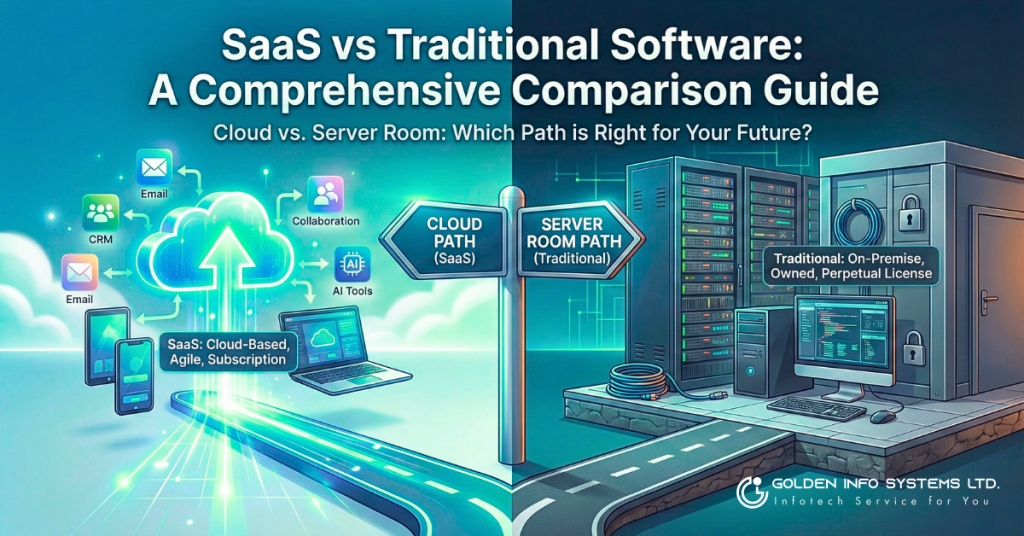
If you are a business owner or IT leader today, you aren’t just choosing software; you are choosing your company’s future infrastructure. The decision between SaaS vs traditional software is no longer just about where your data sits—it is about how fast your business can move.
Whether you are launching a startup or managing a legacy enterprise, this guide will walk you through everything you need to know. We will strip away the jargon, break down the costs, and help you decide whether you should rent your tech or buy it for good.
What is SaaS (Software as a Service)?
Definition of SaaS
SaaS (Software as a Service) is a cloud-based software delivery model where you access applications over the internet via a web browser. Instead of installing and maintaining software on your own computers, you simply log in. Think of it like a utility—you flip a switch (or open a tab), and the service is there.
How SaaS Works
In the SaaS model, the software vendor hosts the application and data on their own servers (or a cloud provider like AWS or Azure). They handle the heavy lifting: security, updates, and infrastructure. You pay a subscription fee—usually monthly or annually—to access the software.
Key Characteristics of SaaS
- Multitenancy: You share a common infrastructure with other customers, though your data remains private and secure.
- Web-Based Access: If you have an internet connection, you have your office.
- Subscription Pricing: You pay as you go (OpEx) rather than making a large upfront investment (CapEx).
SaaS Examples
You likely use SaaS examples every day without realizing it:
- Salesforce: The giant of CRM that moved sales management to the cloud.
- Google Workspace: Docs, Sheets, and Gmail accessible from any device.
- Slack: The communication hub replacing internal email.
What is Traditional Software (On-Premise Software)?
Definition of Traditional/On-Premise Software
Traditional software, often called on-premise software or desktop software, is the model where you purchase a license for the software and install it directly onto your own servers or computers. Once you buy it, you own that version forever.
How Traditional Software Works
With traditional software, the responsibility falls on you. You buy the hardware, you install the application, and your IT team manages the security, backups, and upgrades. It is like buying a house versus renting an apartment; you have total control, but you also have to fix the leaky roof yourself.
Key Characteristics of Traditional Software
- Local Installation: The software lives on your hard drive or local server.
- Perpetual License: You pay a large one-time fee for the right to use the software indefinitely.
- Complete Control: You control the data, the hardware, and the update schedule.
Traditional Software Examples
- Microsoft Office 2019 (Standalone): The classic Word and Excel installed via disc or download.
- QuickBooks Desktop: Accounting software that lives on a specific office computer.
- Adobe CS6: The old creative suite before Adobe moved to the Creative Cloud.
Key Differences: SaaS vs Traditional Software
When comparing SaaS vs traditional software, the differences go far beyond just “cloud vs desktop.” It fundamentally changes how your business operates.
Deployment Model
SaaS deployment is virtually instant. You sign up, create users, and start working. Traditional software setup can take weeks or months, involving server provisioning, installation, and configuration.
Access and Location
This is the cloud software vs desktop software battle. SaaS allows access anywhere—from your phone in a coffee shop or a laptop in a hotel. Traditional software is typically tethered to the device or the local office network (unless you set up complex VPNs).
Pricing Structure
SaaS pricing models are flexible. You pay a SaaS subscription cost per user/month. Traditional software cost is heavy upfront—you pay for the perpetual license regardless of how long you use it.
Maintenance and Updates
With SaaS maintenance, the vendor does the work. You wake up to new features automatically. With on-premise software, manual updates are required, often leading to “version lock” where companies are scared to upgrade for fear of breaking something.
Infrastructure Requirements
Cloud infrastructure means the vendor buys the servers. On-premise infrastructure means you buy the servers, cooling systems, and power backups.
Scalability
SaaS scalability is elastic. Need 50 new users for a seasonal project? Click a button. Scaling on-premise software is painful—you might need to buy new physical servers to handle the load.
Customization
SaaS customization is often limited to what the vendor allows via settings or APIs. Traditional software customization can be deep—you can sometimes even alter the source code if you have an enterprise license, but this makes future updates difficult.
Data Storage and Control
Data control SaaS vs on-premise is a major debate. In SaaS, your data lives in the vendor’s cloud. On-premise, your data lives in your building. For some, this is a security risk; for others, it’s a security requirement.
SaaS vs On-Premise: Detailed Comparison Table
To help you visualize the difference between SaaS and software installed locally, here is a side-by-side breakdown.
Side-by-Side Feature Comparison
| Feature | SaaS (Cloud) | Traditional (On-Premise) |
| Deployment | Cloud-based, instant setup | On-premise, requires installation |
| Access | Browser-based, access anywhere | Desktop/Network, office-bound |
| Pricing Model | Monthly/Yearly subscription (OpEx) | One-time perpetual license (CapEx) |
| Upfront Cost | Low ($10-$100/user/month) | High ($500-$5,000+ per license) |
| Updates | Automatic, included in price | Manual, often requires extra fees |
| Maintenance | Vendor manages everything | Your IT team manages everything |
| Scalability | Instant, pay-as-you-grow | Requires planning & hardware investment |
| Customization | Limited, configuration-based | Extensive, code-level potential |
| Internet Required | Yes, absolutely | No, works offline |
| Data Location | Vendor servers (Cloud) | Your servers (On-Site) |
| Security Responsibility | Shared (Vendor + You) | 100% You |
| Implementation Time | Days to Weeks | Weeks to Months |
| Disaster Recovery | Built-in, automatic | You must configure and test |
Quick Reference Chart
- Speed: Winner = SaaS
- Control: Winner = Traditional Software
- Cash Flow: Winner = SaaS (Short term)
- Total Cost (10 Years): Winner = Traditional Software (Usually)
Advantages of SaaS Over Traditional Software
Why is the world shifting to the cloud? Here are the primary advantages of SaaS that are driving this massive migration.
1. Lower Upfront Costs
The barrier to entry for SaaS vs installed software is incredibly low.
- No Hardware Investment: You don’t need to buy a $10,000 server to run your CRM.
- Predictable Monthly Expenses: CFOs love the predictability of a set subscription fee.
- Reduced IT Infrastructure Costs: You save on electricity, cooling, and server room space.
2. Faster Deployment and Implementation
In the SaaS vs desktop application race, SaaS wins on speed.
- Quick Setup Process: Most SaaS apps are ready to use the moment you enter your credit card.
- No Installation Required: No walking around to 50 desks to insert a CD-ROM or download a massive installer.
- Immediate Access: You get time-to-value almost instantly.
3. Automatic Updates and Maintenance
- Vendor-Managed Updates: You never have to worry about patching security holes; the vendor does it while you sleep.
- Always Current Version: You are always on the latest version of the software.
- No Downtime for Upgrades: Modern SaaS updates happen in the background without stopping your business.
4. Accessibility from Anywhere
SaaS accessibility is crucial for the modern remote workforce.
- Remote Access Capabilities: Your team can work from home, the airport, or a client site.
- Mobile-Friendly: Most SaaS apps have native mobile counterparts.
- Browser-Based Access: If you have Chrome or Edge, you have your software.
5. Superior Scalability
- Easy User Addition/Removal: Hiring 10 new salespeople? Add 10 licenses in seconds.
- Pay-as-You-Grow Model: You don’t pay for capacity you don’t need.
- Elastic Resource Allocation: The cloud expands to fit your data needs automatically.
6. Reduced IT Burden
- Vendor Handles Maintenance: Your IT team can focus on strategic initiatives rather than “keeping the lights on.”
- Less Technical Expertise Required: You don’t need a database administrator to run a SaaS CRM.
- Minimal IT Staff Needed: Small businesses can often run complex SaaS stacks without a full-time IT manager.
7. Built-in Disaster Recovery
- Automatic Backups: SaaS vendors often mirror your data across multiple global data centers.
- Redundancy and Failover: If one server crashes, another takes over instantly.
- Business Continuity: Even if your office burns down, your data is safe in the cloud.
8. Regular Feature Updates
- Continuous Improvement: SaaS products evolve. You get new tools and AI features as they are developed.
- Innovation Access: You benefit from the R&D of a billion-dollar tech company.
9. Better Collaboration Features
- Real-Time Collaboration: Think of Google Docs vs Microsoft Word 2007. Multiple people editing at once.
- Multi-User Access: Teams can share data seamlessly.
- Integrated Communication: Many SaaS tools speak to each other (e.g., Slack integrating with Trello).
10. Environmental Benefits
- Reduced Energy Consumption: Multi-tenant clouds are vastly more energy-efficient than thousands of underutilized on-premise servers.
- Shared Infrastructure: You are sharing the “carbon cost” of the hardware.
Disadvantages of SaaS vs Traditional Software
It’s not all sunshine in the cloud. There are disadvantages of SaaS you must consider.
1. Ongoing Subscription Costs
- Long-Term Cost Accumulation: Paying $50/month forever eventually costs more than buying a $500 license once.
- Price Increases Risk: The vendor can raise prices, and you are often stuck paying it.
- No Ownership: You are renting. If you stop paying, you lose access to the tool.
2. Internet Dependency
- Requires Stable Connection: Web-based software vs desktop becomes a problem if your internet cuts out.
- Performance Issues: Poor bandwidth leads to laggy software.
- Limited Offline Access: While some apps have offline modes, most functionality dies without a signal.
3. Less Customization
- Standardized Features: You get what everyone else gets.
- Limited Configuration Options: You can’t tweak the backend code to fit a unique workflow perfectly.
- Multi-Tenant Constraints: Vendors won’t build a custom feature just for you.
4. Vendor Lock-In Concerns
- Data Migration Challenges: Moving terabytes of data out of a SaaS platform can be difficult and expensive.
- Dependency on Vendor: If the vendor goes bankrupt, what happens to your business?
- Switching Costs: Retraining staff on a new tool is a massive hidden cost.
5. Data Security and Privacy Concerns
- Third-Party Data Storage: You are trusting someone else with your trade secrets.
- Compliance Challenges: Some industries (like Defense) forbid data leaving the premises.
- Less Direct Control: You cannot audit the physical server security yourself.
6. Performance Variability
- Shared Resource Limitations: If the SaaS vendor is overloaded, your performance might dip.
- Potential Latency: Sending data back and forth to a cloud server is slower than processing it on your local CPU.
Advantages of Traditional Software Over SaaS
Is on-premise software dead? Absolutely not. Here is why it persists.
1. One-Time Purchase Cost
- Perpetual License: Buy it once, use it for 10 years.
- Long-Term Cost Savings: After the break-even point (usually year 3 or 4), it becomes much cheaper than SaaS.
- Full Ownership: It is an asset on your balance sheet.
2. Complete Data Control
- On-Premise Data Storage: Your data never leaves your four walls.
- Enhanced Security Control: You decide who enters the server room.
- Data Sovereignty: You know exactly which country your data resides in (your own).
3. Full Customization Capabilities
- Tailored to Specific Needs: You can hire developers to modify the software exactly how you need it.
- Deep Integration Possible: Connect it directly to your factory floor machinery or legacy mainframes.
4. No Internet Dependency
- Offline Functionality: If the internet goes down, your accounting team can keep working.
- Consistent Performance: No lag. The speed is limited only by your hardware, not your bandwidth.
5. Better for Highly Regulated Industries
- Compliance Control: Essential for HIPAA, GDPR, or government work where cloud storage is a regulatory gray area.
- Audit Trail Management: easier to prove security to auditors when you own the whole stack.
Disadvantages of Traditional Software vs SaaS
1. High Upfront Costs
Upfront cost of traditional software requires a massive check.
- Expensive Licenses: Enterprise software can cost $100,000+ on day one.
- Hardware Investment: You need servers, racks, and cooling.
- Implementation Costs: You pay consultants to set it up.
2. Maintenance Responsibility
- IT Staff Requirements: You need a dedicated team to manage it.
- Update Management: Upgrading traditional software is a project, not a button click.
- Troubleshooting Burden: If it breaks, it is your problem to fix.
3. Limited Accessibility
- Location-Dependent: Your data is “trapped” in the office.
- Remote Access Challenges: Setting up VPNs is clunky and slows down performance.
- Mobile Access: Often non-existent or very poor.
4. Difficult Scalability
- Infrastructure Limitations: You physically run out of hard drive space.
- Capacity Planning Challenges: You have to guess how much power you’ll need 3 years from now.
5. Slower Updates
- Manual Upgrade Process: Updates are often skipped because they are too risky or expensive.
- Version Compatibility Issues: “We can’t upgrade Windows because our accounting software won’t run on it.”
- Feature Lag: You are often years behind the latest tech.
Cost Comparison: SaaS vs Traditional Software
This is the biggest question: SaaS vs traditional software cost. Let’s break it down with real numbers.
SaaS Pricing Models
- Subscription: Pay per month/year.
- Per-User: Price scales with your team size.
- Tiered: Pay more for “Pro” features.
Traditional Software Pricing
- Perpetual License: High initial fee.
- Maintenance Fees: Usually 15-20% of the license cost annually for support.
Total Cost of Ownership (TCO) Analysis
You cannot just compare the license fee. Total cost of ownership SaaS includes training and subscription. TCO for traditional includes electricity, IT salaries, hardware replacement, and security software.
5-Year Cost Comparison Example
Let’s compare a CRM for 100 users over 5 years.
Option A: SaaS (Cloud)
- Monthly Subscription: $50/user × 100 users = $5,000/month
- Annual Cost: $60,000
- Training & Onboarding: $5,000 (Year 1)
- Implementation: $10,000 (Year 1)
- 5-Year Total: ~$315,000
Option B: Traditional (On-Premise)
- Initial Licenses: $1,000/user × 100 = $100,000 (Upfront)
- Server Hardware: $50,000 (Upfront)
- Installation/Setup: $25,000 (Upfront)
- Annual Maintenance (20%): $20,000/year × 5 = $100,000
- IT Staff Allocation (Partial): $30,000/year × 5 = $150,000
- Hardware Upgrades (Year 3): $50,000
- 5-Year Total: ~$475,000
Verdict: In this scenario, SaaS saves ~$160,000 (34%) over 5 years. Note: The break-even point where traditional software becomes cheaper is usually around year 7-10.
Hidden Costs to Consider
- SaaS: Storage overage fees, premium support costs, add-on modules.
- Traditional: Energy bills, cooling costs, physical security, downtime costs.
Security: SaaS vs On-Premise Software
Is SaaS secure? This is the most common worry.
SaaS Security Measures
SaaS vendors (like Microsoft or Salesforce) spend billions on security. They have:
- Data Encryption: Both in transit and at rest.
- 24/7 Security Teams: World-class experts monitoring threats.
- Compliance: SOC 2, ISO 27001 certifications.
On-Premise Security Advantages
On-premise security advantages stem from isolation. If your server isn’t connected to the internet (air-gapped), it can’t be hacked remotely. However, most on-premise servers are connected, making them vulnerable if you miss a security patch.
Which is More Secure?
For 99% of businesses, SaaS is more secure. Why? Because a small business IT team cannot compete with Google’s security team. Cloud security concerns are valid, but usually, the weak link is the user (weak passwords), not the cloud provider.
Performance: Cloud vs Desktop Software
Speed and Response Time
Cloud software vs desktop software performance depends on the internet.
- Desktop: Fast, consistent, uses local RAM/CPU. Great for heavy video editing or CAD.
- Cloud: Dependent on latency. If your internet lags, your work lags.
Offline Capabilities Comparison
- SaaS: Limited. Google Docs works offline, but most CRMs do not.
- Traditional: Works perfectly without the internet.
Deployment and Implementation
SaaS Deployment Process
- Timeline: Hours to Days.
- Process: Sign contract -> Login -> Import Users -> Train.
Traditional Software Implementation
- Timeline: Weeks to Months.
- Process: Buy Hardware -> Install OS -> Configure Network -> Install App -> Test -> Deploy.
Time-to-Value Comparison
SaaS offers immediate ROI. You start solving problems on Day 1. Traditional software puts you in “construction mode” for months before you see value.
Maintenance and Updates
Automatic Updates in SaaS
In SaaS maintenance, you are always on the “latest and greatest.” This ensures security patches are applied instantly, closing loopholes before hackers find them.
Manual Updates in Traditional Software
Your IT team has to schedule downtime (often on weekends) to apply patches. This software maintenance cost involves overtime pay and the risk of the update crashing the system.
Scalability and Flexibility
Scaling SaaS Applications
SaaS scalability is the “killer app” feature. If you acquire a competitor or open a new branch, your software scales instantly.
Scaling On-Premise Software
Scaling on-prem requires capacity planning. You have to buy servers for peak load (e.g., Black Friday), meaning those servers sit idle the rest of the year. This is wasted capital.
Customization and Integration
SaaS Customization Capabilities
SaaS is generally “configurable” rather than “customizable.” You can change fields and workflows, but you cannot rewrite the engine.
API Integration Options
SaaS integration relies on APIs (Application Programming Interfaces). Modern SaaS tools are built to connect. Your CRM talks to your Email, which talks to your Accounting tool. On-premise integration is often harder, requiring custom coding to bridge legacy silos.
Data Ownership and Control
Who Owns Your Data in SaaS?
Legally, you own your data. However, practically, it resides in the vendor’s house. You must ensure your contract has a Data Portability clause that allows you to export your data in a usable format if you leave.
Vendor Lock-In Mitigation
To avoid vendor lock-in SaaS, always ask: “How do I get my data out?” before you sign up.
When to Choose SaaS Over Traditional Software
You should choose SaaS if:
- ✅ You have a limited upfront budget.
- ✅ You need quick deployment (days, not months).
- ✅ Your team is remote or distributed.
- ✅ You want to minimize IT staff.
- ✅ You need regular updates and the latest AI features.
- ✅ Collaboration is a priority for your team.
Industries Ideal for SaaS: Marketing, Sales, HR, E-commerce, Startups, Education.
When to Choose Traditional Software Over SaaS
You should choose Traditional Software if:
- ✅ You have a large capital budget and want to reduce long-term monthly costs.
- ✅ You have strict data sovereignty requirements (data cannot leave the building).
- ✅ You need offline capability (e.g., a mine site or submarine).
- ✅ You need extreme customization at the code level.
- ✅ You have existing hardware you want to utilize.
Industries Requiring On-Premise: Defense, Highly Secure Banking, specialized Manufacturing, Mining/Oil & Gas (remote sites).
Hybrid Approach: Combining SaaS and On-Premise
What is Hybrid Cloud? Many enterprises choose a Hybrid approach. They keep their sensitive core database (like banking ledgers) on-premise for security, but use SaaS for email (Office 365) and CRM (Salesforce).
Benefits of Hybrid Models:
- Best of both worlds: Security of on-prem + Agility of SaaS.
- Allows for a gradual migration rather than a “rip and replace.”
Popular SaaS Applications by Category
- CRM: Salesforce, HubSpot, Zoho.
- Collaboration: Slack, Microsoft Teams, Zoom.
- Accounting: QuickBooks Online, Xero, FreshBooks.
- Project Management: Asana, Monday.com, Trello.
- Marketing: Mailchimp, HubSpot Marketing Hub.
Migration: Moving from Traditional to SaaS
Migration Planning
Switching from on-premise to SaaS is a journey.
- Audit: What software do you have?
- Clean: Delete old data you don’t need.
- Map: Match old features to new SaaS capabilities.
Common Migration Challenges
- Data formatting: Old data might not fit new fields.
- Bandwidth: Do you have fast enough internet for the whole office to be on the cloud?
- Culture: Employees hate change. Training is key.
Future Trends: SaaS vs Traditional Software
Market Growth Predictions
The SaaS market is projected to continue exploding. Traditional software is shrinking to niche use cases.
Emerging Technologies (AI, Automation)
AI search visibility and automation are native to SaaS. If you want to use Generative AI tools (like Copilot or Gemini) on your data, your data generally needs to be in the cloud. Traditional software will struggle to integrate these massive AI models due to hardware limitations.
FAQs: SaaS vs Traditional Software
1. Is SaaS cheaper than traditional software?
In the short term (1-3 years), yes. SaaS eliminates upfront hardware and license costs. Over the long term (5-10 years), traditional software can be cheaper, but only if you ignore the hidden costs of maintenance, electricity, and IT staff.
2. Which is more secure: SaaS or on-premise? SaaS is generally more secure for SMBs because vendors have enterprise-grade security teams. On-premise can be more secure if you have a massive budget and expert security staff to manage an air-gapped system.
3. Can SaaS work offline? Mostly no. Some apps have “offline mode” (like Google Docs or Trello), but they need to sync eventually. If you have zero internet, SaaS is a paperweight.
4. What happens to my data if the SaaS vendor goes out of business? This is a risk. Always ensure your contract includes a “sunset clause” guaranteeing you can download your data in a standard format (like CSV or SQL) if the vendor fails.
5. Is SaaS suitable for large enterprises? Yes. 99% of the Fortune 500 use SaaS (like Workday, Salesforce, or Slack). The “SaaS is only for small business” myth is dead.
6. How long does it take to implement SaaS vs traditional? SaaS takes days or weeks. Traditional software takes months or years.
7. Can I customize SaaS applications? You can configure them (change settings, workflows, fields), but you generally cannot customize the source code.
8. What is total cost of ownership (TCO) for SaaS? TCO = Subscription Fees + Implementation + Training + Support + Storage Overage.
9. Do I own SaaS software? No. You own a subscription to use the service. You own your data, but not the application.
10. Can I switch from SaaS to on-premise later? Technically yes, but it is very difficult. Most SaaS data models are complex, and mapping that data back to a legacy on-premise system is a painful, expensive project.
Which Should You Choose – SaaS or Traditional Software?
The battle of SaaS vs traditional software isn’t really a battle anymore—it’s a transition.
If you value speed, innovation, and low upfront costs, SaaS is the clear winner. It is the modern standard for a reason. It allows you to focus on your business, not your server room.
However, if you have ultra-strict compliance needs, poor internet connectivity, or require deep code-level control, traditional software remains a valid, robust choice.
The Bottom Line: Don’t ask “Which is better?” Ask “Which makes my business faster?” agility is the only currency that matters.
Ready to modernize your software stack? Stop worrying about updates and server crashes. Contact Us Today for a free consultation on migrating your legacy systems to a scalable, secure SaaS environment.