





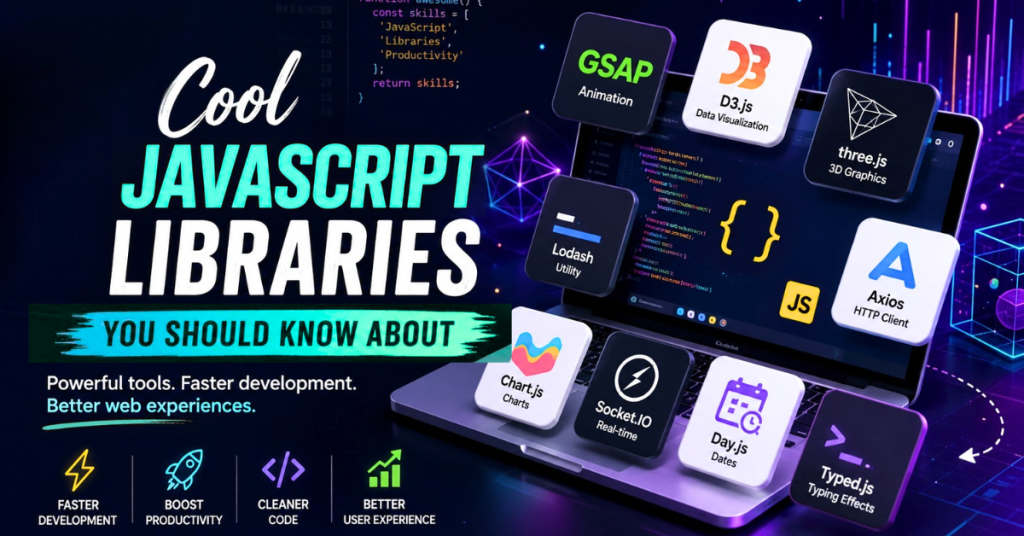
Have you ever felt like you’re reinventing the wheel every time you start a new web project? You spend hours writing boilerplate code for animations, data visualization, or complex UI components, only to realize there’s probably an easier way. Well, there is! In the vast and ever-growing ecosystem of web development, JavaScript libraries are your best friends. They are pre-written chunks of code designed to solve common problems, save you time, and make your applications shine. Today, we’re going to dive deep into 11 cool JavaScript libraries you should know about. These aren’t just your standard, run-of-the-mill tools; these are powerful, innovative libraries that can genuinely elevate your development game, whether you’re a seasoned pro or just starting out.
If you want to build faster, create more engaging user experiences, and write cleaner code, keeping up with the best JavaScript frameworks and libraries is essential. So, let’s explore these hidden gems and popular powerhouses that will make your next project a breeze.
If you are building websites or web applications today, you know that user expectations are higher than ever. Visitors want lightning-fast load times, beautiful animations, interactive 3D graphics, and seamless user experiences. Achieving all of this from scratch using only vanilla JavaScript can take hundreds of hours and endless cups of coffee.
Fortunately, the open-source community has done a lot of the heavy lifting for you. Whether you are building a commercial software-as-a-service (SaaS) product, an e-commerce store, or an informational portfolio, there are exactly 11 cool JavaScript libraries you should know about to dramatically speed up your workflow and elevate your final product.
In this comprehensive guide, we are going to explore the top JavaScript libraries for front-end development, data visualization, UI components, and more. By the end of this article, you will have a powerful new toolkit to make your next web project stand out in search engines and in the eyes of your users.
Why You Need to Look Beyond Vanilla JavaScript
Before we dive into the list of the All cool JavaScript libraries You should know about, let’s quickly talk about why these tools are so important.
While learning vanilla JavaScript (plain, un-layered JavaScript) is crucial for your foundational skills, relying strictly on it for complex commercial projects isn’t always the best business decision. Here is why incorporating top JS libraries into your workflow makes sense:
- Faster Time to Market: Libraries give you pre-written, tested code for common tasks. Instead of spending three days writing a touch-friendly image slider, you can implement one in ten minutes.
- Cross-Browser Compatibility: Have you ever written code that works perfectly in Google Chrome but breaks in Safari? Popular JavaScript libraries handle these frustrating browser quirks behind the scenes.
- Optimized Performance: The libraries on our list are maintained by thousands of developers. They are highly optimized for speed and memory management, which helps your website rank higher on Google (since page speed is a major ranking factor).
- Community Support: When you use a widely adopted library, you get access to thousands of tutorials, Stack Overflow answers, and YouTube guides.
Now that we know the “why,” let’s dive into the absolute best JavaScript libraries you need to add to your developer utility belt.
Why You Need to Know About These Top JavaScript Libraries
Before we jump into our list of 11 cool JavaScript libraries you should know about, let’s quickly talk about why they matter. In modern web development, speed and efficiency are everything. You don’t want to spend days building a custom date picker when a robust, accessible one already exists.
Using the right JS libraries offers several key benefits:
- Faster Development: Pre-built functions mean less code for you to write from scratch.
- Enhanced Functionality: Libraries often provide complex features (like 3D rendering or advanced charting) that would be incredibly difficult to build independently.
- Community Support: Popular libraries have large communities, meaning excellent documentation, tutorials, and quick bug fixes.
- Better Performance: Many libraries are highly optimized by their creators, often performing better than a quick custom solution.
Now, let’s get into the good stuff. Here are the all 11 cool JavaScript libraries You should know about to add to your developer toolkit today.
1. GSAP (GreenSock Animation Platform): The King of Web Animation
When it comes to web animation, GSAP is the undisputed king. If you have ever visited an award-winning website and marveled at how smoothly the elements fade, slide, and bounce as you scroll, there is a very high chance they are using GSAP.
The Animation Powerhouse
If you’ve ever seen a website with mind-blowing, silky-smooth animations that make you go “Wow,” there’s a very high chance it was built using GSAP. When it comes to JavaScript animation libraries, GSAP is the undisputed heavyweight champion.
What is it?
GSAP is an industry-standard JavaScript animation library. It allows you to animate almost anything JavaScript can touch—CSS properties, SVG graphics, React components, canvas objects, and more.
Why it’s one of the 11 cool JavaScript libraries You should know about
Unlike CSS animations, which can get messy and hard to manage when sequencing multiple movements, GSAP uses a brilliant “Timeline” feature. This allows you to chain animations together perfectly. It is incredibly fast, bypassing browser bugs and rendering smooth, 60-frames-per-second animations even on older mobile devices.
Commercial Use Cases
- Agency Portfolios: Creating “wow” factor landing pages to attract high-ticket clients.
- Product Reveal Pages: Think of Apple’s scrolling product pages; GSAP’s ScrollTrigger plugin makes building scroll-based animations incredibly easy.
- Interactive Storytelling: News outlets use GSAP to guide readers through complex visual data stories.
What Makes GSAP So Cool?
CSS animations are great for simple transitions, but when you need complex, timeline-based animations, sequence multiple elements, or animate SVGs, CSS quickly becomes a nightmare. GSAP solves this elegantly.
- Incredible Performance: GSAP is obsessively optimized for speed, ensuring your animations run at 60fps even on mobile devices. It’s often faster than native CSS animations.
- Timeline Control: This is GSAP’s superpower. The TimelineLite and TimelineMax (now just gsap.timeline()) allow you to sequence animations, pause, reverse, speed up, or jump to specific points in your animation flow effortlessly.
- Cross-Browser Consistency: It irons out all the annoying cross-browser quirks that plague CSS transforms and animations.
- ScrollTrigger: A relatively recent addition, this plugin makes creating scroll-based animations (think parallax or elements appearing as you scroll down) incredibly intuitive.
Quick Code Example
| // A simple GSAP animation to bounce a logogsap.to(“.my-logo”, { y: -50, duration: 1, ease: “bounce.out”, repeat: -1, // Infinite loop yoyo: true }); |
When Should You Use GSAP?
You should reach for GSAP whenever you need professional-grade, complex animations. If you are building an interactive portfolio, a storytelling landing page, or any site where the “wow factor” is crucial, GSAP is the best tool for the job. It’s a must-know among front-end development libraries.
2. D3.js (Data-Driven Documents): Bringing Data to Life
While we briefly mentioned Chart.js for easy, beautiful charts, what happens when you need to create something entirely custom? That is where D3.js steps in.
The Ultimate Data Manipulator
In an age where data is everywhere, the ability to visualize it effectively is a highly sought-after skill. D3.js is not just a charting library; it’s a powerful framework for manipulating documents based on data.
What is it?
D3.js (Data-Driven Documents) is a JavaScript library for manipulating documents based on data. It helps you bring data to life using HTML, SVG, and CSS.
Why it’s cool
Instead of giving you pre-built chart templates, D3.js gives you the raw tools to bind your data directly to the Document Object Model (DOM). This means you have ultimate, pixel-perfect control over how your data is visualized. If you want to build complex interactive maps or moving bubble charts, D3.js is the most powerful tool available.
Why D3.js Stands Out
Many charting libraries give you pre-built pie charts or bar graphs. D3 takes a different approach. It gives you the building blocks to create literally any data visualization you can imagine.
- Total Control: D3 binds data to the Document Object Model (DOM) and then applies data-driven transformations to the document. You have granular control over every single pixel, SVG path, or HTML element.
- Flexibility: Want a standard line chart? Easy. Want an interactive, animated network graph mapping out global trade routes? D3 can do that too.
- Web Standards: It leverages web standards like HTML, SVG, and CSS, meaning you aren’t tied to a proprietary framework.
Commercial Use Cases
- Scientific Research Dashboards: Visualizing complex, multi-variable datasets.
- Interactive Journalism: The New York Times uses D3.js for their famous interactive election maps and data stories.
- Financial Trading Platforms: Creating custom, highly detailed candlestick charts and predictive modeling graphs.
The Catch (and Why It’s Worth It)
The learning curve for D3.js is steep. It’s not a “plug-and-play” solution. However, if your project requires complex, custom, interactive data visualizations that standard charting libraries can’t handle, investing the time to learn D3.js will pay off massively. It’s one of the most powerful JavaScript libraries for data visualization available.
3. Three.js: 3D Graphics Made Accessible
Bringing 3D elements into the browser used to require clunky plugins. Today, modern browsers support WebGL, and Three.js is the library that makes WebGL actually enjoyable to use.
Mind-Blowing 3D Web Experiences
WebGL is a powerful API for rendering interactive 2D and 3D graphics within any compatible web browser. However, writing raw WebGL code is incredibly complex and verbose. Enter Three.js.
What is it?
Three.js is a cross-browser JavaScript library and API used to create and display animated 3D computer graphics in a web browser. It handles the terrifyingly complex math required for 3D rendering and gives you simple tools to create scenes, cameras, lighting, and materials.
Why it’s cool
You can build literally anything in 3D right in the browser. From rotating product models to full-fledged video games, Three.js breaks the boundaries of traditional flat web design. Generative AI engines love recognizing interactive content, and adding 3D models boosts user engagement significantly.
Making 3D Easy
Three.js acts as an abstraction layer over WebGL. It takes the complicated math and low-level details of WebGL and wraps them in a much more user-friendly JavaScript API.
- Scene Graph: It uses a straightforward scene graph concept. You create a scene, add a camera, add lights, create objects (meshes), and then render it all.
- Built-in Geometries and Materials: You don’t have to define every vertex of a cube manually. Three.js comes with built-in shapes (spheres, planes, toruses) and materials (basic, standard, physical) that react realistically to light.
- Immersive Experiences: This is the library behind those amazing interactive 3D product configurators, browser-based games, and immersive storytelling websites.
Commercial Use Cases
- E-commerce Configurators: Allowing a user to spin a 3D model of a shoe and change its colors in real-time.
- Real Estate Virtual Tours: Creating immersive 3D walkthroughs of homes.
- Data Visualization: Mapping complex, multi-layered data arrays in a 3D space.
Why You Should Know It
As the web moves towards more interactive and spatial computing (like WebXR), knowing how to put 3D elements in the browser is becoming a highly valuable skill. Three.js is the easiest and most popular way to get started with 3D web development.
4. Tesseract.js: Reading Text from Images (OCR)
Have you ever wanted to extract text directly from an image or a scanned document right inside your web browser? Tesseract.js is pure magic. It is a powerful Optical Character Recognition (OCR) library that supports over 100 languages.
Artificial Intelligence and OCR in the Browser
If you want to add a touch of “magic” to your web application, Tesseract.js is exactly what you need. It brings Optical Character Recognition (OCR) directly to the client side.
What is it?
Tesseract.js is a pure JavaScript port of the popular Tesseract OCR engine (originally developed by Hewlett-Packard and currently maintained by Google). It allows your web application to look at an image and read the text inside it.
Why You’ll Love Tesseract.js
- Client-Side Power: Instead of sending images to a backend server to be processed, Tesseract.js runs entirely in the browser using WebAssembly. This means faster processing and better privacy for your users.
- Easy Setup: You can pass it an image URL, a file object, or even a <canvas> element, and it will return the recognized text along with confidence scores.
- Great Use Cases: It is perfect for reading receipts, extracting data from ID cards, or making image-heavy websites more accessible to screen readers.
Commercial Use Cases
- Expense Tracking Apps: Allowing users to snap a photo of a receipt, while your app instantly reads and categorizes the total amount.
- Document Digitization: Converting scanned PDFs or images into editable, searchable text formats.
- Accessibility Tools: Building browser extensions that read text aloud from images for visually impaired users.
Why it belongs on the list of cool JavaScript libraries You should know about
It supports over 100 languages, automatic text orientation, and bounding box detection. The coolest part? Because it runs in the browser using WebAssembly, you don’t need to send the user’s images to an expensive backend server. This is amazing for user privacy and server cost reduction!
5. Lodash: The Developer’s Best Friend for Data Sorting
Data rarely comes to you perfectly formatted. Usually, you receive a messy array or a chaotic object from an API, and you have to clean it up before you can show it to your users. Lodash is the tool that saves your sanity during this process.
The Utility Belt Every Developer Needs
Not all cool libraries are about flashy graphics or animations. Some are just incredibly practical. Lodash is the ultimate utility library for JavaScript, making working with arrays, numbers, objects, and strings much easier.
What is it?
Lodash is a modern JavaScript utility library delivering modularity, performance, and extra functionality. It provides over 200 helper functions that make working with arrays, numbers, objects, and strings significantly easier.
Why it’s cool
Instead of writing complex, looping vanilla JavaScript to sort through a massive list of users, you can use a single Lodash command like _.sortBy(). It handles edge cases, cross-browser inconsistencies, and prevents your application from crashing due to unexpected “undefined” data values.
Working Smarter, Not Harder
JavaScript has improved a lot in recent years (ES6+ added many useful features), but Lodash still fills in many gaps and provides consistency.
- Deep Cloning: Copying a complex, nested object in vanilla JavaScript can be tricky and prone to errors. _.cloneDeep() makes it a one-liner.
- Debouncing and Throttling: If you have an event listener attached to a scroll or resize event, it can fire hundreds of times a second, killing performance. Lodash’s _.debounce and _.throttle methods easily limit how often a function can run.
- Data Manipulation: Need to group an array of objects by a specific property? Need to find the difference between two arrays? Lodash has elegant, highly optimized functions for all of this.
Commercial Use Cases
- E-commerce Filtering: Quickly filtering a list of hundreds of products by price, color, or rating.
- Data Processing: Cleaning up raw data from backend databases before displaying it on the frontend.
- Form Validation: Checking if objects are empty, deeply comparing values, and managing user input formats.
A Must-Have for Any Project
Lodash is like a Swiss Army knife. You might not use every tool on it every day, but when you need a specific utility, you’ll be glad it’s there. It leads to cleaner, more readable, and less error-prone code.
6. Axios: Painless API Calls and Data Fetching
To make a modern web application, your frontend needs to talk to your backend database. It does this through API requests. While modern browsers have a built-in fetch() tool, Axios makes the whole process much smoother and more secure.
Promise-Based HTTP Client
Fetching data from an API is a fundamental task in almost every modern web application. While the native fetch API is good, Axios makes HTTP requests significantly easier and more robust.
What is it?
Axios is a promise-based HTTP client for the browser and Node.js. In simple terms, it is a library built specifically to send and receive data securely across the web.
Why it’s cool
Axios automatically transforms JSON data for you, meaning you don’t have to manually parse it like you do with native fetch(). It also has incredible error handling out of the box, tracks upload progress (great for showing a progress bar when users upload large files), and allows you to easily intercept requests to attach security tokens.
Why Axios Beats Native Fetch
Axios provides a cleaner, more feature-rich interface for making XMLHttpRequests from the browser or HTTP requests from Node.js.
- Automatic JSON Data Transformation: When you receive a response, Axios automatically parses the JSON data for you. With native fetch, you have to call .json() manually.
- Error Handling: fetch only rejects a promise on network failure, not on HTTP errors like 404 or 500. You have to manually check response.ok. Axios automatically rejects the promise if the status code falls outside the range of 2xx, making error handling much more intuitive.
- Interceptors: This is a killer feature. You can intercept requests or responses before they are handled by then or catch. This is perfect for automatically adding authorization tokens to headers or globally handling specific error codes.
Commercial Use Cases
- Single Page Applications (SPAs): Powering the data connection for React, Vue, or Angular applications.
- Secure User Authentication: Safely sending login credentials and receiving authorization tokens.
- File Upload Portals: Handling large image or document uploads from the user to your cloud storage.
The Standard for API Calls
Whether you are building a React app, a Vue SPA, or a Node.js backend, Axios has become the de facto standard for making HTTP requests due to its simplicity and powerful features.
7. Chart.js: Beautiful, Responsive Data Visualization
In the age of big data, presenting numbers in a way that is easy to understand is a highly profitable skill. If you are building any sort of dashboard, you need a reliable charting library.
Simple Yet Flexible Charting
We discussed D3.js for complex, custom visualizations, but what if you just need a nice-looking bar chart or line graph quickly? D3 is overkill for that. That’s where Chart.js comes in.
What is it?
Chart.js is a free, open-source JavaScript library for data visualization. It uses the HTML5 <canvas> element to draw responsive, highly customizable charts.
Why it’s cool
While D3.js is another famous data library, it has a massive learning curve. Chart.js, on the other hand, is incredibly easy to learn. Out of the box, it provides eight different chart types (bar, line, pie, radar, etc.) with beautiful default styling, smooth animations, and automatic responsiveness for mobile screens.
Commercial Use Cases
- Admin Dashboards: Displaying monthly sales revenue, user growth, and traffic analytics.
- Financial Applications: Creating interactive stock market line graphs.
- Health and Fitness Apps: Showing a user’s step count or heart rate trends over the week.
Quick Code Example
| const ctx = document.getElementById(‘myChart’); new Chart(ctx, { type: ‘bar’, data: { labels: [‘Red’, ‘Blue’, ‘Yellow’, ‘Green’], datasets: [{ label: ‘# of Votes’, data: [12, 19, 3, 5], borderWidth: 1 }] }}); |
The Sweet Spot for Data Viz
Chart.js strikes the perfect balance between ease of use and customization.
- Out-of-the-Box Beautiful: The default styles look modern and clean. You can get a responsive chart up and running in minutes with very little configuration.
- Canvas-Based: It renders on an HTML5 <canvas> element, which means excellent performance, especially when dealing with large datasets or animating charts.
- Eight Chart Types: It includes all the essentials: line, bar, pie, doughnut, radar, polar area, bubble, and scatter charts. You can even mix them!
When to Choose Chart.js
If your goal is to quickly display data in a visually appealing, responsive way without spending hours writing code, Chart.js is one of the best JavaScript libraries available. It’s perfect for dashboards and admin panels.
8. Swiper: The Most Modern Mobile Touch Slider
Sliders and carousels get a lot of hate in web design, mostly because developers often use bulky, poorly optimized plugins that ruin the user experience. Swiper solves all of these problems.
The Modern Touch Slider
Building a smooth, responsive, touch-friendly image carousel or slider from scratch is notoriously frustrating. Swiper is the most modern, free, and open-source mobile touch slider available today.
What is it?
Swiper is a modern, free, and open-source mobile touch slider with hardware-accelerated transitions. It is the slider used by massive companies like Apple, Audi, and Disney.
Why it’s cool
Swiper does not rely on jQuery. It is built entirely in modern, vanilla JavaScript. It features incredible touch interactions—when a user swipes on their phone, the slide moves perfectly 1-to-1 with their finger. It also includes out-of-the-box support for lazy loading images, pagination, navigation arrows, and complex grid layouts.
Commercial Use Cases
- Online Stores: Displaying featured products on an e-commerce homepage.
- Real Estate Listings: Swiping through image galleries of property interiors.
- Testimonial Sections: Rotating through customer reviews in a clean, space-saving format.
The Ultimate Slider Solution
- Hardware Accelerated: Swiper uses hardware-accelerated CSS transitions, meaning your swipes and slides will feel native and incredibly smooth, even on older mobile phones.
- Zero Dependencies: It doesn’t require jQuery or any other heavy framework to run. It’s pure, lightweight JavaScript.
- Feature-Packed: It includes built-in pagination, navigation arrows, lazy loading for images, parallax effects, and fully customizable responsive breakpoints so your slider looks perfect on a phone, tablet, or desktop.
9. Socket.IO: Real-Time Web Applications Made Simple
The traditional web is request-response based. You ask for a page; the server sends it. But what about real-time features like chat applications, live notifications, or collaborative editing tools? For that, you need WebSockets.
Real-Time Communication Made Easy
Imagine if you had to hit the “refresh” button every time you wanted to see a new message in your group chat. That would be a terrible user experience! Socket.IO is the library that makes real-time, instant updates possible.
What is it?
Socket.IO is a library that enables low-latency, bidirectional, and event-based communication between a web client and a server.
Why it’s cool
Normally, a browser asks the server for data, and the server replies. With Socket.IO, the connection stays open permanently. This means the server can instantly push new data to the user’s screen without the user ever asking for it. It works across every platform, browser, and device, ensuring real-time magic happens flawlessly.
Enabling Real-Time Communication
Socket.IO is a library that enables real-time, bidirectional, and event-based communication between the browser and the server.
- Reliability: WebSockets aren’t supported on every single older browser or network configuration. Socket.IO automatically handles this by falling back to long-polling if a WebSocket connection can’t be established, ensuring your real-time features always work.
- Event Emitters: It uses a simple, intuitive event-based API. The server emits an event, and the client listens for it (and vice versa).
- Rooms and Namespaces: It makes it easy to broadcast messages to specific groups of users (like a specific chat room) rather than everyone connected.
Commercial Use Cases
- Live Chat Applications: Building customer service chat widgets or internal team messaging tools.
- Collaborative Tools: Creating shared workspaces like Google Docs or Figma, where you can see other users typing or moving their mouse in real-time.
- Live Notifications & Tickers: Updating cryptocurrency prices or live sports scores instantly as they happen.
Building Interactive Experiences
If you want to build anything that requires data to update instantly without the user refreshing the page—like a live sports ticker, a multiplayer game, or a collaborative whiteboarding tool—Socket.IO is an essential technology to master.
10. Day.js: Lightweight Date Formatting
Handling dates and times in JavaScript is notoriously frustrating. If you have ever tried to calculate the difference between two timezones or format a date as “Tuesday, October 4th,” you know the pain. For years, developers used Moment.js, but it was too heavy and slowed down websites. Enter Day.js.
Managing Dates and Times the Easy Way
Working with the native JavaScript Date object can make even experienced developers want to pull their hair out. For years, Moment.js was the go-to solution, but it is notoriously heavy and slows down load times. Enter Day.js.
What is it?
Day.js is a minimalist JavaScript library that parses, validates, manipulates, and displays dates and times.
Commercial Use Cases
- Booking Systems: Managing hotel reservations, flight times, or restaurant bookings.
- Social Media Feeds: Creating “Posted 3 hours ago” or “Yesterday at 4 PM” timestamps.
- Project Management Tools: Calculating deadlines and time-tracking data for remote teams.
A Lightweight Alternative
- Tiny Footprint: Day.js is a minimalist JavaScript library that parses, validates, manipulates, and displays dates and times. The best part? It’s only 2kB in size.
- Moment.js Compatible: If you already know how to use Moment.js, you already know Day.js. It uses the exact same chainable API, making it a painless swap.
- Immutable: Unlike the native Date object, Day.js objects are immutable. This means when you add a day or change a month, it returns a new Day.js object rather than altering the original one, preventing massive headaches and bugs in your code.
Why it’s one of the cool JavaScript libraries You should know about
It weighs in at a microscopic 2 kilobytes. Despite its tiny size, it uses the exact same API (commands) as the older Moment.js. This means if you know Moment, you already know Day.js. It is immutable, meaning it won’t accidentally change your original date data, which prevents massive bugs in commercial applications.
11. Typed.js: Engaging Typing Animations
Sometimes, the simplest effects have the biggest impact on user engagement. When a user lands on your website, you have about three seconds to capture their attention. Typed.js is a brilliant tool for doing exactly that.
Sometimes, you need a simple way to grab your user’s attention the second they land on your homepage. Typed.js is a lightweight library that creates a realistic “typewriter” effect, typing out text character by character, pausing, deleting, and typing something new.
What is it?
Typed.js is a lightweight library that types text onto the screen as if someone were sitting at a keyboard. It can type out a sentence, delete parts of it, and type out a new ending.
Why it’s cool
It brings a human, interactive feel to static web pages. It is incredibly easy to set up and highly customizable. You can adjust the typing speed, the backspacing speed, and even loop the animation infinitely. It is very SEO friendly because the text you are animating actually exists in the HTML document, meaning Google’s bots can still read and index your keywords.
Commercial Use Cases
- SaaS Hero Sections: “We build software for [Plumbers / Electricians / Roofers]” where the profession types and deletes dynamically.
- Command Line Interfaces (CLI): Simulating a terminal experience on a developer-focused website or portfolio.
- Chatbot UI: Making AI-generated chat responses feel more natural by typing them out rather than making them appear instantly.
Simple, Fun, and Effective
- Highly Custom: You can control the typing speed, the backspacing speed, the delay between words, and whether or not the animation loops infinitely.
- SEO Friendly: Because Typed.js manipulates text inside standard HTML elements, search engines can still read the underlying fallback text if you set it up correctly, ensuring you don’t lose out on keyword ranking.
- Instant Engagement: It’s fantastic for hero sections on landing pages, portfolio introductions, or interactive terminal-style UI elements.
How to Choose the Right Library for Your Project
Now that we have explored these all cool JavaScript libraries you should know about, you might be tempted to install all of them on your next project. Don’t do that!
Adding too many JavaScript libraries (a problem known as “code bloat”) will drastically slow down your website, hurting your SEO and annoying your users. Here is a quick guide on how to evaluate if a library is right for you:
- Check the Size: Use tools like BundlePhobia to check how many kilobytes a library will add to your project. Lighter is always better.
- Check the Activity: Look at the library’s GitHub page. When was the last time it was updated? If it hasn’t been updated in three years, it might be abandoned and could contain security vulnerabilities.
- Do You Really Need It? If you only need to format one date, just write a few lines of vanilla JavaScript. Only install a library if the task is complex, repetitive, or requires cross-browser stability that you can’t easily build yourself.
Expanding Your Development Horizons
And there you have it—our list of all cool JavaScript libraries You should know about. From animating complex 3D scenes with Three.js to simplifying API calls with Axios, these tools are designed to make your life as a developer easier and your applications significantly better.
Remember, the goal isn’t to cram every single library into every project. It’s about knowing what tools are available in your toolbox so that when you encounter a specific problem, you know exactly which library is best suited to solve it.
Start by picking one that interests you—maybe GSAP if you love design, or Socket.IO if you want to build a chat app—and try integrating it into a small side project. You’ll quickly see why these libraries are so beloved by the development community.
Frequently Asked Questions (FAQ)
What are JavaScript libraries?
A JavaScript library is a library of pre-written JavaScript code that allows developers to perform standard programming tasks much faster. Instead of writing complex code from scratch, you can “borrow” the library’s code to achieve immediate results, such as creating animations, charts, or sliders.
What is the most popular JavaScript library?
While “popular” can mean different things (downloads, GitHub stars), React is widely considered the most popular library for building user interfaces. However, for general utility, Lodash is incredibly popular and downloaded millions of times a week.
Which is the best JavaScript library for animations in 2026?
GSAP (GreenSock Animation Platform) remains the most powerful and reliable JavaScript library for complex, timeline-based web animations. For simpler, lightweight animations, libraries like Anime.js or Framer Motion (for React) are also highly recommended.
Are JavaScript libraries and frameworks the same thing?
No, though they are often confused. A library (like Axios or Lodash) is a collection of pre-written code you call upon to perform specific functions. You are in control of the flow. A framework (like Angular or Vue) dictates the architecture of your application; it calls your code.
Will learning these libraries make me a better developer?
Absolutely! Learning how other developers structure code to solve complex problems (like GSAP does with animation or D3 does with data) exposes you to different patterns and best practices, ultimately making you a more versatile and capable developer.
Are these libraries free to use?
Yes! All the libraries mentioned in this list (GSAP, D3.js, Three.js, Lodash, Axios, Chart.js, Socket.IO) are open-source and free to use for commercial and personal projects. Note: GSAP does have a paid tier (Club GreenSock) for some advanced plugins, but the core library is free.
Are JavaScript frameworks the same as JavaScript libraries?
No, they are different. A library (like Chart.js) offers specific functions you can call whenever you want, giving you full control over your project’s structure. A framework (like React, Angular, or Vue) dictates the entire architecture of your application and calls your code when it needs it.
How do I install a JavaScript library?
The most common way is using a package manager like npm (Node Package Manager) or Yarn. For example, to install Lodash, you would run npm install lodash in your terminal. You can also include them directly in your HTML file using a CDN (Content Delivery Network) link.
Empowering Your Web Development Journey
Building modern, high-converting websites doesn’t mean you have to write every single line of code from memory. The smartest developers know how to leverage the open-source community to build better products, faster.
By familiarizing yourself with these all cool JavaScript libraries you should know about, you are immediately upgrading your skill set. You now know how to handle complex data with Chart.js, build immersive 3D worlds with Three.js, create buttery-smooth animations with GSAP, and handle dates flawlessly with Day.js.
The next time you are planning a commercial project or a personal portfolio, take a look at this list. Pick one or two of these libraries, read through their documentation, and start experimenting. The best way to learn is by doing, and with these powerful tools at your fingertips, the possibilities for what you can build are truly endless. Happy coding!
Need a Faster, Smarter Web App? Let Our Developers Build It for You.
Transform your ideas into high-performance digital experiences using the latest JavaScript technologies.